
Premium MetaTrader Indicators for MT4 and MT5
Entry signals, support and resistance levels, smart money concepts and more. Pick a trading style below, or search by indicator name.
No indicator matches that search. Try another word, or pick All.



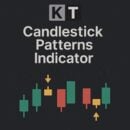
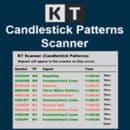
KT Candlestick Patterns Indicator
Detects the 24 most reliable candlestick patterns, with alerts.



KT Currency Strength and Correlation
Currency strength with a correlation matrix for pair choice.







From traders who use them
Reviews left on the product pages.
A great indicator that gives a clear picture of market direction on all time frames together with well defined entry points.
richard boothKT Trend Trading Suite
I love this indicator. I dropped other macd versions and used only this one. Thank you, team.
Sunil DahiyaKT MACD Divergence Indicator
This is my second purchase from Keenbase Trading and this indicator works well. Great customer service and great product. Thank you
Robert CrivellaroKT Supply and Demand Indicator
Superb indicator, love it in conjunction to supports and resistances to trade reversals!
Vincent ColombeKT Trend Wave Indicator
I really like this b/c it not only has the trendline, but provides a scanner with multiple timeframes to help keep you in the trend. Thank you
Wendy DanielsKT Trend Filter Indicator
A user-friendly volume profile indicator. Just drag and drop anywhere on the chart.
Arthur SimangoKT Volume Profile Indicator
FAQs about MetaTrader indicators (MT4/MT5)
This is the premium indicator catalogue from Keenbase Trading. It covers breakouts, price action, divergence, smart money concepts and multi-timeframe trend systems.
Each product page shows what the indicator draws on the chart, its input settings and the platforms it runs on, so you can check it against your own trading before you choose one.
Which indicator should I start with?
Start with the part of your trading you want help with, such as entries, price levels or the trend direction. Choose that trading style in the tabs above, then compare the indicators in it. You can also search for a setup you trade, for example "order block" or "breakout".
Do MT4 indicators work on MT5?
No. MetaTrader 4 and MetaTrader 5 are separate platforms, so an MT4 indicator does not run on MT5, and an MT5 indicator does not run on MT4. Each card shows the platforms the indicator runs on, and you choose your platform when you buy.
Can an indicator trade for me automatically?
No. An indicator draws the signals and levels on your chart, and you decide when to trade. To trade automatically, see our Expert Advisors.
Is any indicator right every time?
No. Many things move the market, so no indicator is right on every trade. Use an indicator to read the chart more clearly, and protect every trade with a stop loss.
How many indicators should I use together?
Two or three that do different jobs usually work best, for example one for the entry and one for the price levels. More than that often gives you signals that disagree.
Can I use these indicators in the MetaTrader app on my phone?
No. MetaTrader runs custom indicators only in the desktop version. You can still receive their alerts on your phone.
Can I get the alerts on my phone?
Yes, if the indicator has alerts. MetaTrader sends them to your phone as push notifications. Follow this tutorial to switch them on.
What if the indicator does not suit my trading?
Within 30 days of your purchase, you can exchange it for another product at the same price or lower. If you choose a higher-priced product, you pay the difference.