Features
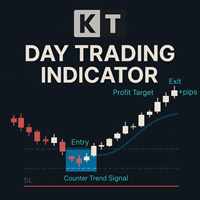
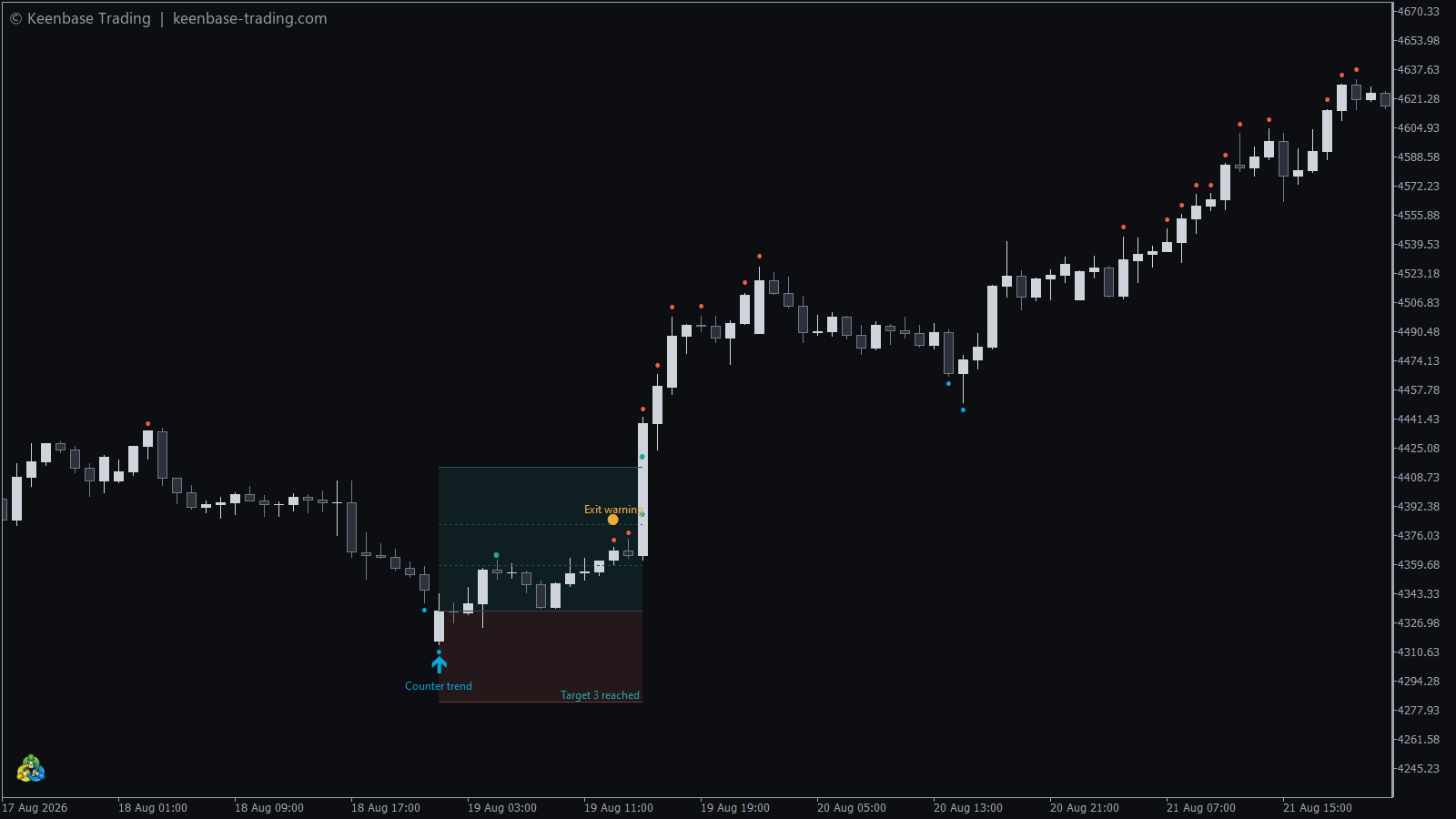
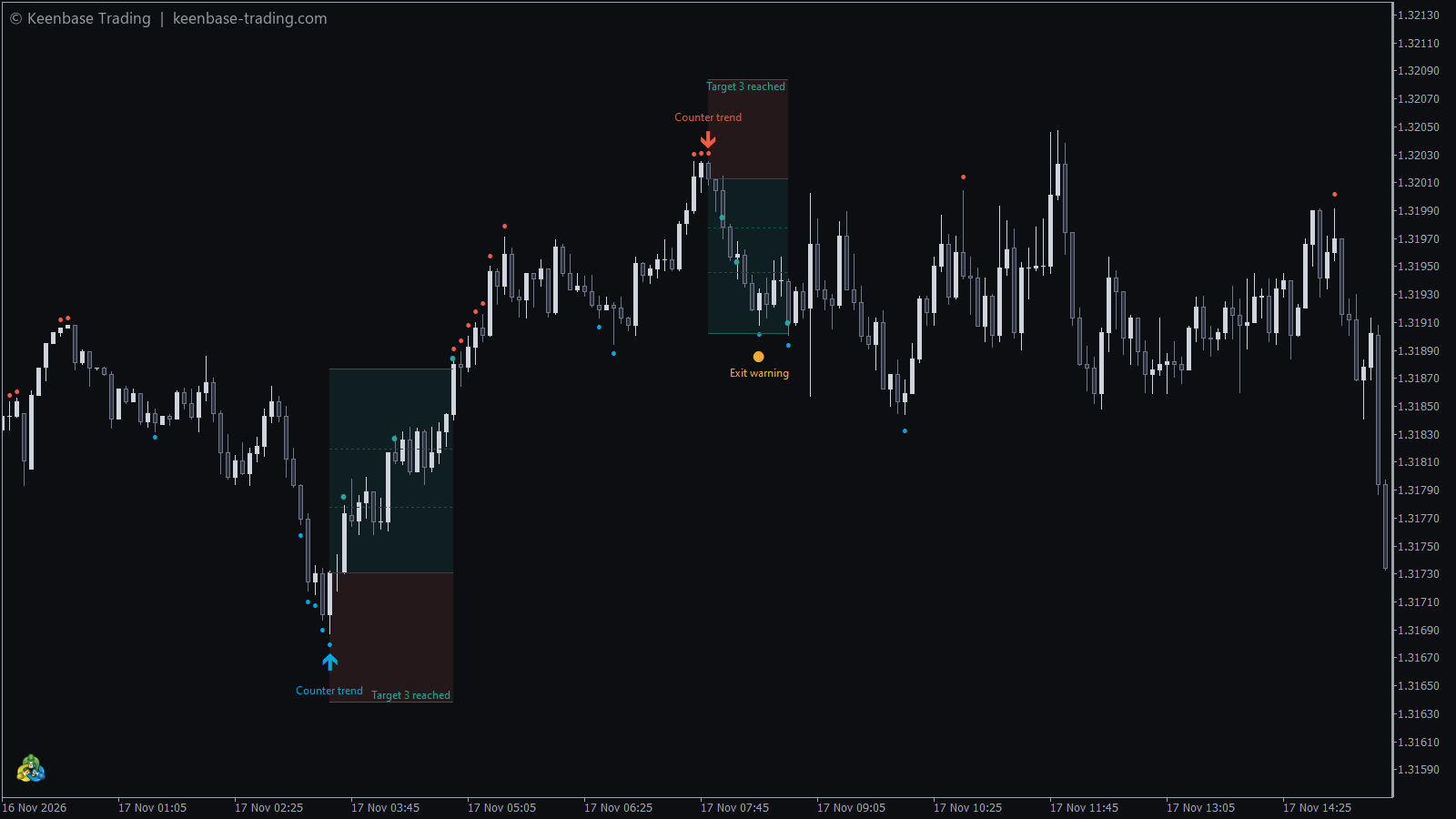
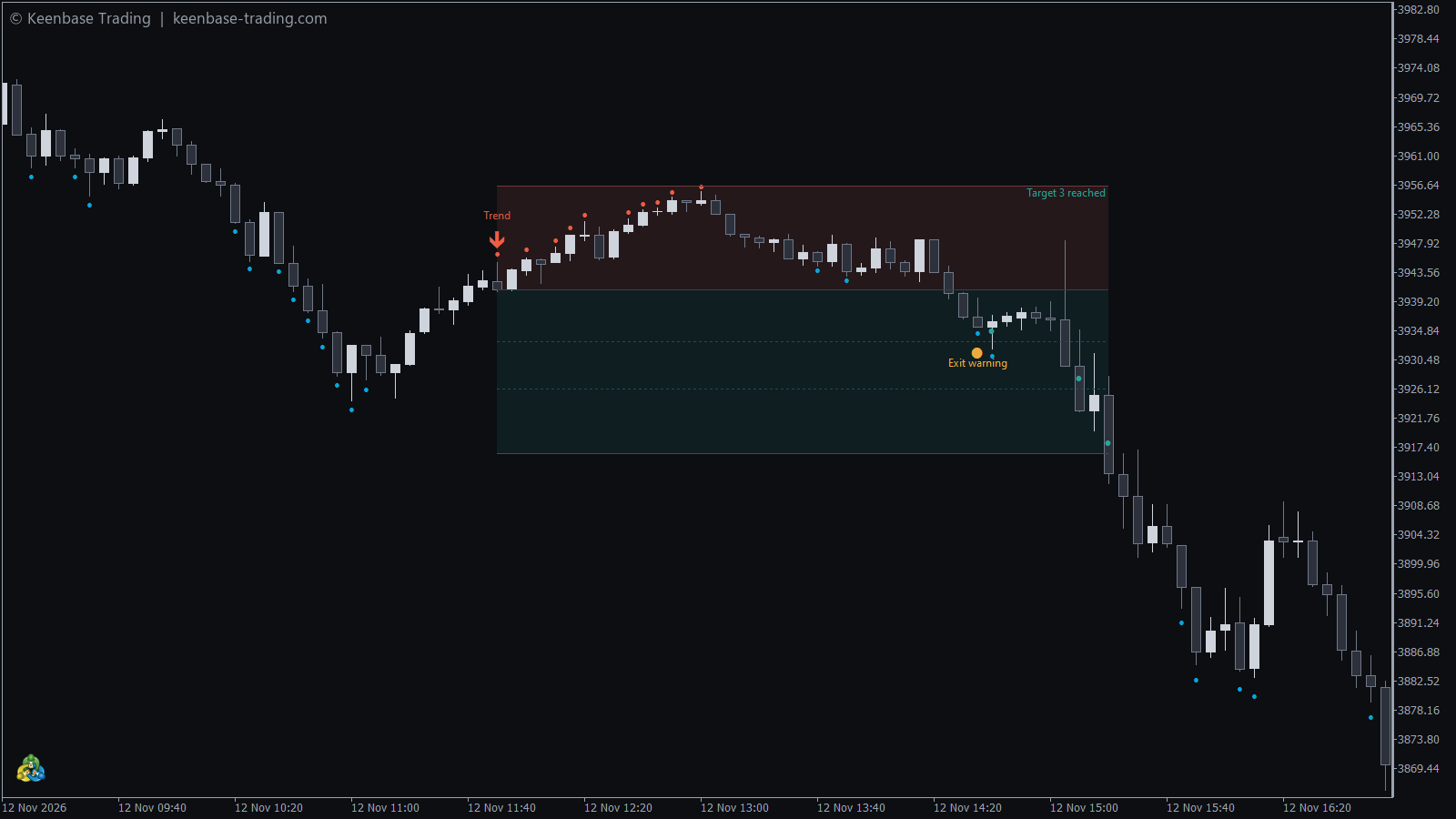
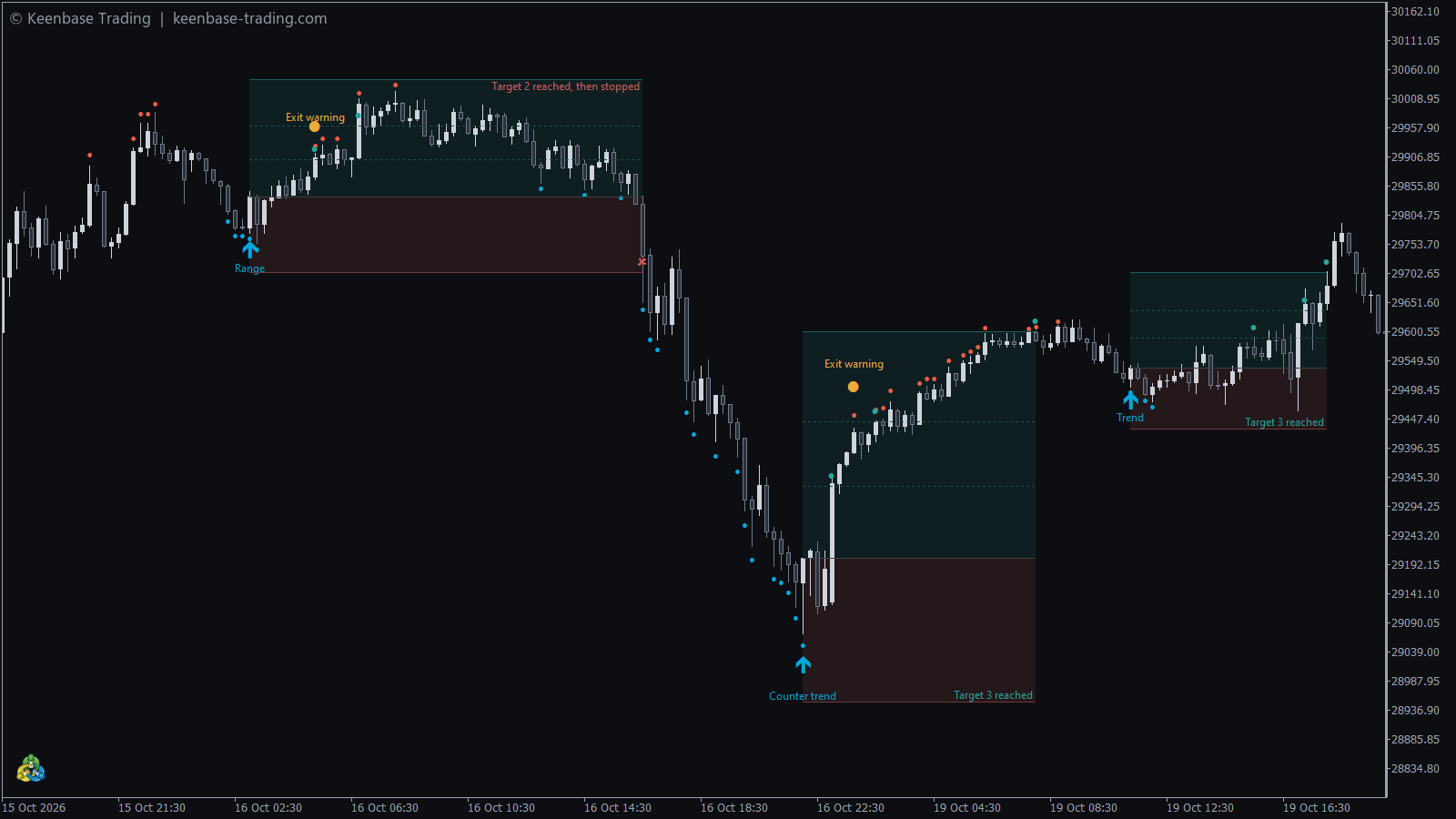
- A full trade plan with every signal. Entry, stop loss and three targets are drawn as one shaded block, so you see risk and reward before you click.
- Signals that stay where they were drawn. A signal appears when its candle closes, and it never moves or disappears afterwards.
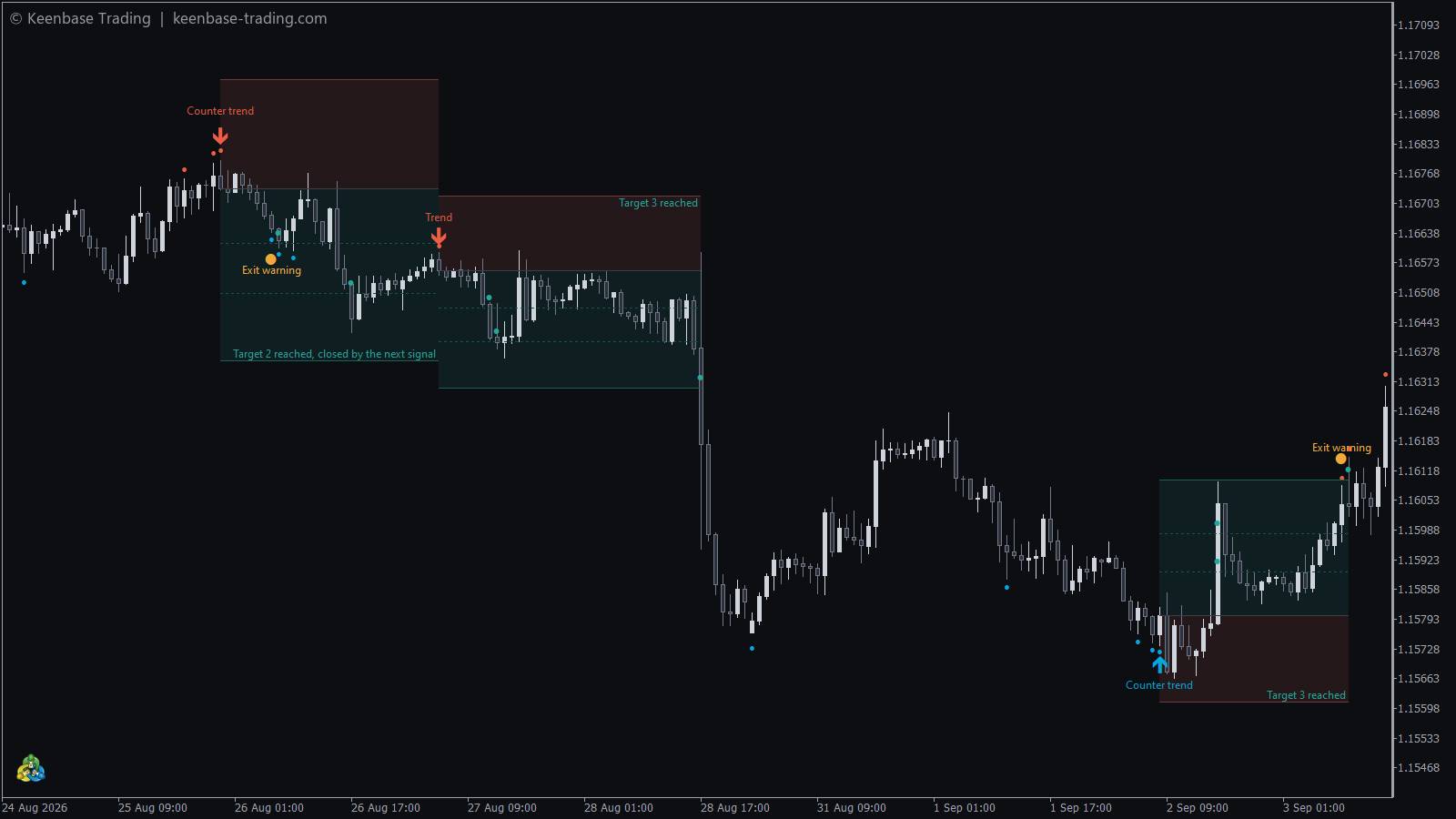
- The real result of every past signal. Dots mark the targets reached, a cross marks a stop loss hit, and one line says how the plan ended, for example "Target 2 reached, then stopped".
- You know what kind of signal you are taking. Each arrow is named Trend, Range or Counter trend, and each kind has its own switch.
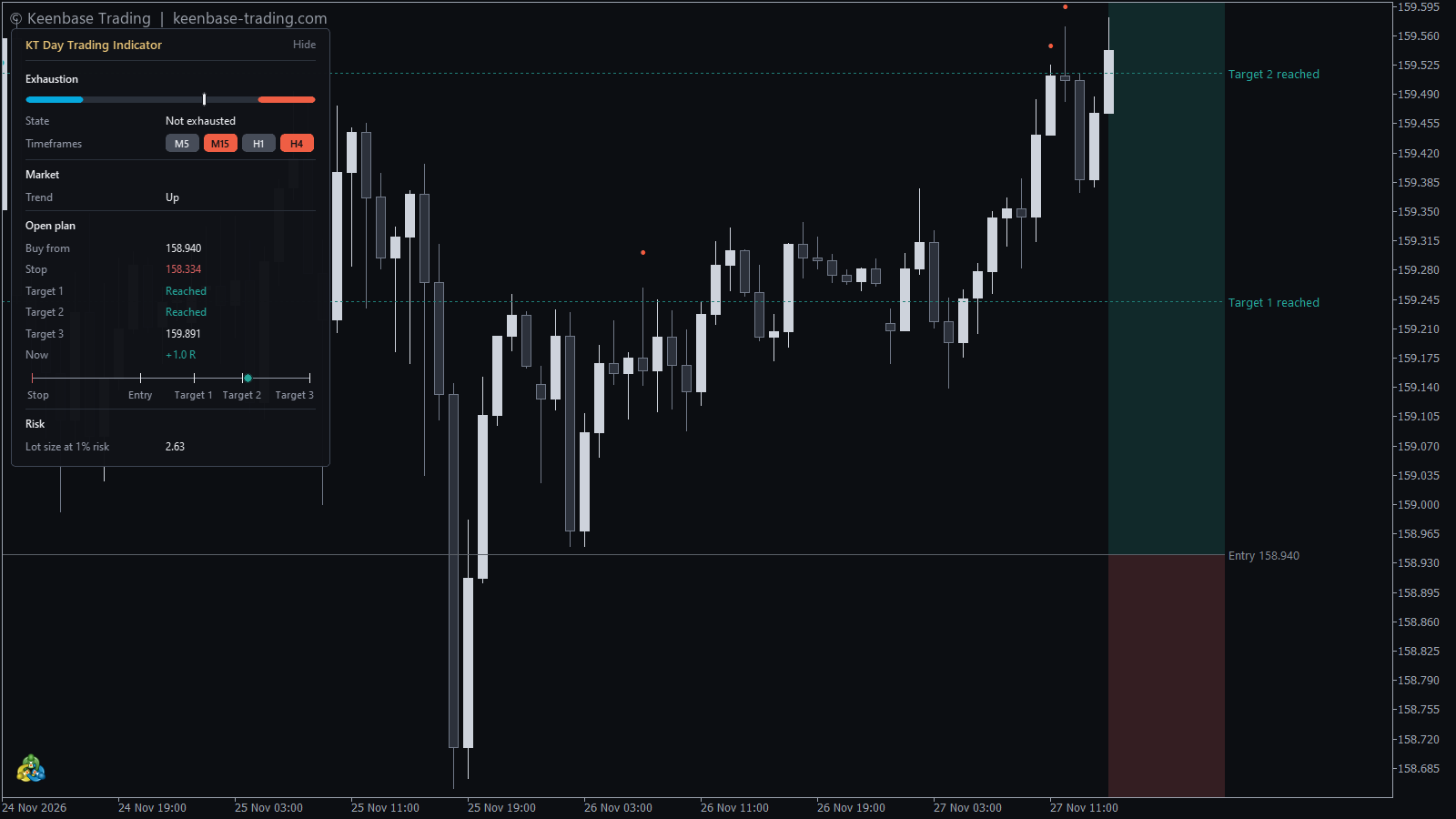
- Exhaustion at a glance. Dots mark an exhausted move before a signal arrives, and the panel shows which side is exhausted on M5, M15, H1 and H4.
- An exit warning. While a plan is open, the indicator warns you when the move in your direction runs out.
- Your lot size, worked out. The panel gives the lot size for the open plan at your risk percent, and how far the trade has come in multiples of your risk (R).
- Alerts for the whole trade. A new signal, each target, the stop loss and the exit warning, by pop-up, sound, push notification to your phone and email.
How the day trading indicator works on the chart
When a move has run far enough to be exhausted, small dots appear on its candles. The signal comes on the reversal candle that follows: an arrow at the candle close, with the trade plan opening to the right of it. One plan is open at a time. A new signal closes the plan before it and starts its own.
As price moves, the plan fills in: a dot at each target reached, a cross where the stop loss was hit. The alert for a target or for the stop loss comes the moment price gets there. When the plan is over, its result stays on the chart in words, and the last 20 signals keep their plans and results.
Frequently Asked Questions
Does KT Day Trading indicator work on MT4 and MT5?
Yes. Both platforms get the same signals, the same settings and the same alerts.
Do the signals repaint?
No. A signal is decided when its candle closes. The arrow, the entry, the stop loss and the targets stay exactly where they were drawn.
Where do I see how the past signals ended?
On the chart itself. Every past signal keeps its plan, the targets it reached and one line of text with its result, so you judge the indicator on your own pair and timeframe with your own eyes.
Which alerts can I get on my phone?
All of them: a new signal, each target reached, the stop loss and the exit warning. Switch on Push notification in the settings.
Can my own EA read the signals?
Yes. The buy and sell signals, the stop loss, the three targets, the exhaustion value and the trend direction are in the Data Window, in the same order on MT4 and MT5.
Do I need to install anything else?
No. KT Day Trading indicator is one file and works on its own.
You get the entry, the stop loss, the three targets and the lot size before you click, and the honest result of every signal after it. KT Day Trading indicator keeps the whole trade on one chart, on MT4 and MT5.