
KT Renko Live Chart Generator
MT4/MT5

-- Lifetime Access --

A Renko chart generator is only as good as what you can do with the chart it makes. Many Renko chart utilities just draw bricks over your normal chart, so your EA cannot read them and the Strategy Tester cannot test them.
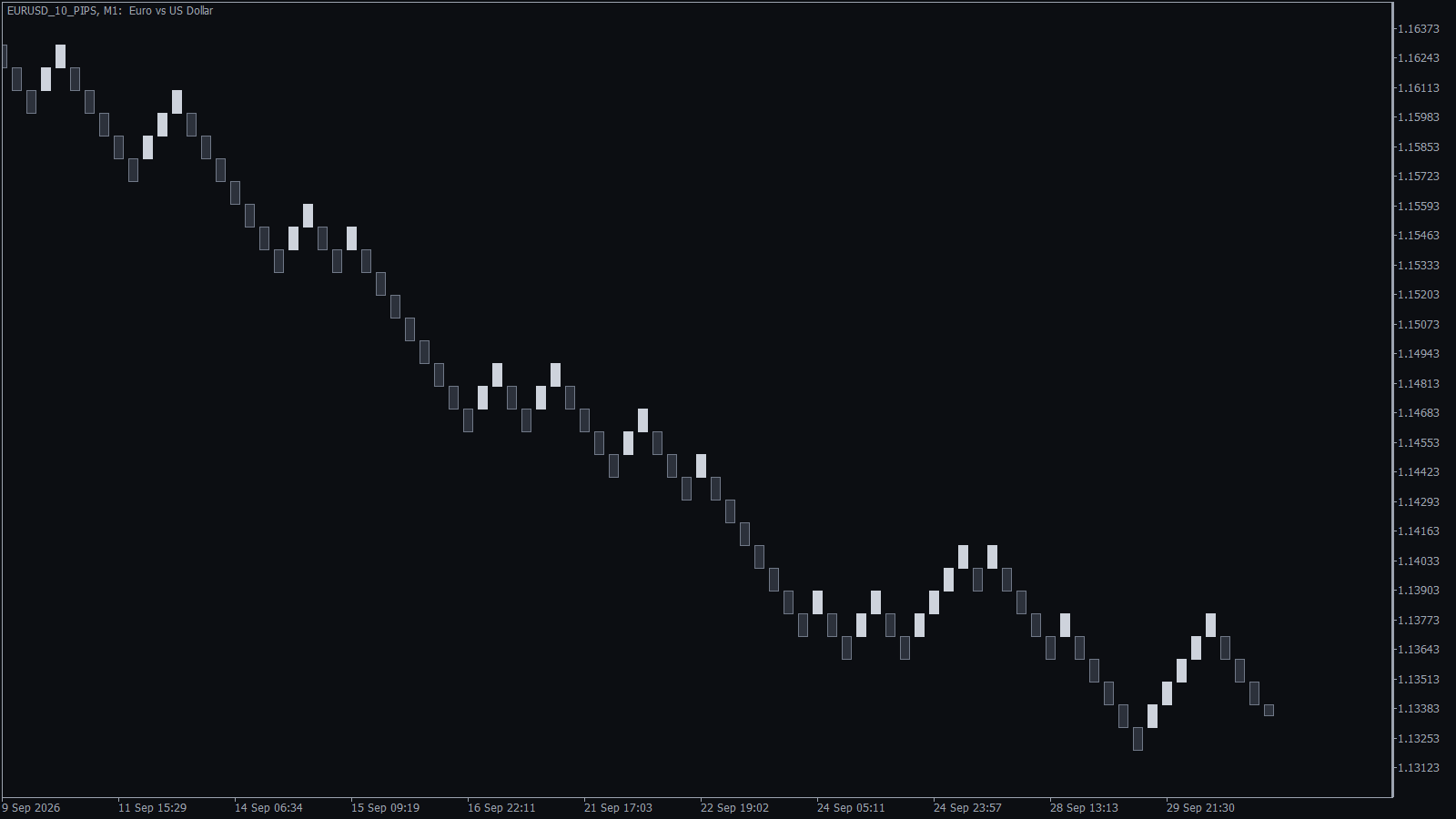
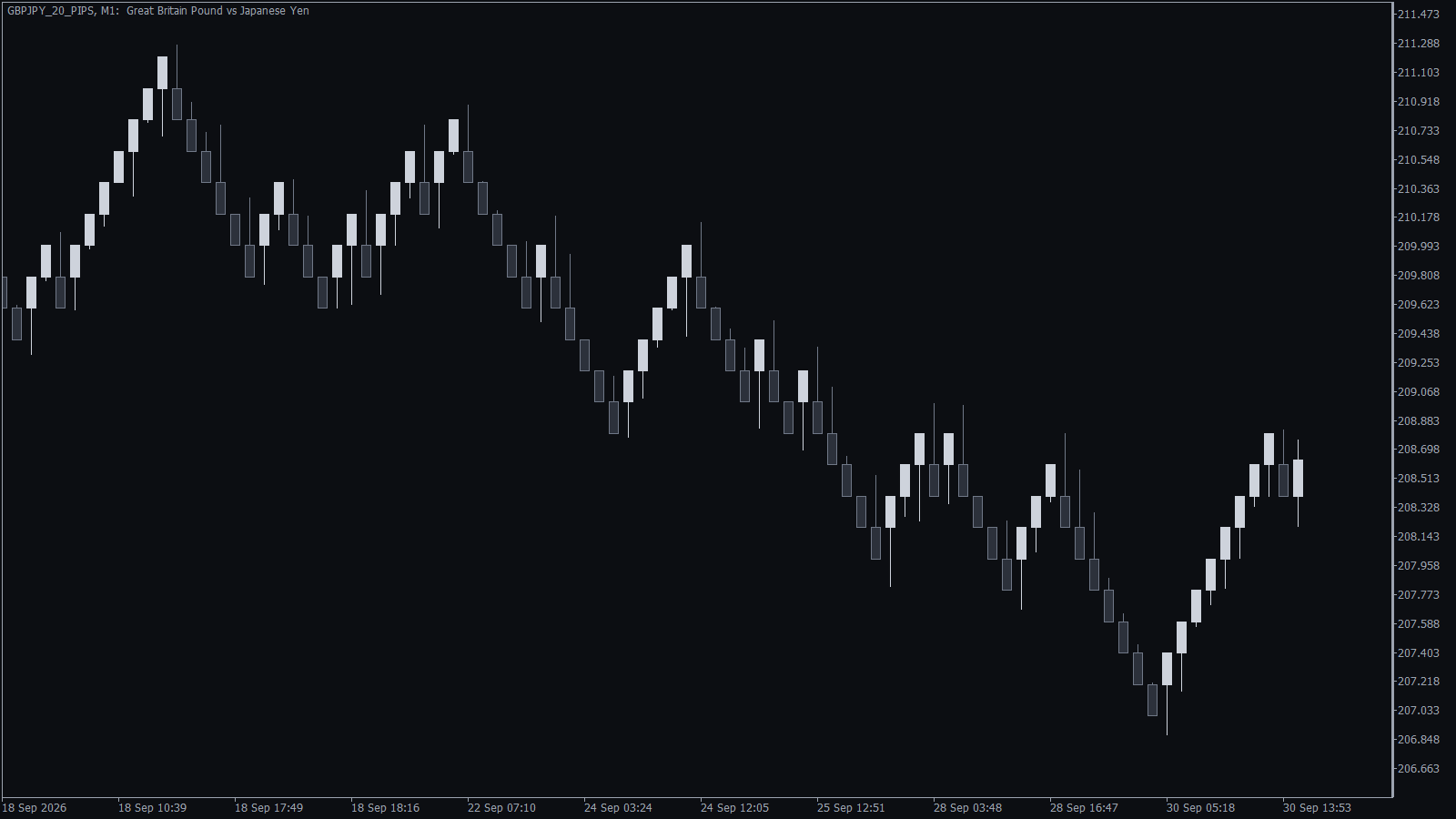
KT Renko Live Chart Generator creates a real, live Renko chart on MT5 and MT4, where your indicators and EAs run as they do on any other chart. On MT5, the Renko chart becomes its own symbol, such as EURUSD_10_PIPS, which you can also pick in the Strategy Tester to backtest a Renko strategy.
Features
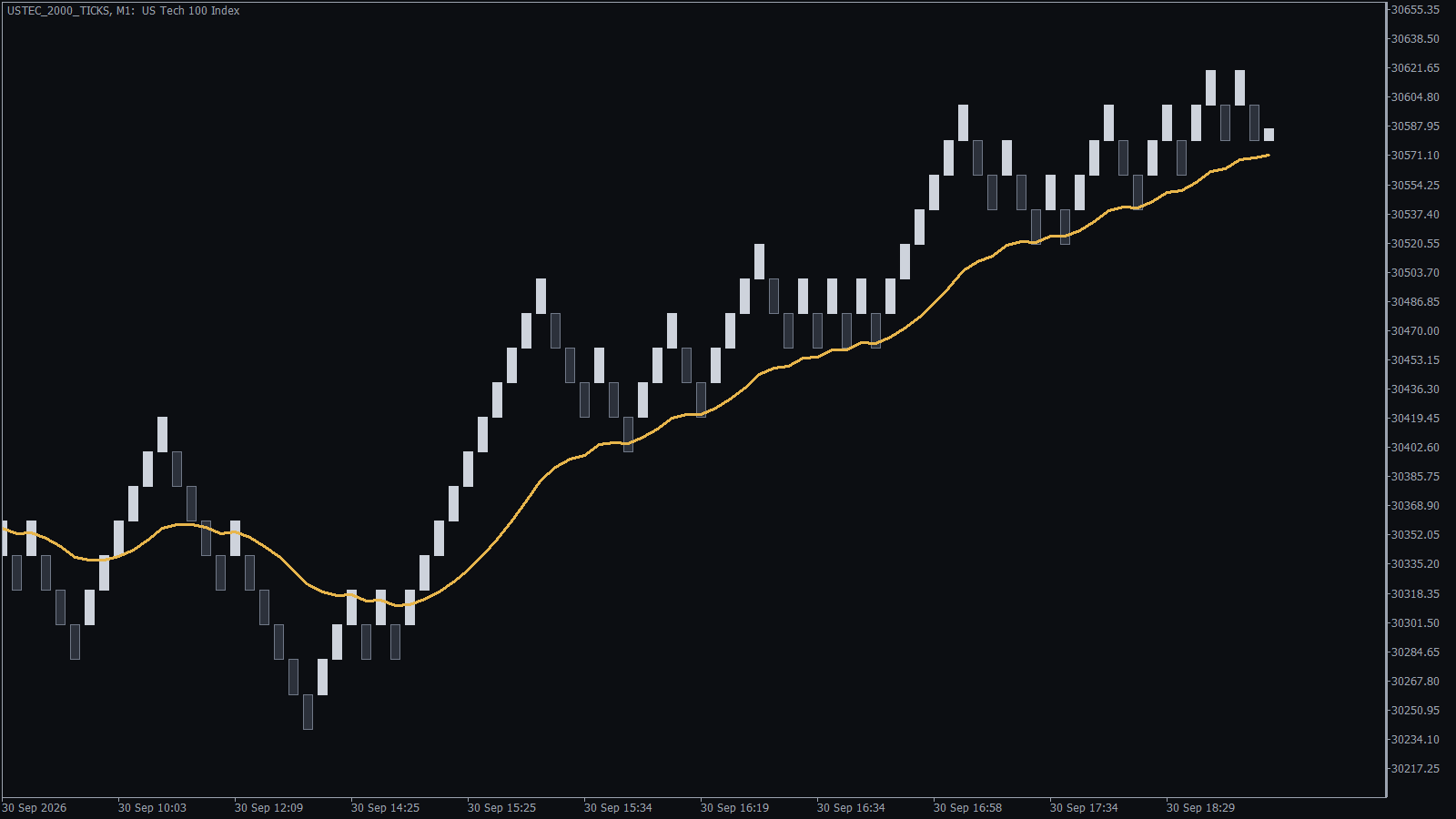
- Indicators and EAs run on it: moving averages, oscillators, templates and your own indicators work on the Renko chart the same way they do on a time chart.
- Backtest Renko strategies on MT5: pick the Renko symbol in the Strategy Tester, with up to 3,650 days of history that stays even after you remove the generator.
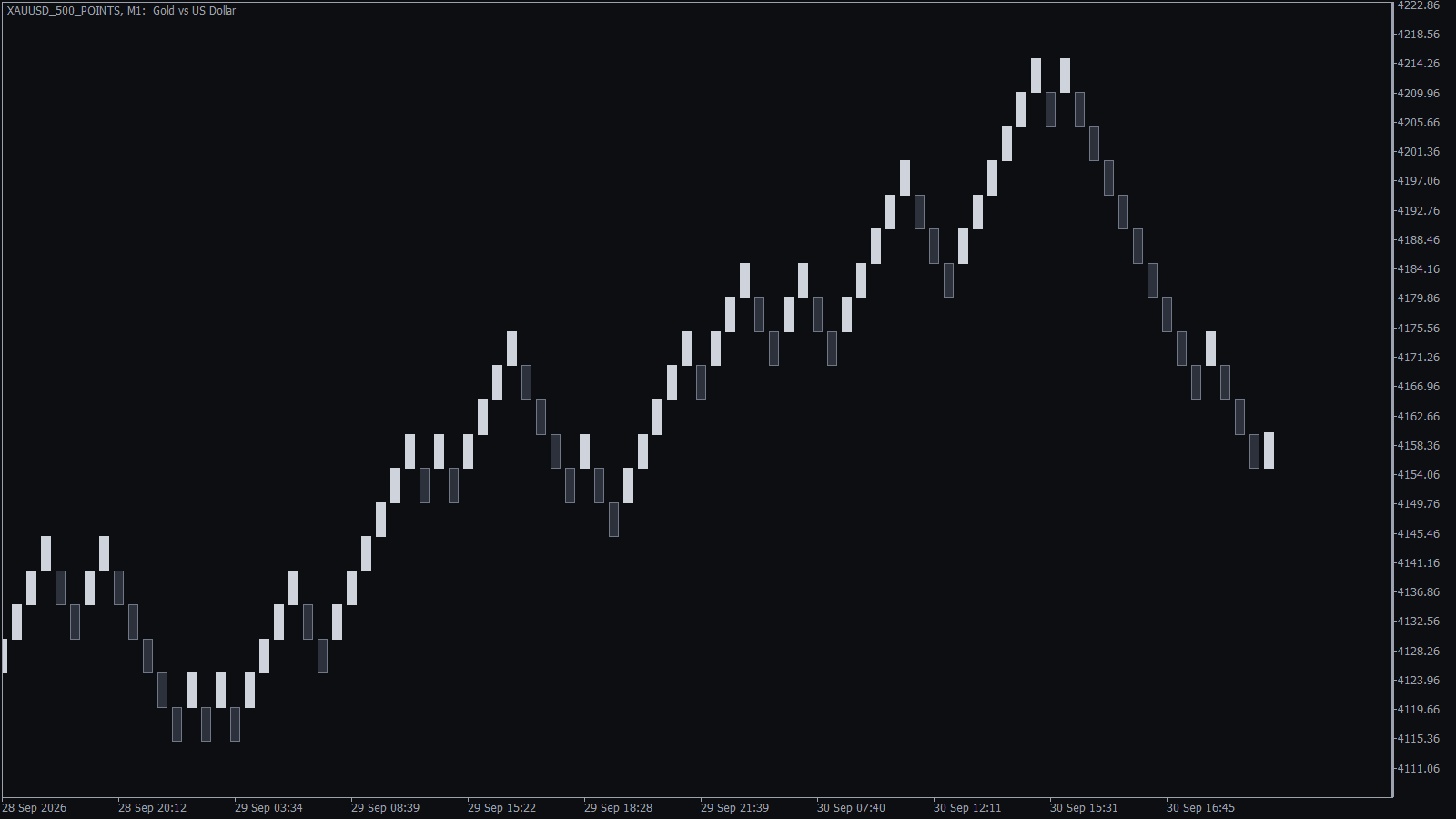
- Brick size in pips, points or ticks: 10 pips on EURUSD, 100 points on gold or a set number of ticks on an index, and every brick comes out exact.
- Live bricks from real ticks: on MT5 a new brick prints the moment price travels one full box, not at the end of a candle.
- Clean, even bricks: every finished brick is exactly one box size, and wicks are optional, so the chart shows direction and nothing else.
- A status panel with the answers: the source chart shows the Renko symbol, box size, brick count, time of the last brick and the symbol your EA should trade.
- The same chart after a restart: when MetaTrader restarts or you change the timeframe of the source chart, the generator reuses your Renko chart instead of opening a second one.
- Made for KT Renko Patterns: every brick has the exact box size, so the KT Renko Patterns indicator and its EA read the chart as Renko straight away.
How the Renko Chart Generator Works
On MT5: Attach the generator to a chart of the symbol you want, on a 1-minute timeframe, and set the box size. The Renko chart opens beside it with the history you chose, and it keeps printing new bricks while the source chart stays open.
On MT4: Attach the generator to a chart of the symbol on the 1-minute timeframe, then open the Renko chart from File, Open Offline (EURUSD,M2 with the default settings). The offline chart keeps the real symbol name and moves live like a normal chart.
Input Settings
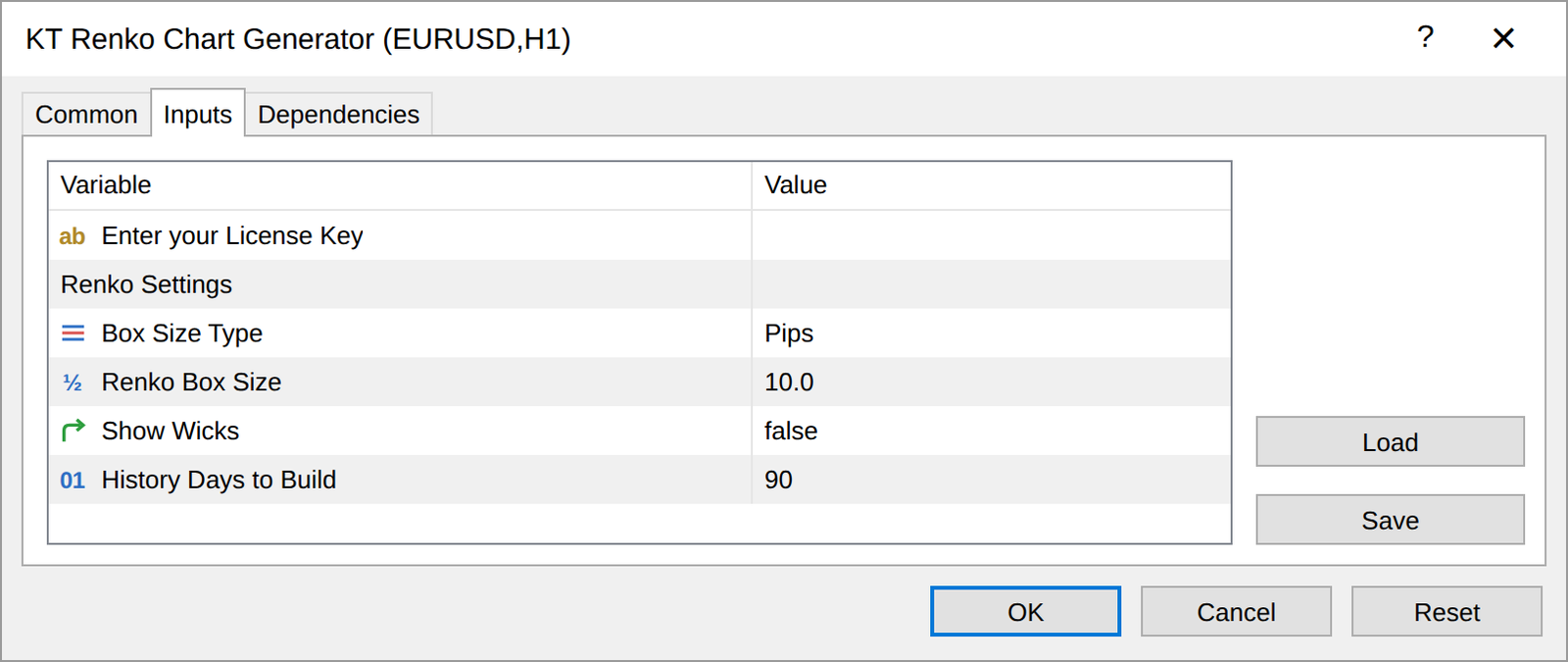
MT5
| Input | Default | What it does |
|---|---|---|
| Box Size Type | Pips | Measures the brick in pips, points or ticks (the smallest price step of the symbol). |
| Renko Box Size | 10 | The height of one brick, in the unit chosen above. |
| Show Wicks | false | Adds wicks that show how far price moved against the brick before it closed. |
| History Days to Build | 90 | How many days of history become Renko bricks, up to 3,650. |
MT4
| Input | Default | What it does |
|---|---|---|
| Renko Box Size in Pips | 10 | The height of one brick in pips. |
| Offline Time-Frame for Renko Chart | 2 | The offline chart to open for the Renko chart, M2 by default. |
| Show Wicks | false | Adds wicks to the bricks. |
| Limit Bars (0==OFF) | 0 | Uses only the most recent bars for the history, which keeps older computers fast. |
| Debugging | false | Writes setup messages to the Experts tab. |
Pro Tip
Use two Renko charts of one symbol: a large brick for the trend and a small one for entries. Attach the generator to two EURUSD charts, one at 20 pips and one at 5 pips, and EURUSD_20_PIPS and EURUSD_5_PIPS run side by side.
Frequently Asked Questions
How does an EA trade from the Renko chart on MT5?
The EA reads the bricks and sends its orders to the real symbol, which the status panel names for you. KT Renko Patterns EA has a Symbol Name input for this, and your own EA needs a similar input.
Does it work on gold, indices and crypto?
Yes, on the symbols your broker offers. For gold and indices, set the box in points or ticks on MT5, and symbols traded on an exchange use the last traded price.
My broker adds a suffix to symbol names. Is that a problem?
No. Names such as EURUSD.m or GER40_cash work, and the Renko symbol takes the full name, for example EURUSD.m_10_PIPS.
Is the MT4 version the same as MT5?
Both give you a live Renko chart for indicators and EAs. On MT4 the Renko chart is an offline chart; the MT5 version adds pips, points or ticks, the history length and Strategy Tester use.
Choose Your Renko Chart
If you only want to look at Renko bricks, a simple Renko indicator will do. If you want a Renko chart that your indicators, your EAs and the MT5 Strategy Tester can work with, KT Renko Live Chart Generator is the one.
Screenshots
You Might Also Like













Help others make better choices. Please review your recent purchase.
By sharing your review, you will help others to make advised decision about what they buy from us. Thanks for contributing.
Reviews
 Great Renko chart
Works perfect!
You must log in to submit a review.