
KT Auto SL TP EA
MT4/MT5
-- Lifetime Access --

- Update Log
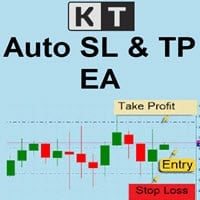
KT Auto SL TP EA applies configured stop-loss and take-profit distances to the open positions and pending orders selected in its MT4 or MT5 settings.
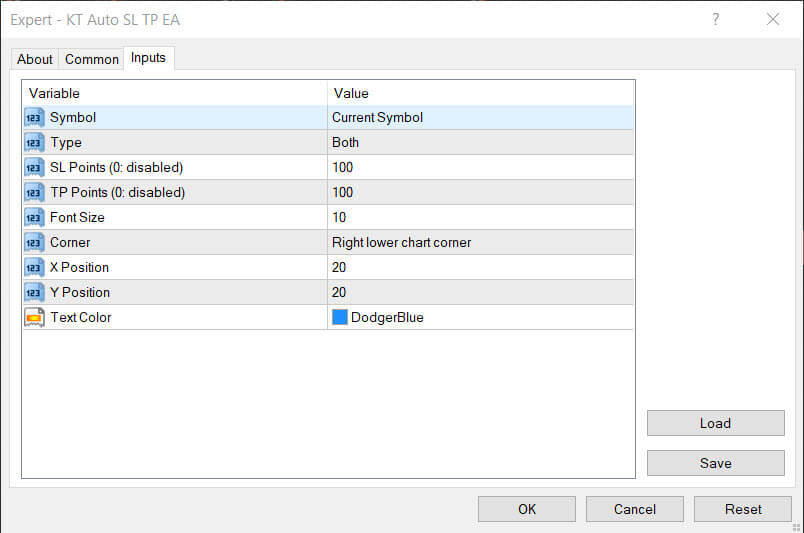
Choose the current chart symbol or all active symbols, then manage Positions, Pending Orders, or Both. The EA does not use a magic-number filter.
Optional trailing controls manage open positions, while the chart label shows the selected symbol scope, order type, SL, TP, trailing distance, and step. Test the complete setup on a demo account before live use.
Features of KT Auto SL TP EA
- Manage the current chart symbol or all symbols with eligible trades from one chart.
- Apply configured SL and TP distances to open positions, pending orders, or both.
- Use point-based SL and TP values, subject to the symbol's minimum stop distance.
- Enable an optional trailing stop for open positions with a separate trailing step.
- Display the selected management settings in a chart label.
- Manage manual and automated trades because the EA does not filter by magic number.
- Use the related trade management guide for broader workflow context.
Read More
Video
You Might Also Like












Help others make better choices. Please review your recent purchase.
By sharing your review, you will help others to make advised decision about what they buy from us. Thanks for contributing.
Reviews
 2215H1930k
hi
You must log in to submit a review.