
Free MetaTrader Indicators
MT4/MT5

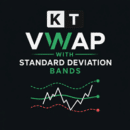
KT VWAP with Standard Deviation Bands
A resetting VWAP line with volume weighted deviation bands.









Frequently Asked Questions (FAQs)
1. Are these indicators really free?
Yes, completely free. There are no hidden charges, no trial periods, and no feature limitations. Download and use them on your live or demo accounts without any restrictions.
2. Do these indicators work on both MT4 and MT5?
Yes, all our free indicators work on both MT4 and MT5. Each download comes as a zip file containing both versions, so you're covered regardless of which platform you use.
3. How do I install a MetaTrader indicator?
It's simple. Download the indicator file, open your MetaTrader platform, go to File > Open Data Folder, then place the file in the MQL4/Indicators or MQL5/Indicators folder depending on your platform. Restart MetaTrader, and you'll find the indicator in your Navigator panel ready to drag onto any chart.
4. Are these indicators safe to use?
Absolutely. Every indicator is developed in-house by our team and thoroughly tested before release. The files are clean, contain no external calls or malicious code, and are safe to install on your trading platform.
5. What's the difference between your free and premium indicators?
Our free indicators are professional-grade versions of widely used technical analysis tools, built to be faster and more reliable than what you'll typically find online. Our premium products, on the other hand, use proprietary algorithms and unique signal logic that you won't find anywhere else, as they are designed to give you a genuine analytical edge.
6. Do you provide updates for free indicators?
Yes, we maintain and update our free indicators to ensure compatibility with the latest MetaTrader builds. If we improve the performance or fix any issues, the updated version will be available right away.
7. Can I use these indicators for live trading?
Yes, all our free indicators are fully functional and suitable for both demo and live trading accounts. There are no restrictions on account type, broker, or timeframe.