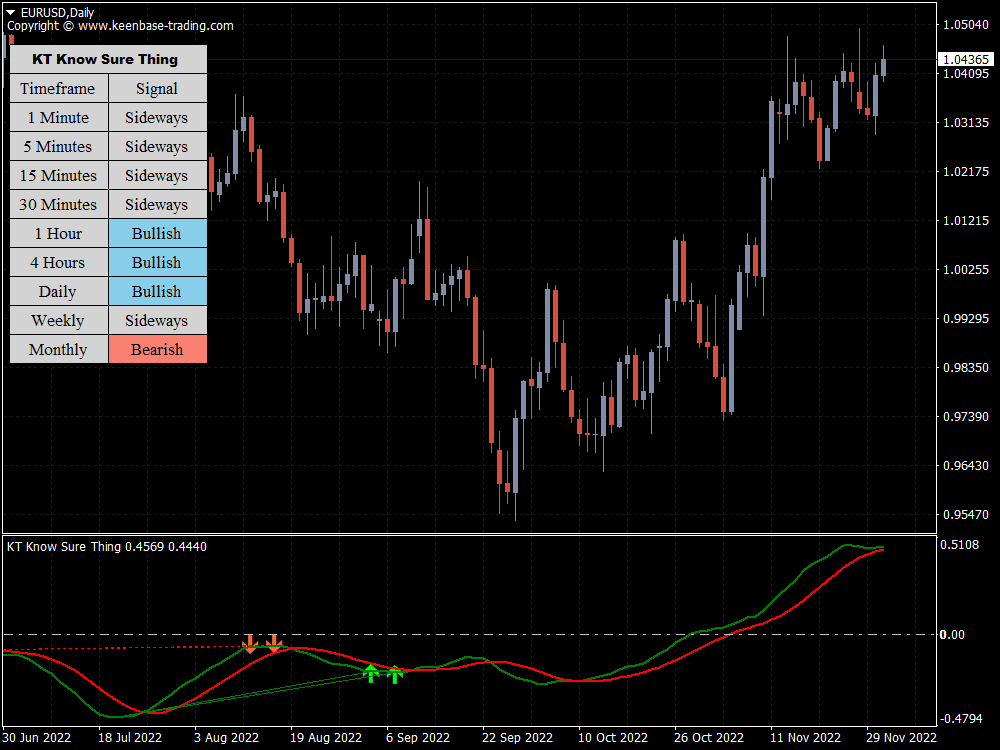
How the KST Indicator Works
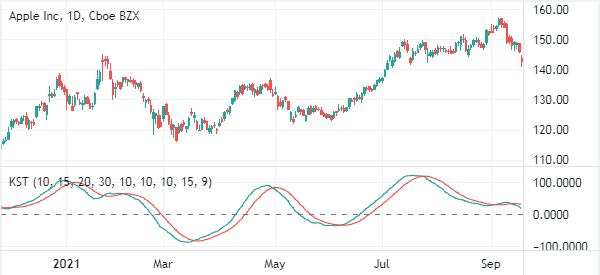
The Know Sure Thing indicator combines four smoothed price-change measurements into one momentum line. The four components use lookback periods of 10, 15, 20, and 30, then smooth those readings over 10, 10, 10, and 15 periods.
The components are weighted 1, 2, 3, and 4, so the longer measurements have more influence on the final KST main line. A 9-period signal line tracks the main line, while a separate zero level helps you see whether momentum is positive or negative.
How to Read KST Signals
When the main line is above zero, the combined momentum reading is positive. When it is below zero, momentum is negative. This gives useful directional context, but it does not confirm a trend by itself.
A cross between the main line and signal line can highlight a change in momentum. A bullish cross occurs when the main line moves above the signal line, while a bearish cross occurs when it moves below. Review the completed candle and the surrounding price structure before acting.
The indicator can also alert after a completed candle when the main line makes a qualifying zero-level cross in relation to the signal line. This helps you review a confirmed bar instead of reacting to an unfinished one.
Bullish and Bearish Divergence
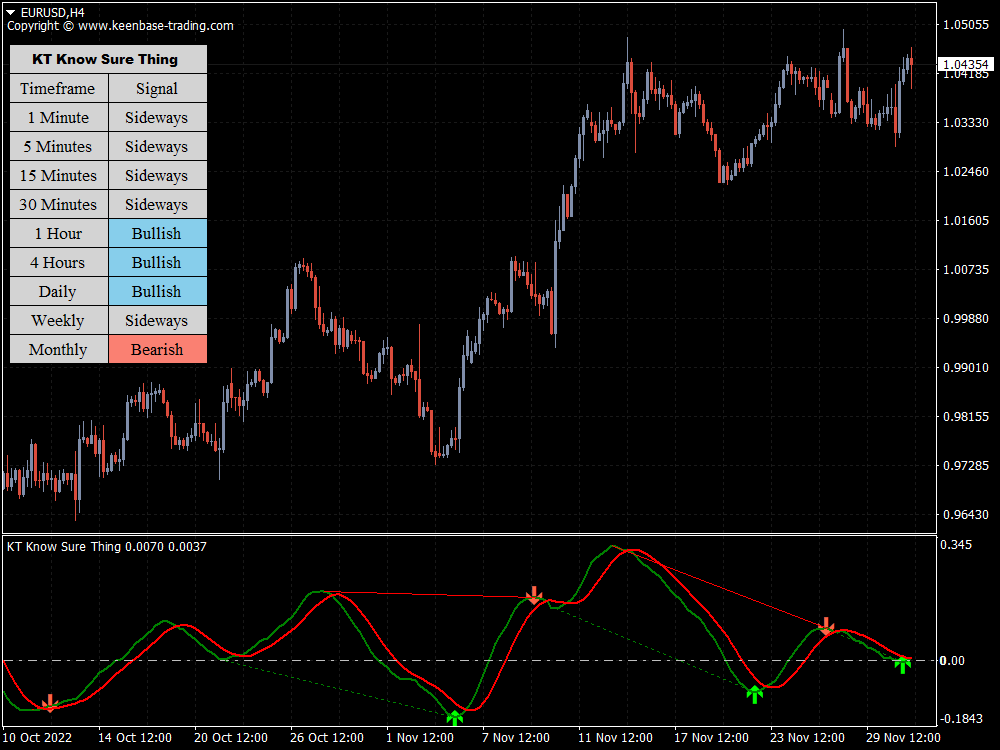
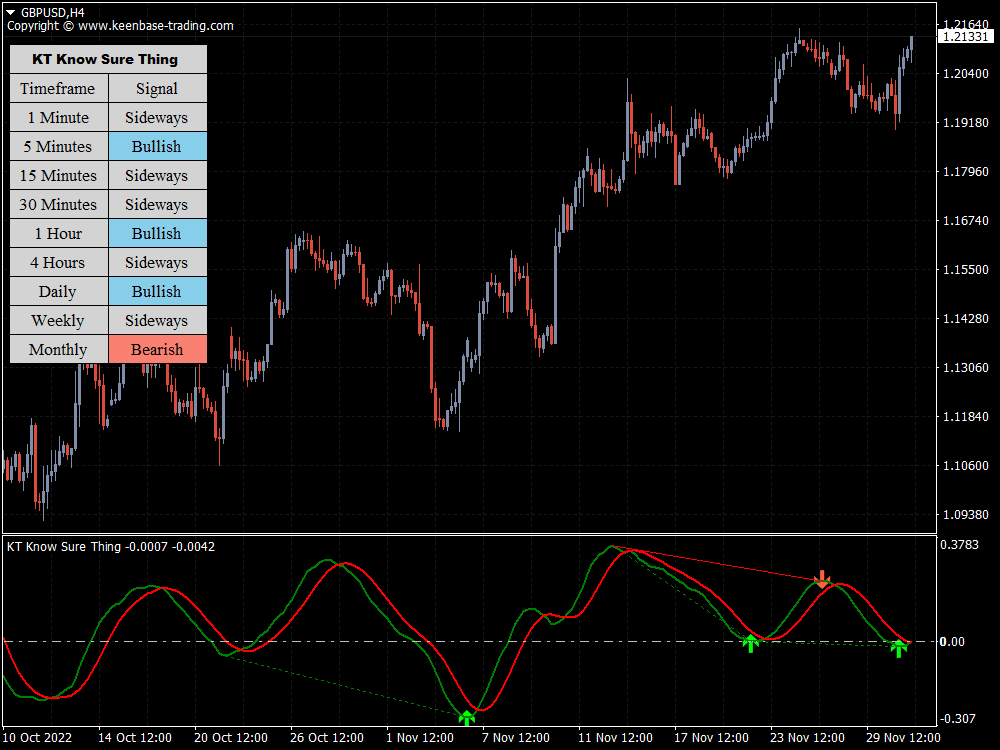
KST divergence compares price swings with peaks and troughs in the indicator. A regular bullish divergence can appear when price makes a lower low while KST forms a higher trough. A regular bearish divergence can appear when price makes a higher high while KST forms a lower peak.
The indicator can also identify hidden divergence patterns. It marks qualifying bullish or bearish setups with arrows and can draw trend lines on the indicator. Price-chart trend lines are available as an optional setting.
KST Calculation and Default Settings
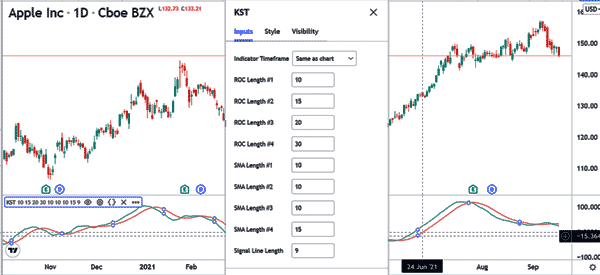
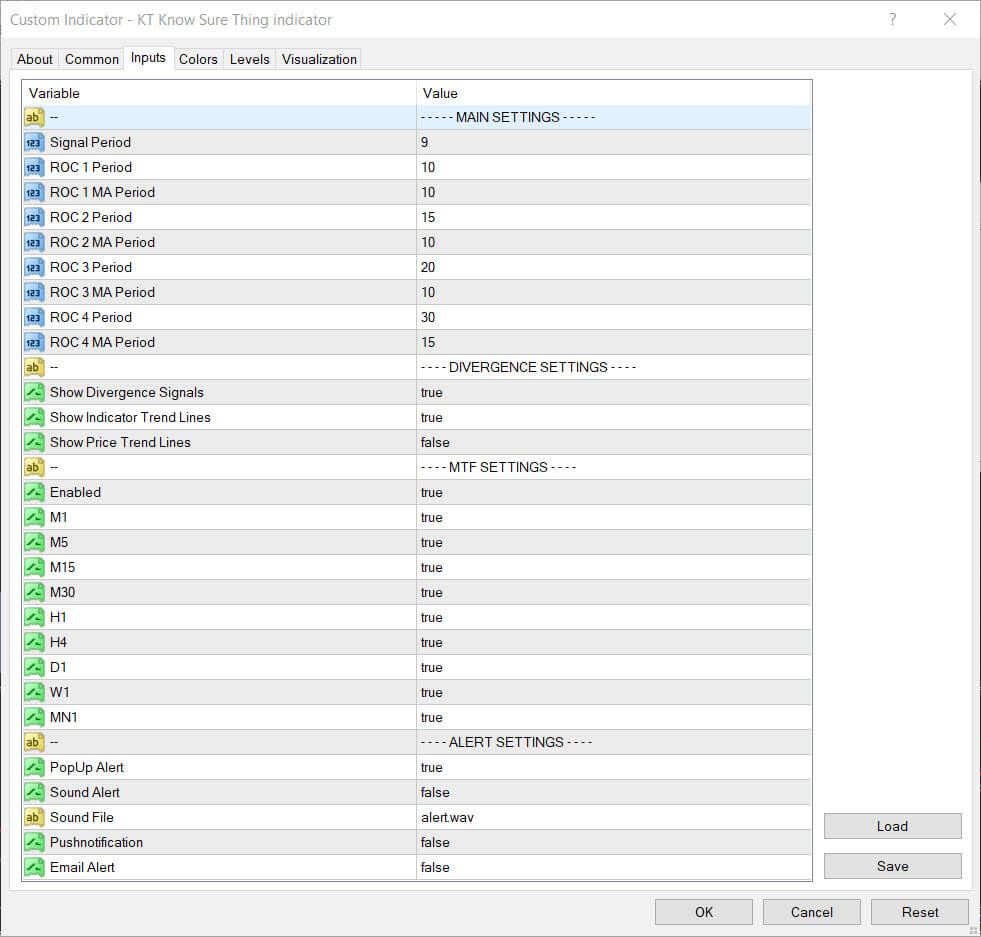
The default calculation uses these practical settings:
- Price-change periods: 10, 15, 20, and 30
- Smoothing periods: 10, 10, 10, and 15
- Component weights: 1, 2, 3, and 4
- Signal period: 9
- Divergence signals and indicator trend lines: enabled
- Price-chart trend lines: disabled
These defaults offer a balanced starting point. If you experiment with faster or slower settings, change one value at a time and test the result on a demo chart before using it in your trading process.
Configure the Indicator
Signal Period controls the smoothing of the signal line. The four ROC period and moving-average values control the individual momentum components. Keeping the defaults is the simplest choice when you first add KST to a chart.
Divergence Signals turns the arrow signals on or off. Indicator Trend Lines controls the lines drawn in the KST window, while Price Trend Lines controls the optional matching lines on the price chart.
A Practical KST Review Workflow
- Start with the broader price structure and identify the direction you want to evaluate.
- Check whether the KST main line is above or below the zero level.
- Review the relationship between the main line and the 9-period signal line.
- Look for a completed-bar divergence arrow or qualifying cross that agrees with your price analysis.
Use the indicator as confirmation within a defined risk plan. Waiting for the candle to close can reduce the temptation to react to a signal that changes before the bar is complete.
Use KST With Clear Context
KST brings several momentum horizons into one clear view. It can help you compare momentum direction, main-line and signal-line crosses, zero-level position, and divergence without treating any single reading as a prediction.
For a more complete decision, combine KST with price action, support and resistance, market conditions, and your own risk rules.