Cluttered charts
Too many indicators, none of them agreeing. Decisions turn emotional, and good setups look the same as bad ones.

Built for MT4 + MT5 · Forex · Gold · Indices · Prop Firms ·Crypto
Where to enter. Where your stop-loss belongs. Where to take profit. Which side of the market deserves your attention. And how to manage the trade after you're in. KT Alpha Hunter Arrows indicator puts the full trade on one chart, and the included Trade Manager EA manages the trade after you enter.
The real problem
Stack more indicators, tweak more settings, jump to another system. Six months later, nothing's changed. The signal was never the problem. What's missing is everything that happens after it fires.
Too many indicators, none of them agreeing. Decisions turn emotional, and good setups look the same as bad ones.
Entering is easy. Exiting is where profits get handed back. Without a plan, you rely on feel. And feel is expensive.
A symbol can be great for buys and terrible for sells. Trading both sides equally is how decent signals turn into break-even months.
Daily drawdown, total drawdown, high-impact news, weekend risk. One careless trade ends a funded account you spent months earning.
REAL CHARTS, REAL SIGNALS
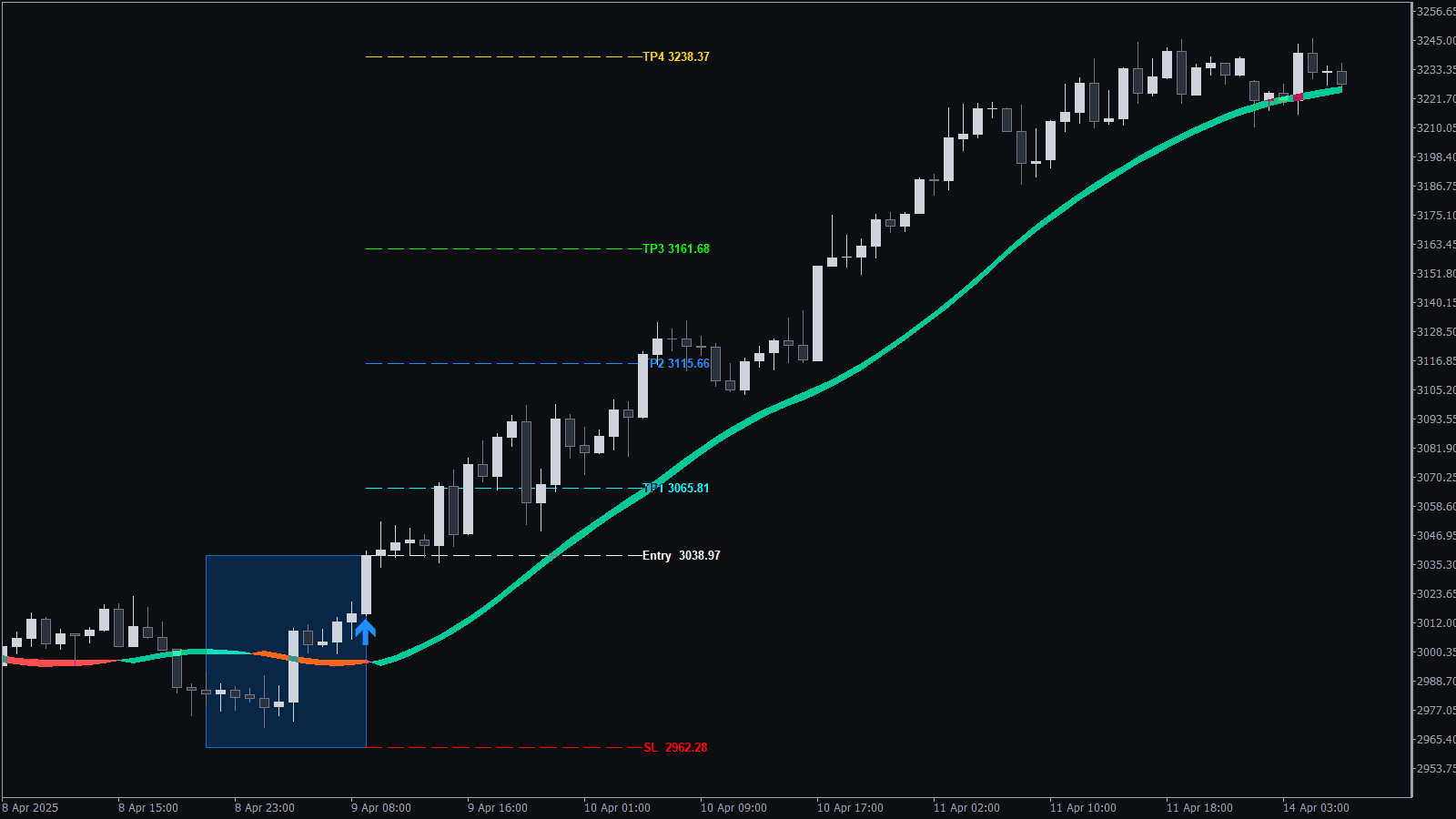
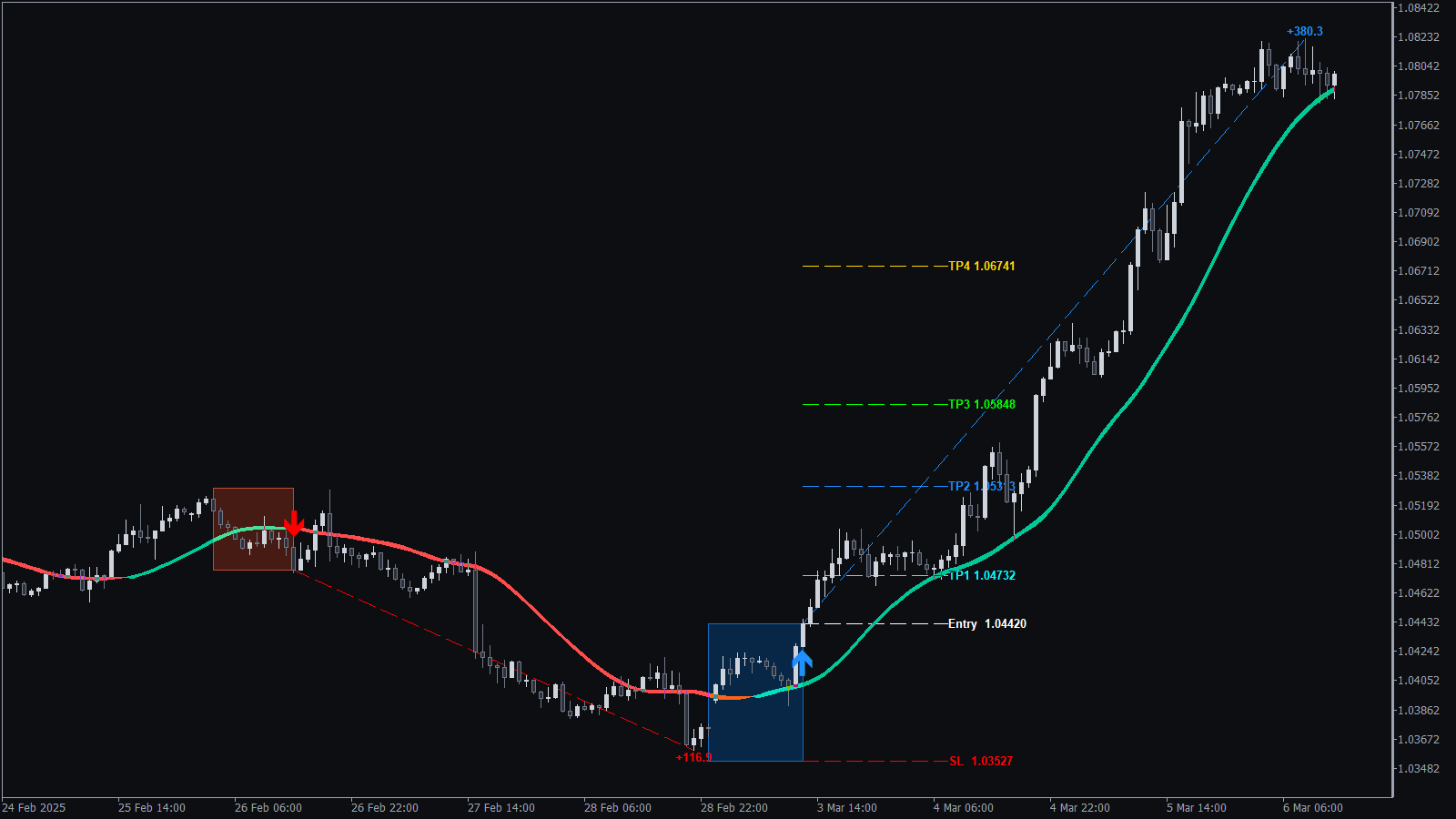
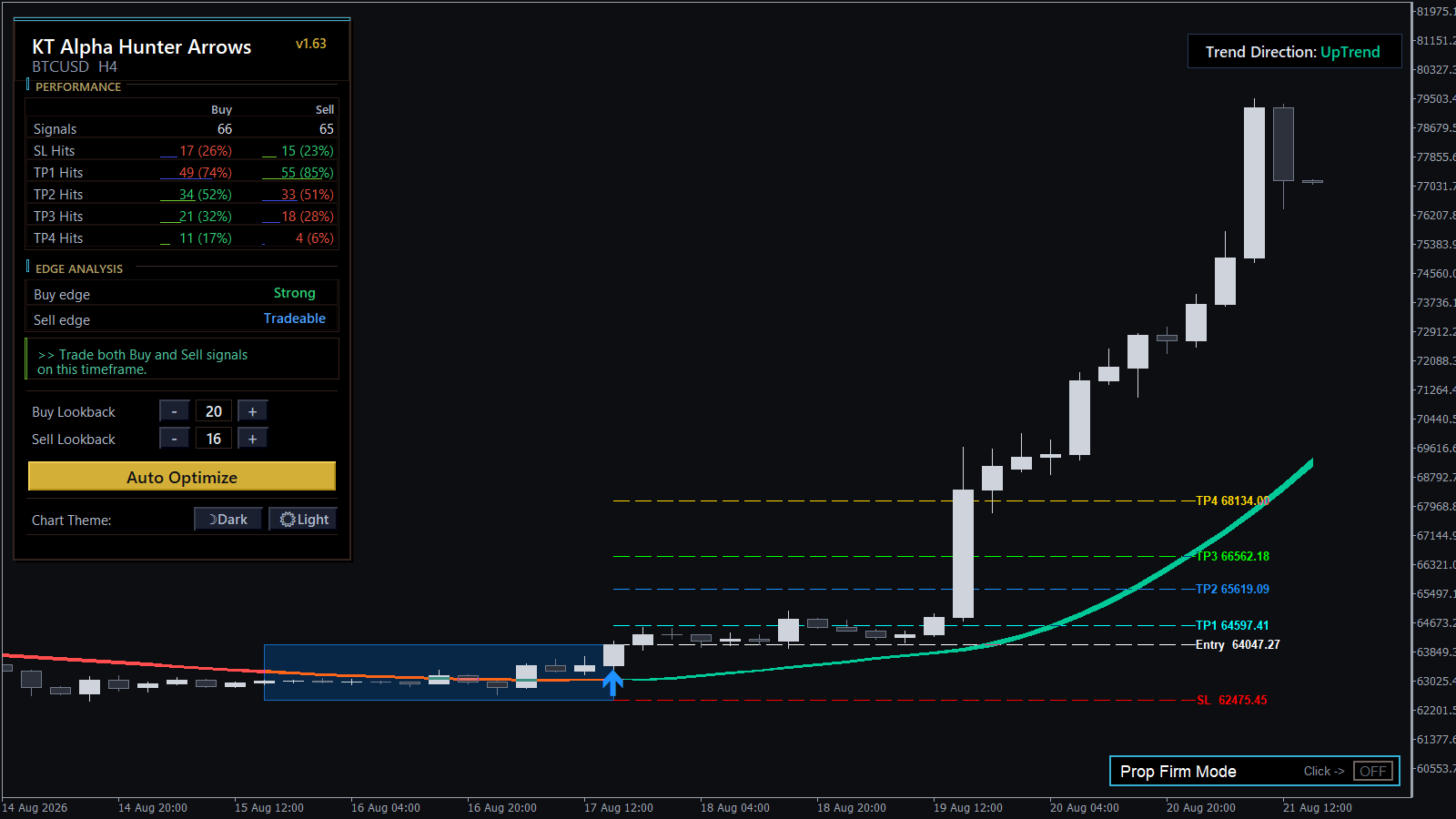
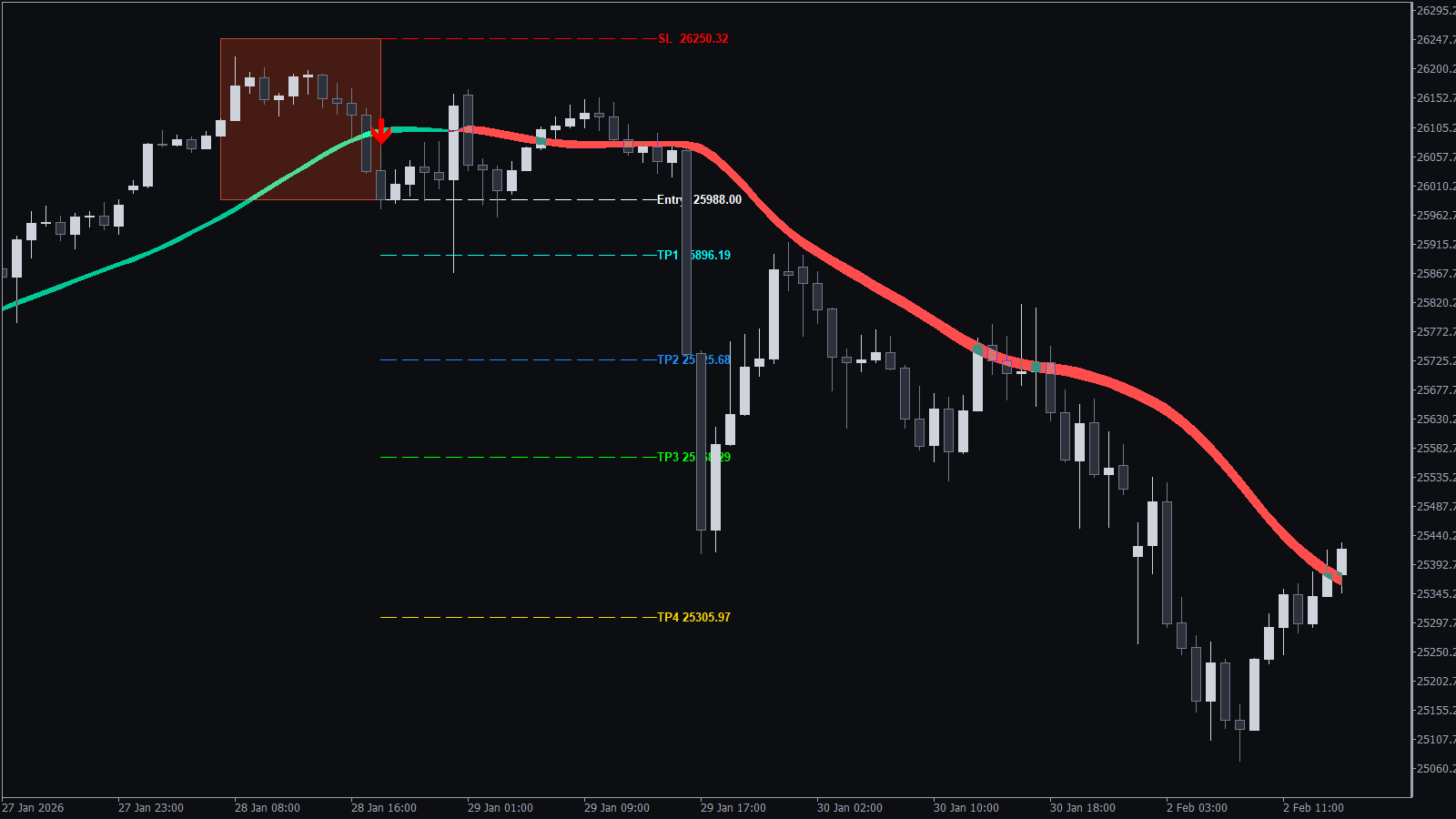
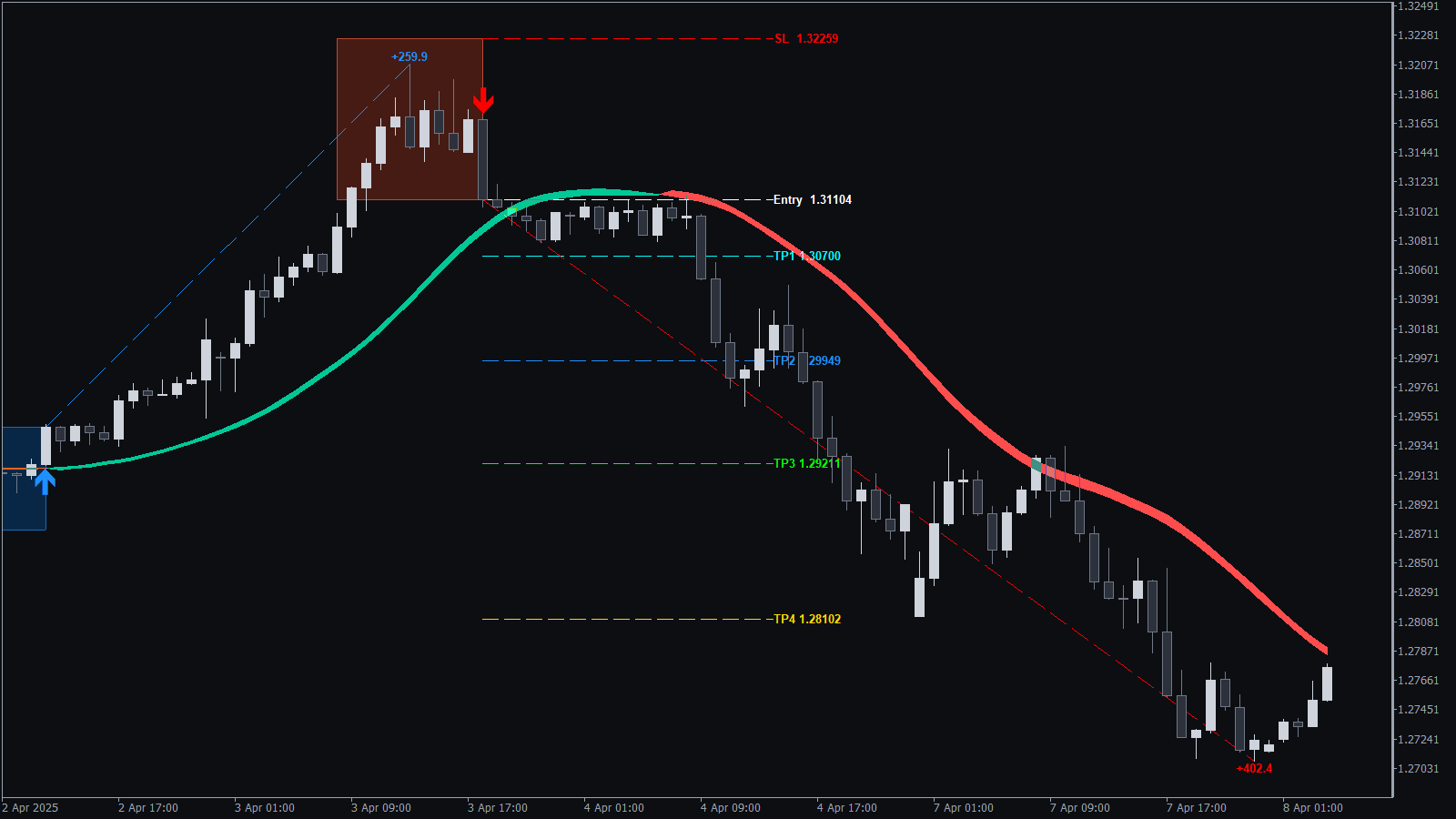
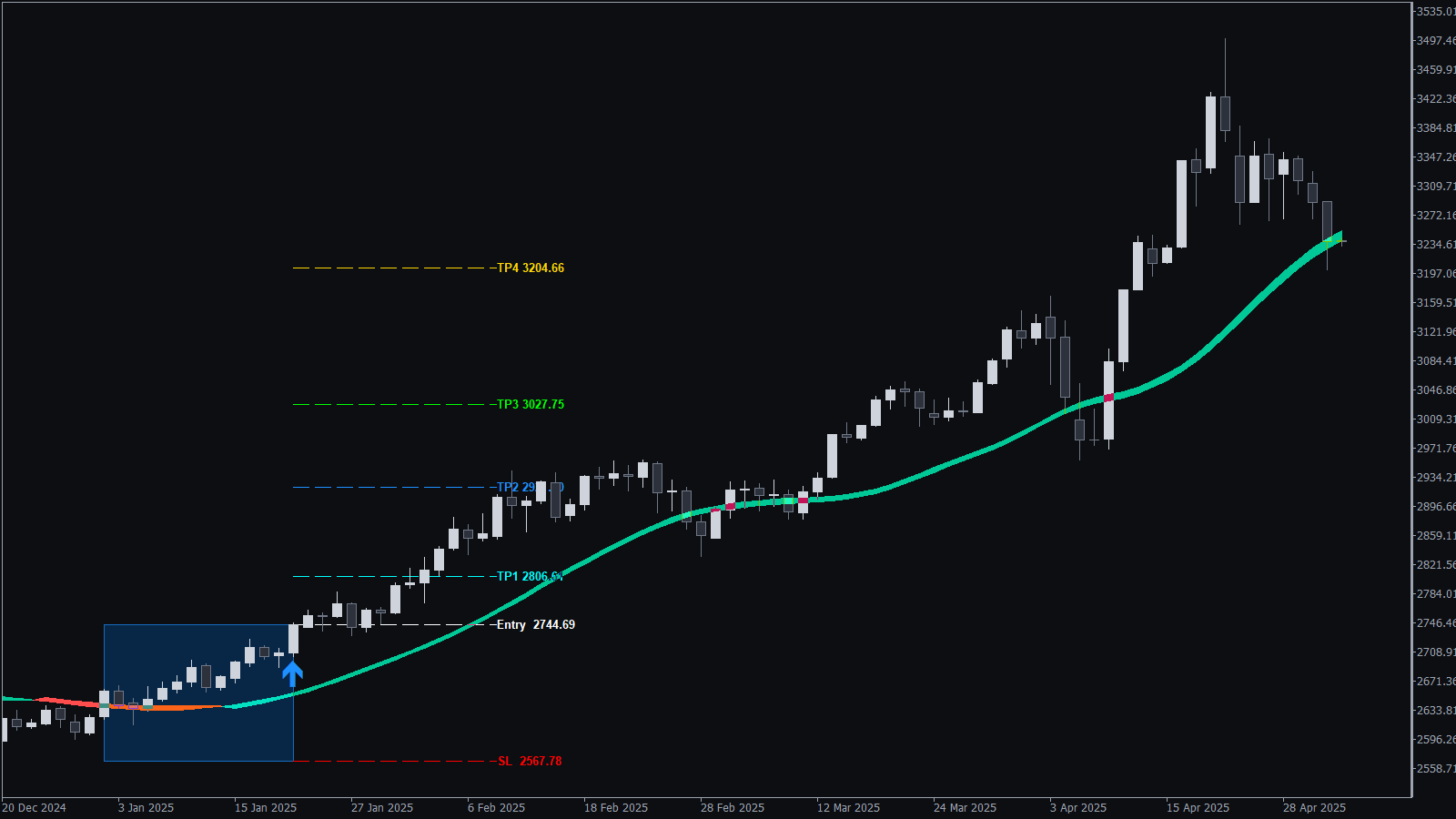
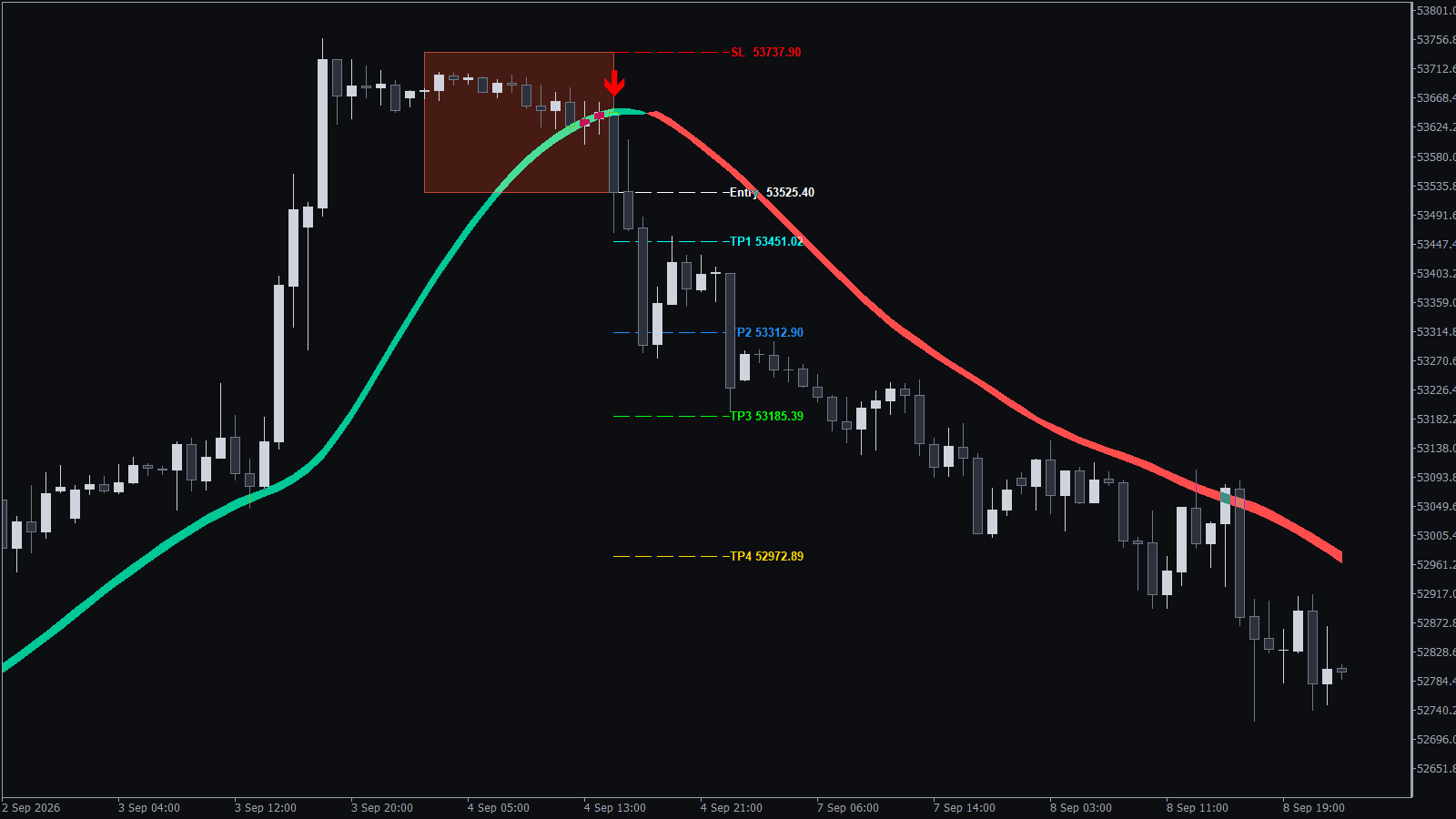
Six things. One indicator.
Everything you'd normally juggle across five tools runs on one chart. You see the setup, the plan, and the exit levels at once. And once you're in, the Trade Manager handles the rest.
Closed-bar arrows print only after price pushes beyond a adaptive volatility band with real strength. No intrabar signals.
Stop-loss sits beyond the nearest swing with breathing room. A structural stop, not a fixed-pip guess. The trade has room to live.
Four target levels: TP1, TP2, TP3, TP4. All printed the instant the arrow appears. Exits are decided before emotion has a vote.
A live dashboard rates buy and sell setups separately for the chart you're on, then tells you which side, if any, is tradable right now.
An optional Trade Manager EA takes over once you're in the trade. Moving stops, banking partials, closing at target. You pick the plan, it runs it.
A built-in dashboard tracks daily and total drawdown, flags high-impact news, and warns before weekend risk. Your challenge account gets a guardrail.
Every piece is tuned to work together. Signal, risk, edge, discipline, management. The chart stops being noise and starts being a decision.
See what's included →BUY EDGE vs SELL EDGE
The buy trade ran to TP4. The sell trade that followed stalled at TP1. That's not luck, that's directional edge, and most traders ignore it. The Edge Dashboard rates buys and sells separately on your chart, then gives you a verdict: take the side with the edge, skip the side without.
Full walkthrough in the video →Dashboard + Auto Optimize
One click on Auto Optimize button tunes the indicator to the chart you're on, then rates buys and sells separately. You get a clear verdict, not another chart to study.
Built in Prop Firm Panel
The Prop Firm Panel shows every rule that can end your account, live on the chart. Before you click buy or sell, not after you've already broken something.
Most prop firm failures don't come from bad signals. They come from one careless trade, one forgotten news release, one emotional revenge entry. The panel catches those moments before they become the mistake.
Trade Manager EA · Included
You decide when to enter. The EA never opens a trade on its own. Once you're in, it takes the indicator's entry, stop, and four targets, and runs one of five management plans you pick up front. Less hesitation, fewer gives-backs, no emotional flatlining of a good setup.
Give strong moves room. Stop trails structurally, targets stay open for the full ride.
Lock in half the position, leave a runner alive toward TP4. The balanced default.
The clean starter plan. Disciplined exit at TP2. Most traders should start here.
Take a quarter early to pay yourself, let the rest run to TP4. More upside, smaller lock-in than Plan 2.
For tight sessions, low volatility, or shorter holds. Exits at TP1, trade closed.
10 MINUTES TO GO LIVE
Everything in the box
Who it's for
Five indicators on the chart, three confirmations required, and you still freeze at the moment of entry. You don't need another tool. You need the stack replaced.
Your entries are fine. Your exits are where the account dies. You want structural stops and mapped targets before the arrow fires, not invented in the moment.
Passing the challenge was the easy part. Keeping the funded account alive is a different fight. You need drawdown and rule visibility on every chart, every trade, every session.
You already know discipline beats talent. You want a system that enforces the plan when the market tempts you to improvise. Arrows with structure. Management on autopilot.
Non repaint proof
Watch the candle close, the arrow print, and the chart keep running for weeks. The arrow never moves and never disappears. The video also shows the entry rules, where the stop loss goes, and the two checks to make before you take a signal.
Straight answers
MT4 and MT5.
No. Arrows print only after the bar closes, and once printed, they stay exactly where they are. No mid-candle shifts, no retroactive changes. Want to check it yourself? Our guide shows how to prove an arrow indicator does not repaint.
No. You open every trade manually. The EA only takes over after you're in, and it runs one of five management plans you pick up front.
An MT4 or MT5 platform from any broker, and a chart. That's it. No additional indicators, subscriptions, or external tools required.
The Prop Firm Risk Panel shows your drawdown, open risk, news alerts, and session context live on the chart. It gives you the visibility to stay inside the rules. The discipline to not click buy when you shouldn't is still yours.
No honest indicator can guarantee profit. KT Alpha Hunter Arrows is built for structural edge on tradeable charts and standing down where the Edge Dashboard says skip. The system gives you the plan. Results depend on how you execute it.
All purchases are covered by a 30-day, no-questions-asked exchange policy. We don't offer cash refunds, but if you run into any setup, activation, or usage issue, just contact us and we'll help get the product working for you.
Yes, lifetime updates are included with your purchase. New features, platform updates, and bug fixes are delivered automatically.
Keenbase runs a dedicated support desk for all product questions, setup help, and troubleshooting. Submit a ticket anytime and you'll hear back from the team that built the product.
PRICING
Buy KT Alpha Hunter Arrows on its own, or get it with every other Keenbase indicator and EA in Premium Membership.
Less guesswork. More structure.
KT Alpha Hunter Arrows turns a blank chart into a complete trading setup. Works on any pair, any timeframe, any broker.
Risk disclosure: Trading foreign exchange, precious metals, indices, commodities, and other financial instruments carries substantial risk and may not be suitable for all investors. You can lose all, or more than, the capital you deposit. Leverage amplifies both gains and losses. Ensure you fully understand the risks involved before trading with real money. Past performance is not a reliable indicator of future results. Historical analysis, statistics, and edge ratings are based on data available at the time they are computed. Market conditions change, and no historical result guarantees future performance. Automated tools and trade management software execute orders based on pre-defined rules. Actual results may differ due to broker conditions including spreads, slippage, requotes, and server latency, all of which are outside any software's control. Final responsibility for all trading decisions, including lot sizing, risk management, broker selection, and overall account safety, rests solely with you. Always test any new tool or strategy on a demo account before deploying it on a live account. By using this software, you acknowledge that you understand these risks and accept full responsibility for the outcomes of your trading.
© 2018 - 2026 Keenbase Trading Ltd, All rights reserved.
New exit marks for signals without an edge, with full Trade Manager EA support.
After Auto Optimize, when only Buy signals or only Sell signals have an edge on a timeframe, signals on the other side now show as small grey exit marks instead of entry arrows. An exit mark means: close the open trade.
Two new settings: "Show No-Edge Signals as Exit Marks" (on by default) and "Exit Mark Color".
Alerts for these signals now read Exit Buy or Exit Sell.
The KT Alpha Hunter Trade Manager EA closes the open trade on an exit mark.
A cleaner chart view: the dashboard panels now sit above the signal arrows and boxes.
A smoother Trade Manager EA panel while you scroll the chart.
A steadier chart display, and trend band colours that match your chart theme.
The arrows and the trend band stay steady while you scroll the chart on MetaTrader 5.
The trend band now uses the Dark and Light theme colours by default, and follows a light chart background on its own.
The Trend Direction badge stays in place when you switch between charts.