What This Renko Expert Advisor Does for You
- 14 patterns, each with its own switch: tops and bottoms, head and shoulders, W and M, spring and upthrust, flags, pennants, triangles, break and retest and four breakout types.
- A trade opens only on a closed brick: the breakout brick must close first, and a pattern already on the chart when you attach the EA is never traded late.
- A stop loss placed by the pattern: the risk of each trade follows the structure you see on the chart, not a fixed number of pips.
- Half banked at the first target: then the stop loss of the rest moves to the entry, and the rest stays open for the bigger move.
- Trades that match the indicator's record: the default exit is the one the KT Renko Patterns indicator uses for its win rate and average result per pattern.
- Ready for the session open: when a brick closes while your broker is still closed, the EA enters once trading opens, as long as the trade is still valid.
- Your risk, your rules: fixed lots or a percentage of your balance measured on the stop loss, trailing stop, sessions, weekdays and a maximum loss limit.
How KT Renko Patterns EA Trades a Pattern
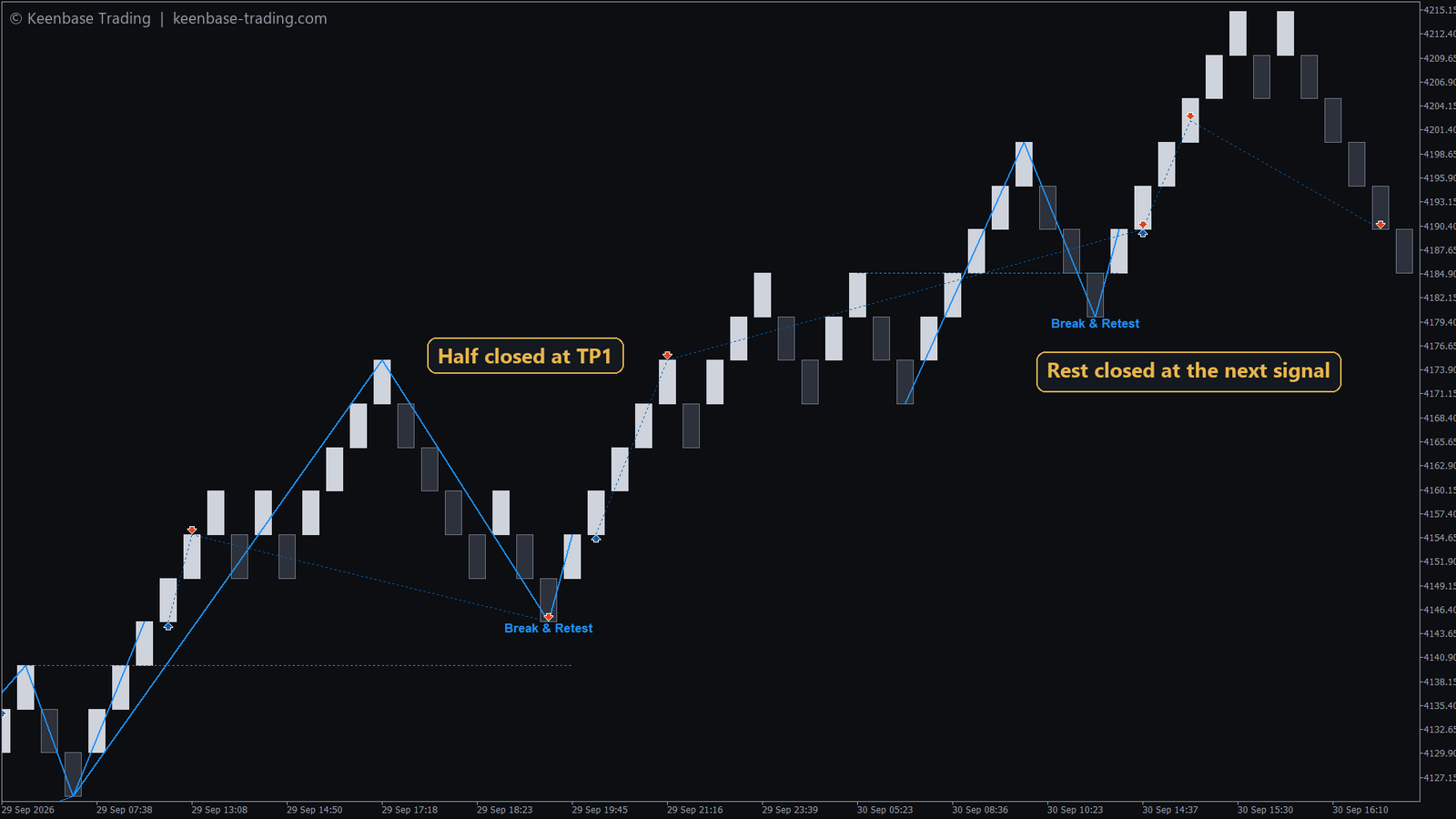
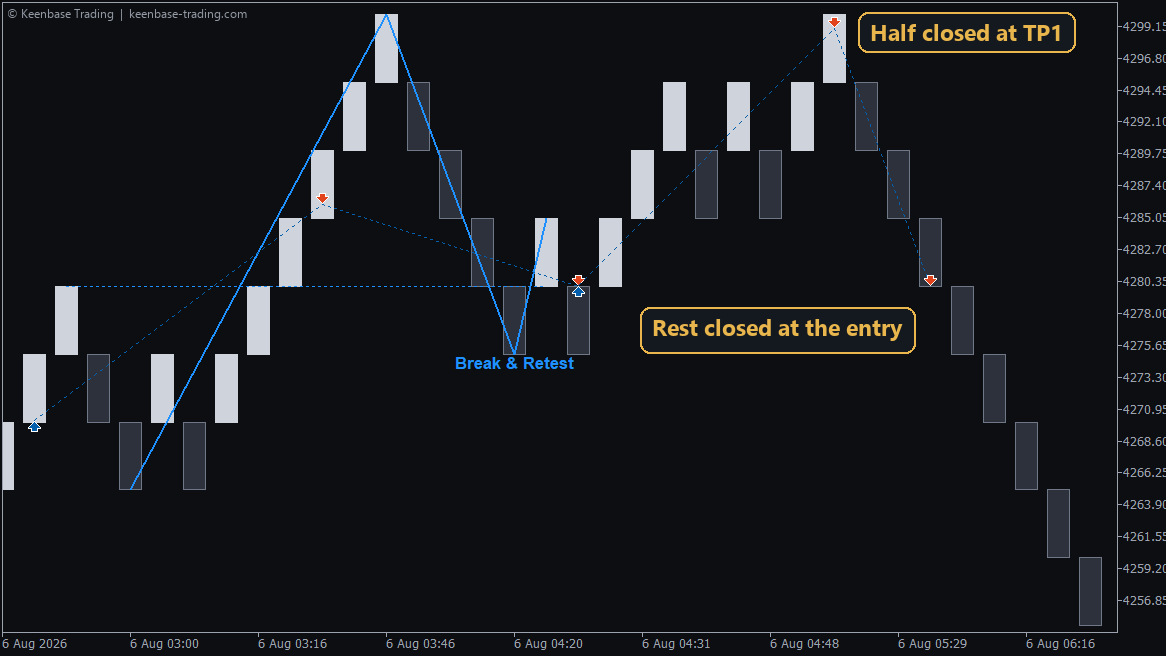
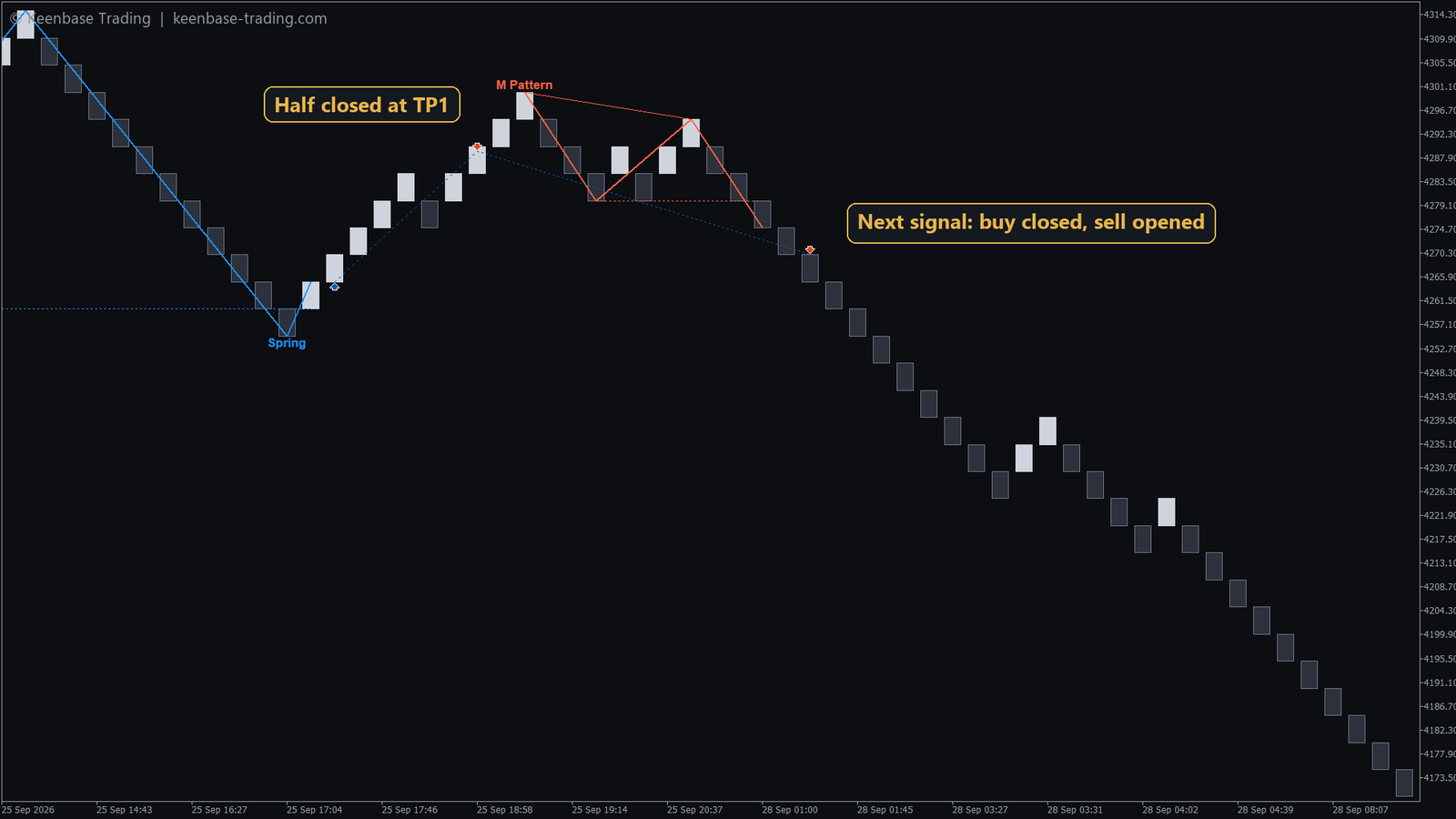
- A brick closes through the pattern's breakout level. The EA enters and writes the pattern name on the chart and in the order comment.
- The stop loss goes beyond the pattern, and three targets are measured from its height.
- At the first target the EA closes half and moves the stop loss to the entry.
- The rest closes when the next pattern appears, so a strong run keeps paying while it lasts.
Prefer another exit? Next signal holds the whole trade to the next pattern; Fixed target closes at TP1, TP2 or TP3.
Recommendations
- Chart: any Renko chart that allows EA trading, such as KT Renko Live Chart Generator.
- Markets: forex pairs, gold and indices, on the brick size where the indicator's dashboard shows the best record.
- Platform: MT4 and MT5. On MT5, set Trade Symbol to the real symbol when the EA runs on a custom Renko chart.
- VPS: recommended, so the EA watches every brick around the clock.
Input Settings
| Input and default | What it does |
|---|
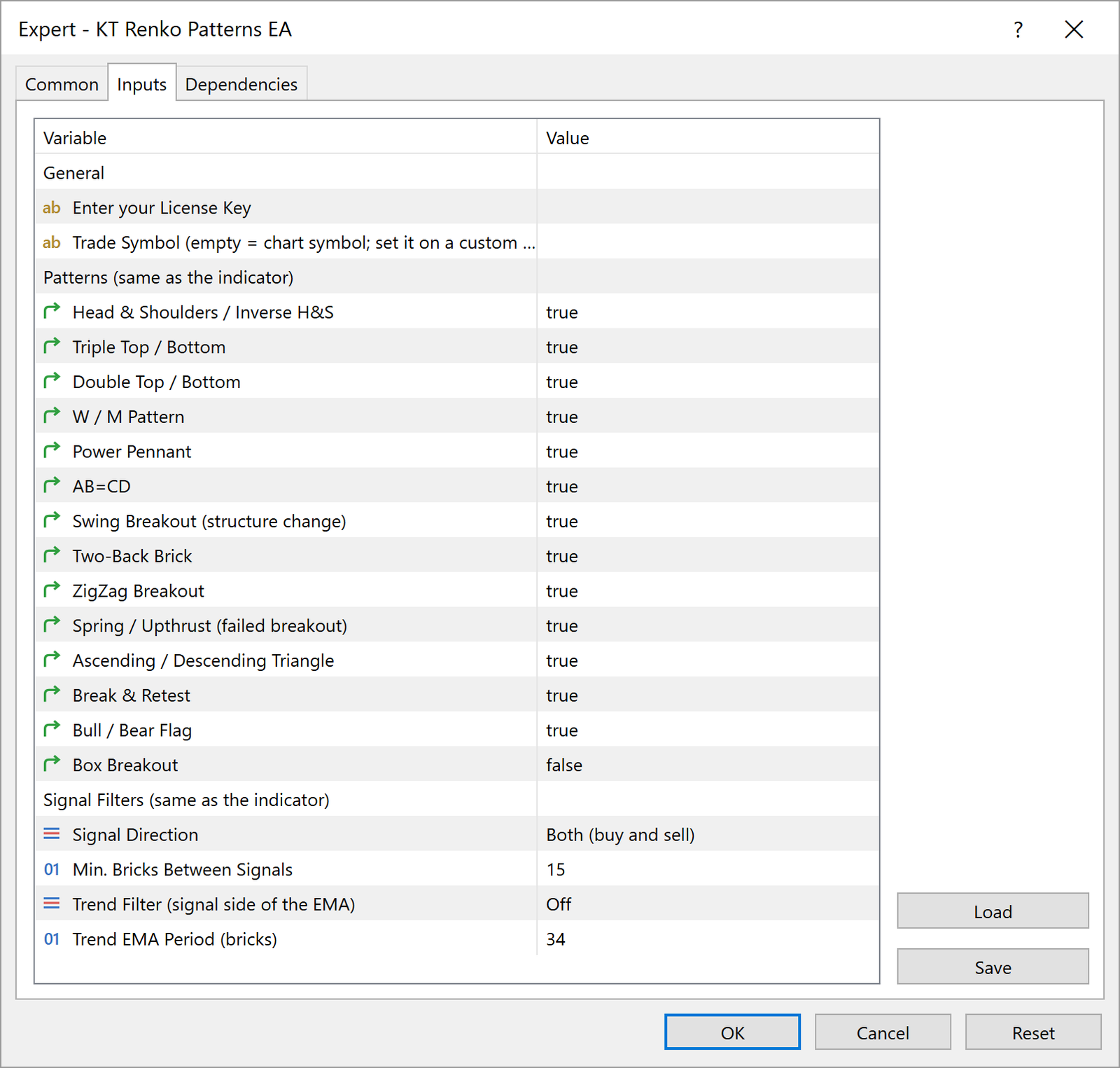
Patterns (14 switches)
Default: all on, Box Breakout off | Choose the patterns the EA trades. |
Signal Direction
Default: Both | Buy and sell, buy only or sell only. |
Min. Bricks Between Signals
Default: 15 | A larger number gives fewer, more spaced signals. |
Trend Filter
Default: Off | Trade only on the trend side of the trend EMA. |
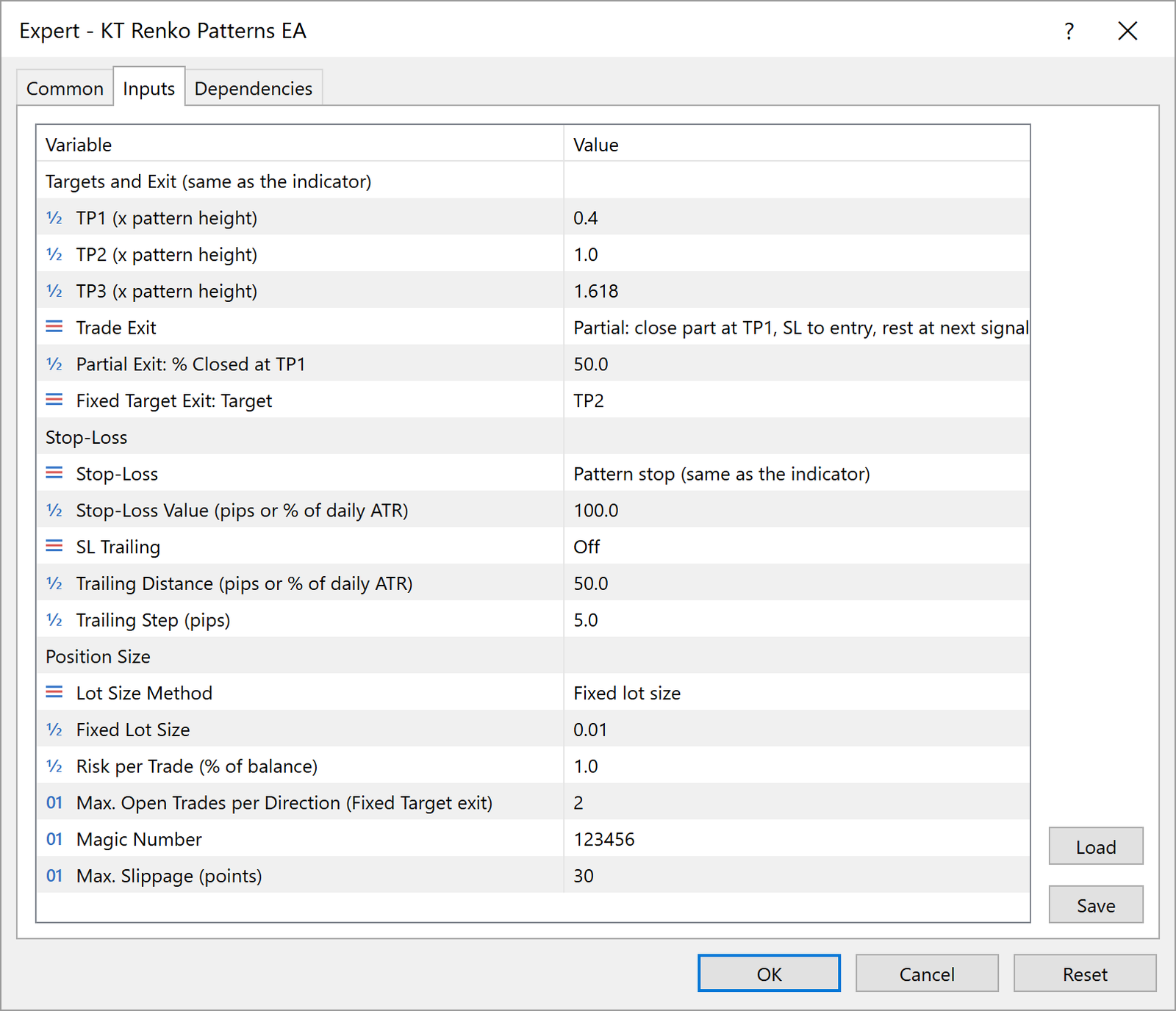
TP1 / TP2 / TP3
Default: 0.4 / 1.0 / 1.618 | Target distances as a multiple of the pattern's height. |
Trade Exit
Default: Partial | Partial at TP1, Next signal, or Fixed target. |
Partial Exit: % Closed at TP1
Default: 50 | The share closed at the first target. |
Stop-Loss
Default: Pattern stop | The pattern's stop loss, pips, or a share of the daily range. |
Lot Size Method
Default: Fixed lot size | Fixed lots or Risk % of balance. |
Risk per Trade
Default: 1.0 | Percentage of the balance risked per trade with Risk %. |
Trade Symbol (MT5)
Default: empty | The symbol to trade from a custom Renko chart. |
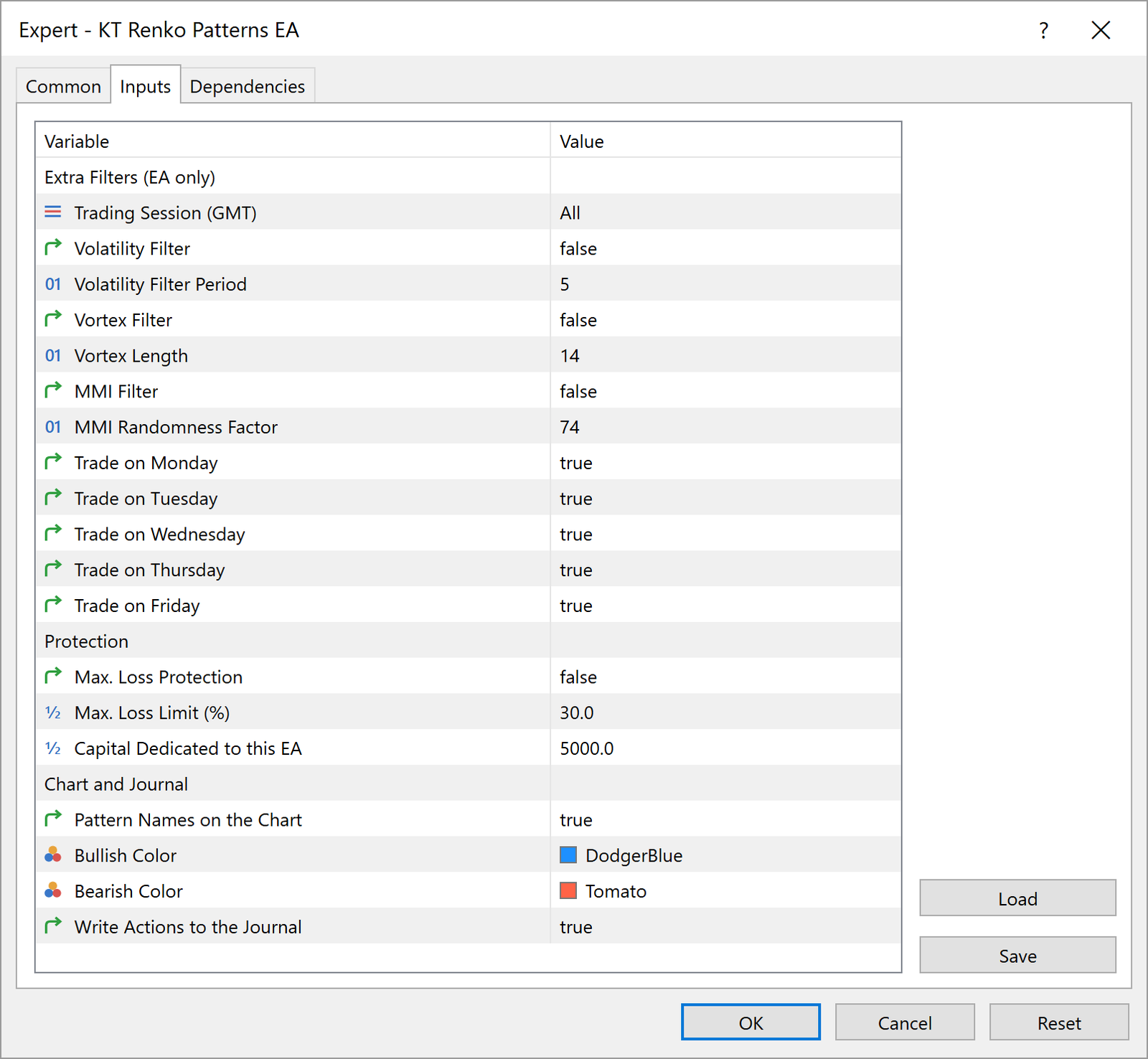
Trading Session
Default: All | All day, or the Asian, London or New York session (GMT). |
Max. Loss Protection
Default: false | Stops new trades below the limit you set for the EA's capital. |
Pro Tip: Let the Indicator Pick the Patterns
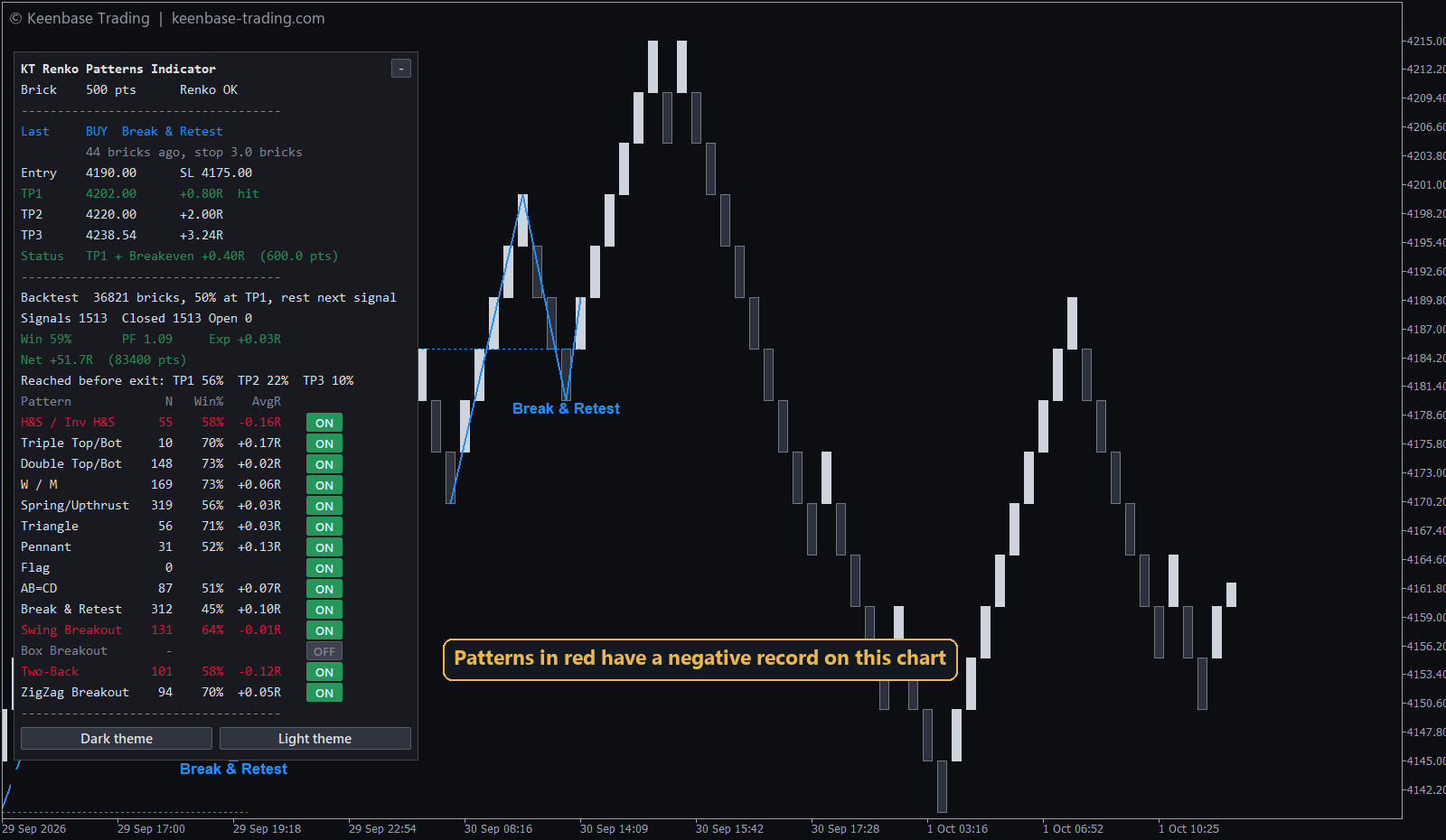
Open the KT Renko Patterns indicator on the same symbol and brick size and read its dashboard. Switch off in the EA every pattern with a negative average result there. The EA then trades only the patterns that have worked on your market, with the exact exit the dashboard measured.
Frequently Asked Questions
Do I need the KT Renko Patterns indicator too?
No, it is built into the EA. The EA writes the pattern name with each trade; add the indicator when you also want the pattern lines and the dashboard on your chart.
Does it trade on a brick that is still forming?
No. A signal exists only after its brick has closed, so the trades in history are the trades the EA would have taken live.
Will it work on my Renko chart?
Yes, on any Renko chart that allows EA trading on MT4 or MT5. The status rows at the top right show "Renko OK" when the EA reads your chart as Renko.
On MT5, why are my trades not on the Renko chart?
MT5 treats a custom Renko chart as a separate symbol. Set Trade Symbol to the real symbol, for example XAUUSD, and the trades appear on that chart.
Can I test it before buying?
Yes. The free demo of the MT5 version on the MQL5 Market runs in the Strategy Tester on a Renko custom symbol made by KT Renko Live Chart Generator.
Every Pattern Traded, Every Trade Protected
You choose the patterns and the risk. KT Renko Patterns EA watches every brick, takes each finished pattern with its stop loss, banks half at the first target and lets the rest run to the next signal.


 Excellent EA