Features
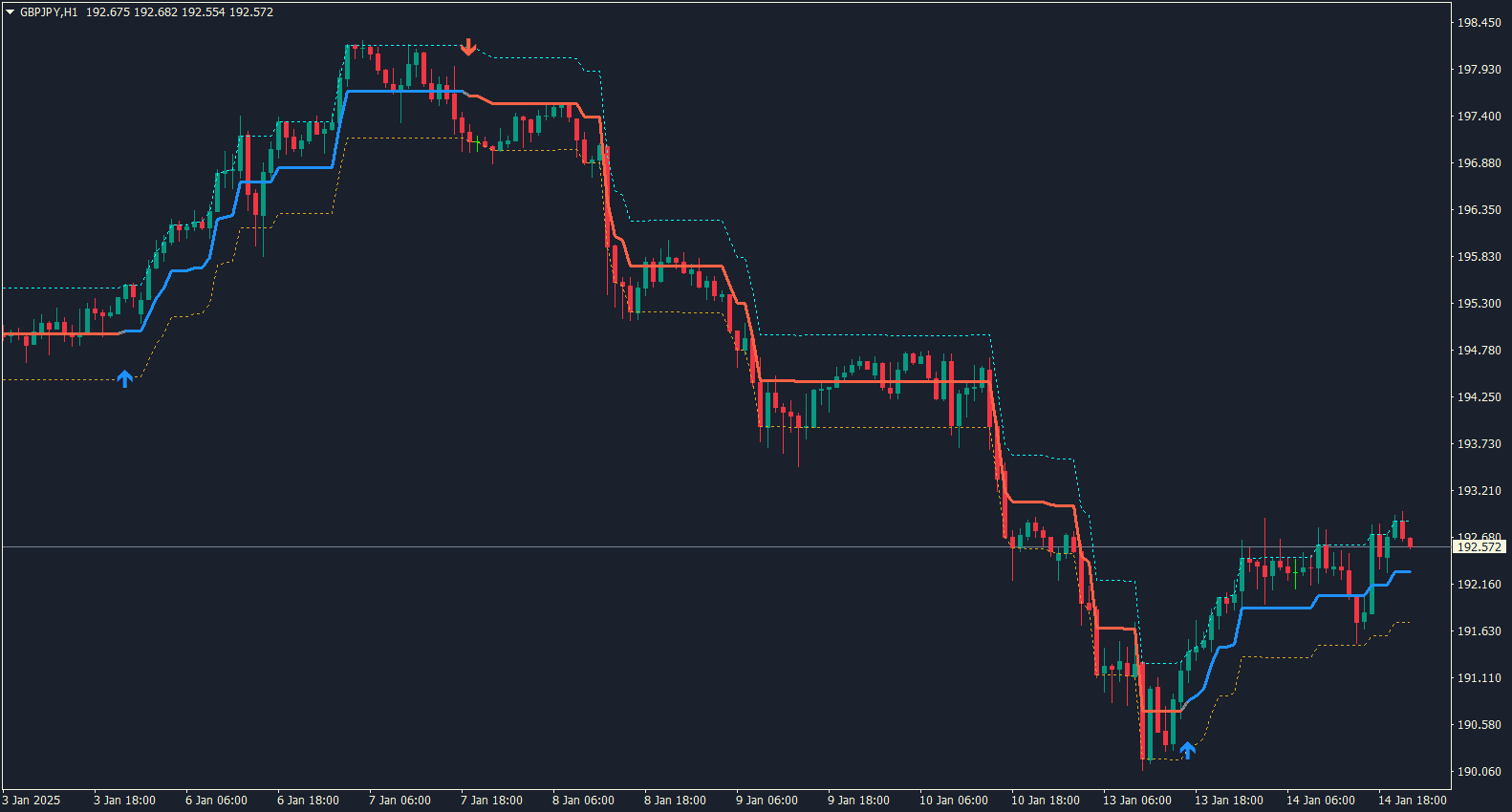
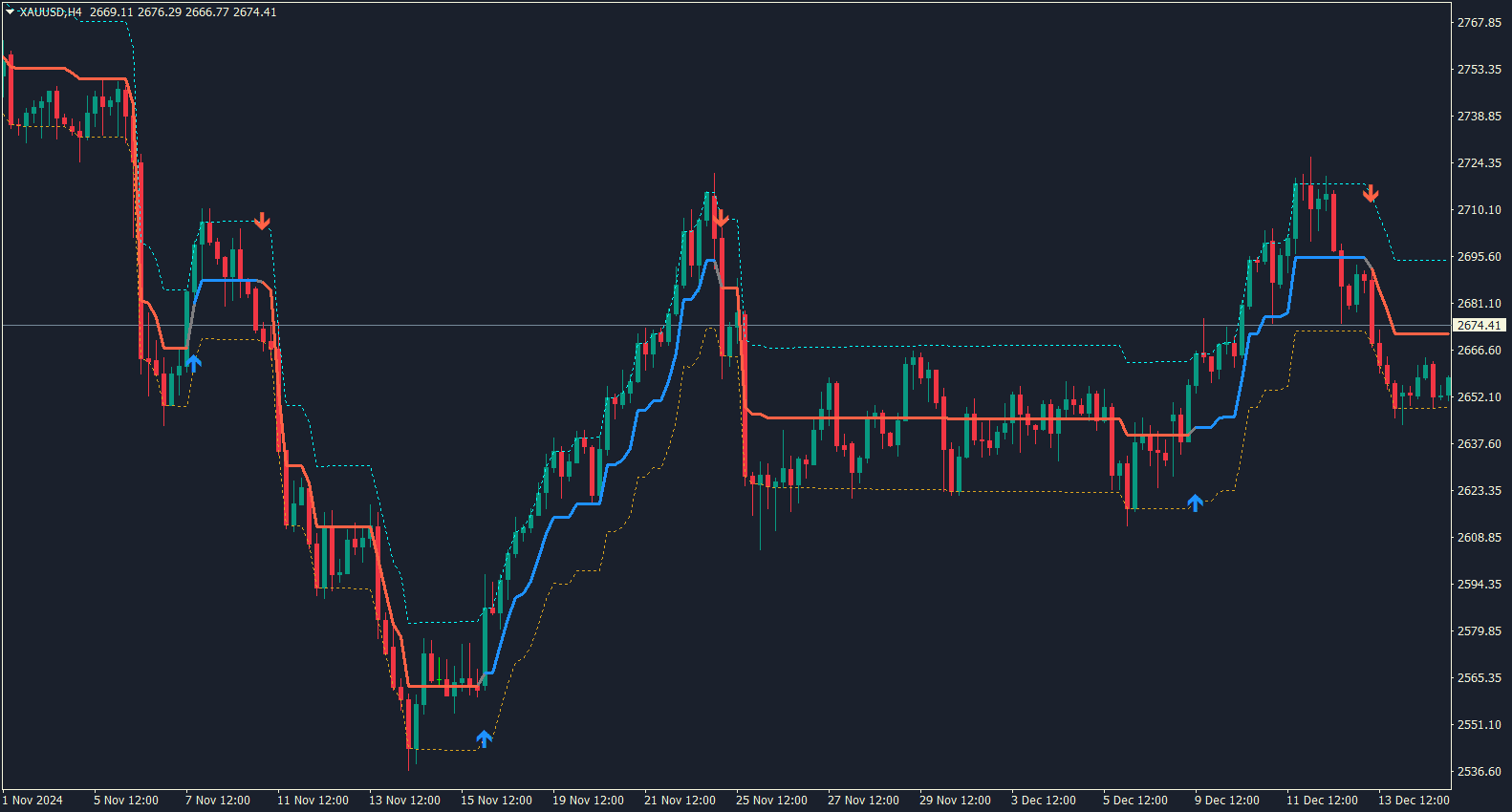
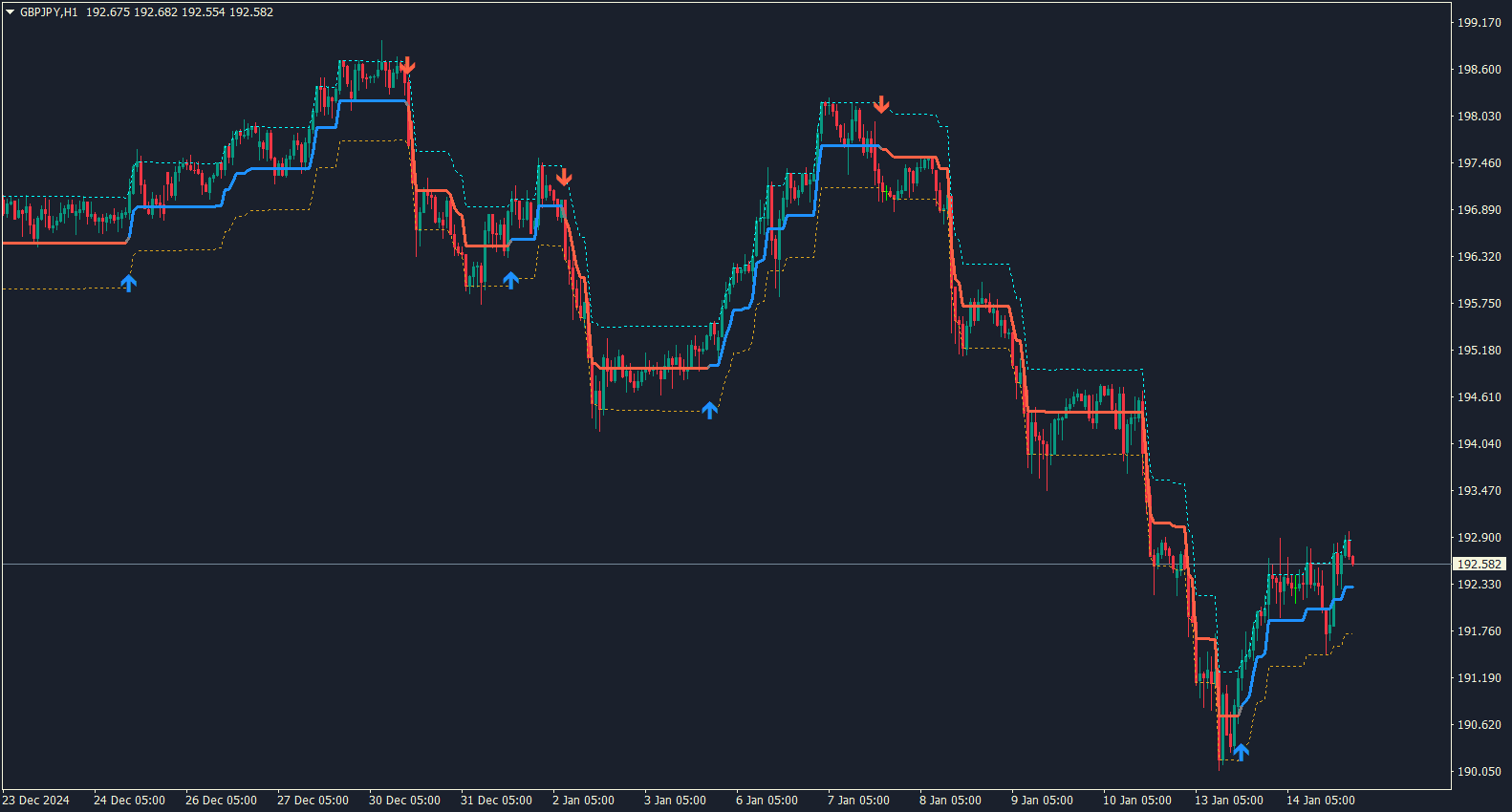
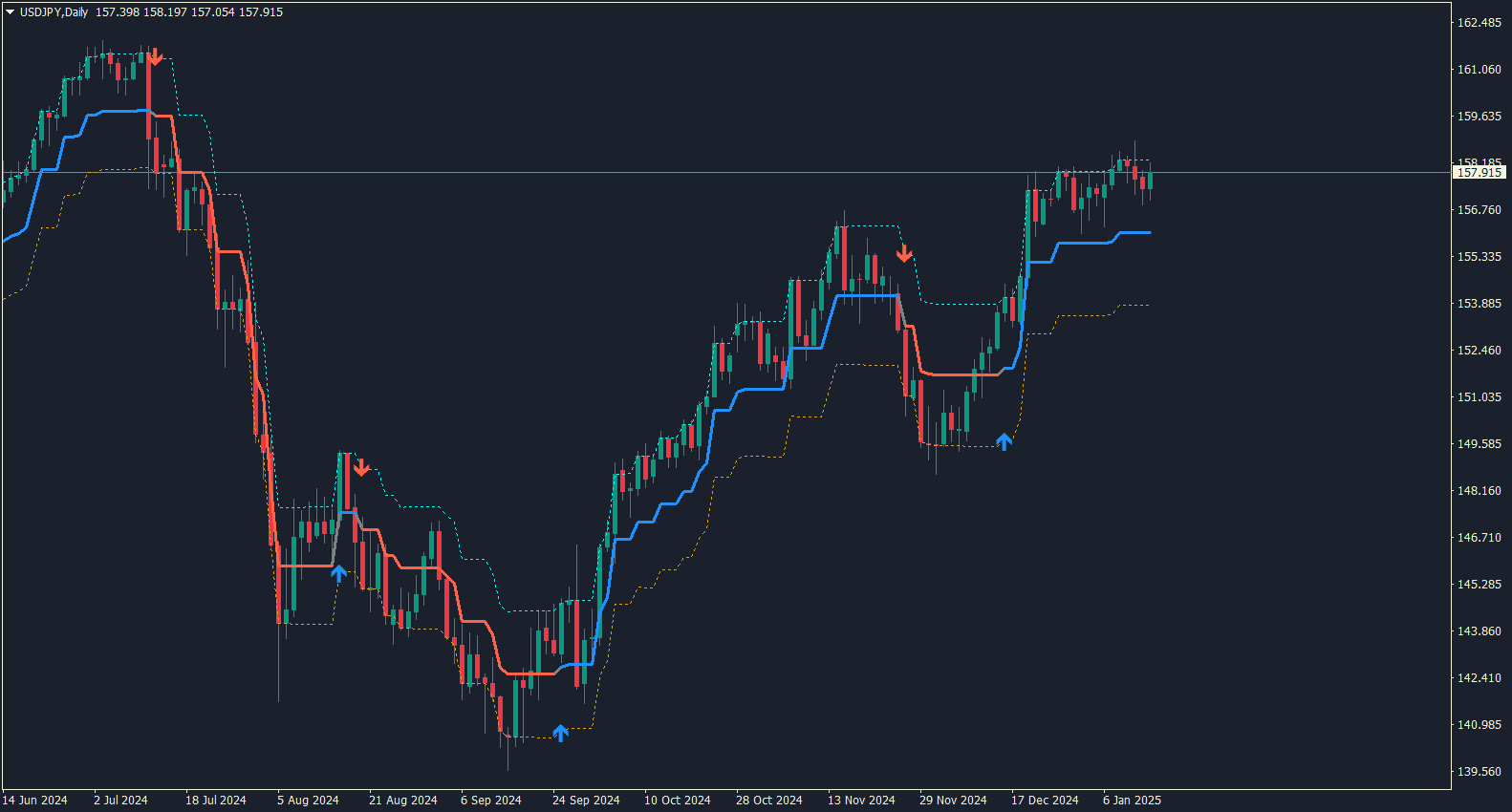
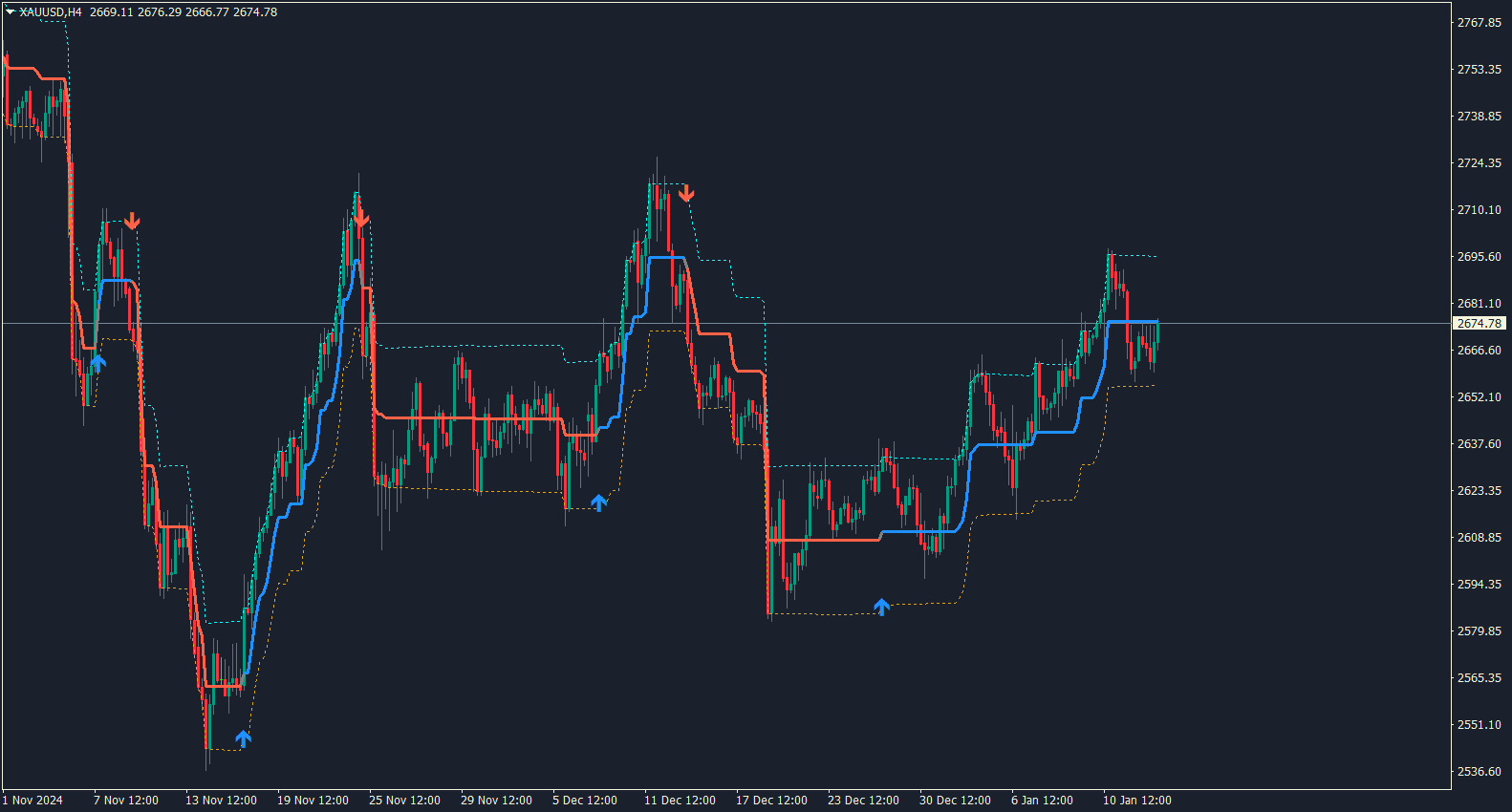
- Clean three-band view with a central range-filter line plus upper and lower boundaries.
- Colour-coded rising and falling states with buy and sell arrows when the filtered direction changes.
- Available for MT4 and MT5, with pop-up, sound, push, and email alert options to match your workflow.
A Clearer View of Price Direction
Market charts can become difficult to read when every small fluctuation competes for attention. The KT Range Filter focuses the view by smoothing recent price movement and presenting the result through a clear central line and surrounding range boundaries.
When the filtered line rises, its colour changes to show bullish direction. When it falls, the colour changes to show bearish direction. This gives you an immediate visual reference for the current filtered move.
The upper and lower boundaries create useful context around the filter line, helping you see when price is pressing beyond the current range instead of judging every candle in isolation.
Buy and sell arrows appear when the filtered direction changes, so potential transitions are easy to spot on the chart.
Because the display is compact and visual, the indicator fits comfortably into discretionary strategies, trend-following workflows, and chart reviews across different timeframes.
How to Read the Range Filter
Start with the direction and colour of the central filter line. A rising state highlights bullish pressure, while a falling state highlights bearish pressure.
Next, compare price with the upper and lower boundaries. A move beyond a boundary adds context to the directional state and makes the active range easier to recognise.
A buy arrow marks a change into the rising state. A sell arrow marks a change into the falling state.
Use the arrow, line direction, and boundary position together for a quick visual reading instead of relying on a single chart element.
You can attach the indicator to the symbols and timeframes you trade, then keep the same clear layout while adapting the settings to your preferred pace.
The result is a focused chart that helps you follow price direction, notice transitions, and review potential entries with less visual clutter.
Simple Settings for Your Trading Style
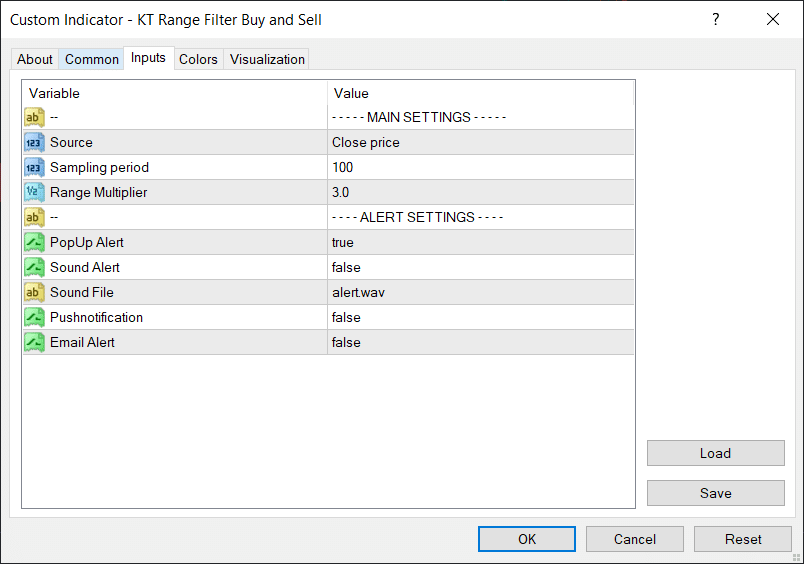
The default setup uses Close price, a Sampling Period of 100, and a Range Multiplier of 3.0. These balanced defaults give you a ready-to-use starting point as soon as the indicator is attached to an MT4 or MT5 chart.
Source selects the price data used by the calculation. Sampling Period controls how much recent movement shapes the filter, while Range Multiplier adjusts the distance of the upper and lower boundaries. With only three main settings, configuration stays quick and understandable.
How to Use the Buy and Sell Arrows
A buy arrow appears when the filtered direction changes from falling to rising. A sell arrow appears when it changes from rising to falling.
Read each arrow alongside the current line colour and range boundaries. This combination makes the new directional state easier to interpret at a glance.
For a structured workflow, first check the broader chart direction, then wait for a matching arrow and review where price sits in relation to the filter boundaries.
The same approach can be used on different symbols and timeframes, making the indicator easy to integrate into your existing MT4 or MT5 chart routine.
Flexible Alerts for Timely Updates
The indicator can notify you when a new signal is confirmed, helping you monitor charts without watching every candle continuously.
Pop-up alerts are enabled by default. Sound, push notification, and email alerts are also available and can be switched on from the input settings.
Signal alerts use the completed candle, giving you a stable notification point after the bar has closed.
Choose the alert channels that suit your setup, whether you trade mainly at the desktop or want MetaTrader notifications available while you are away from the chart.
Designed for MT4 and MT5 Traders
KT Range Filter Buy and Sell Indicator combines a clean three-band display, colour-coded direction, clear arrows, simple controls, and flexible alerts in one practical chart tool.
Select the MT4 version, MT5 version, or the combined MT4 + MT5 package and add a clearer Range Filter workflow to your trading platform with lifetime access.