Features
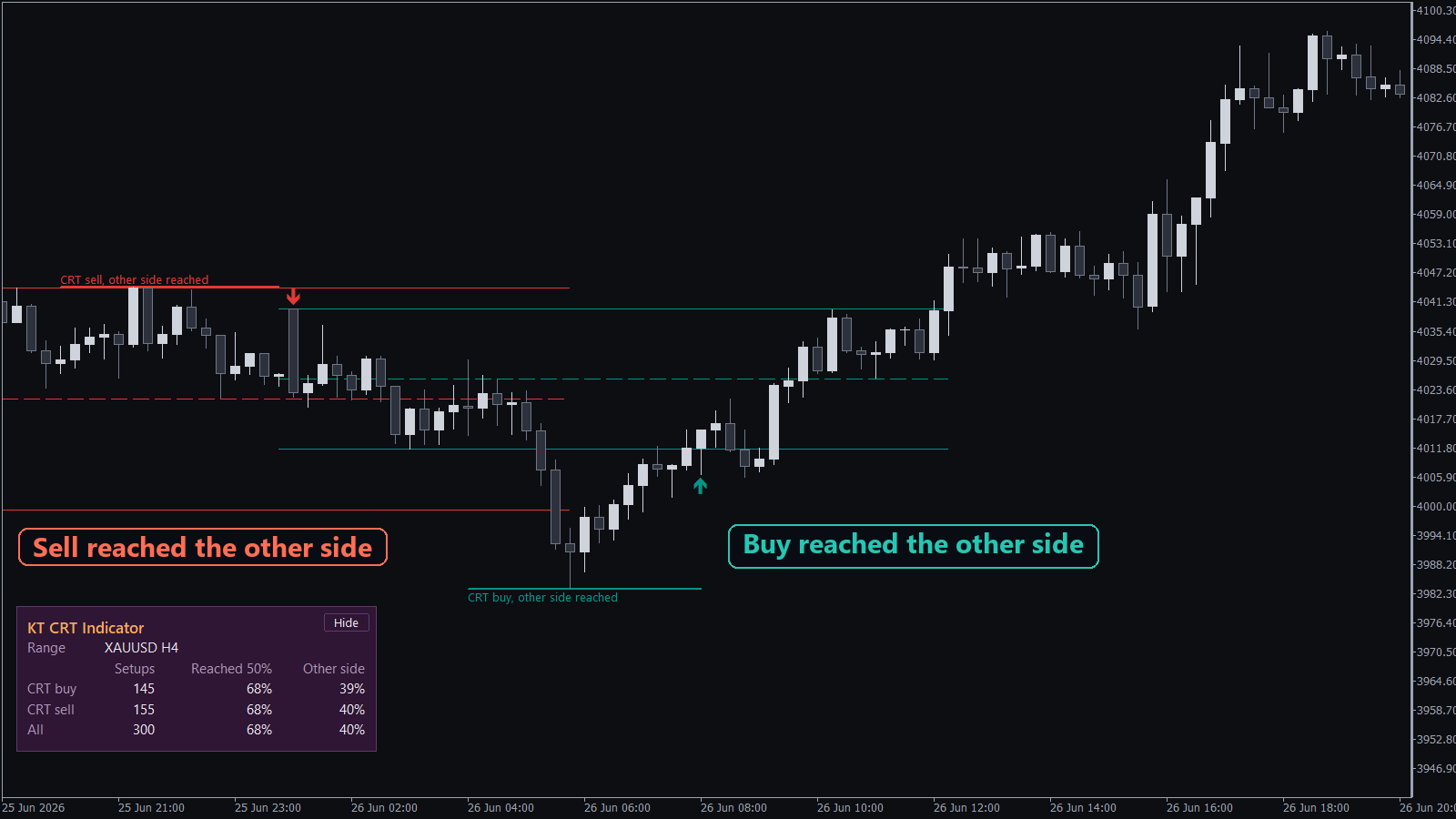
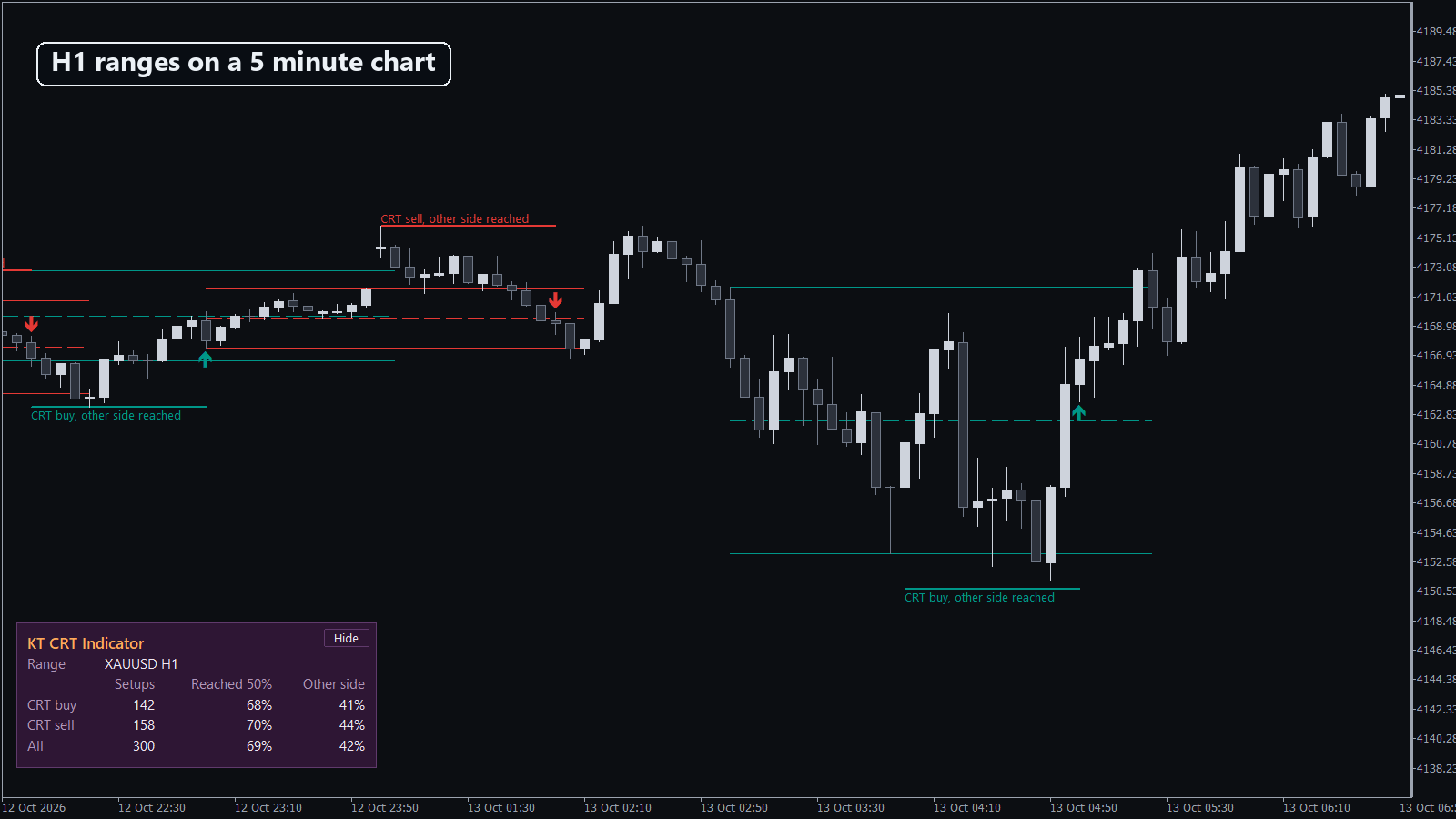
- Your own CRT record: the panel counts recent setups on your symbol and how many reached the 50% level or the other side, for buys, sells and all.
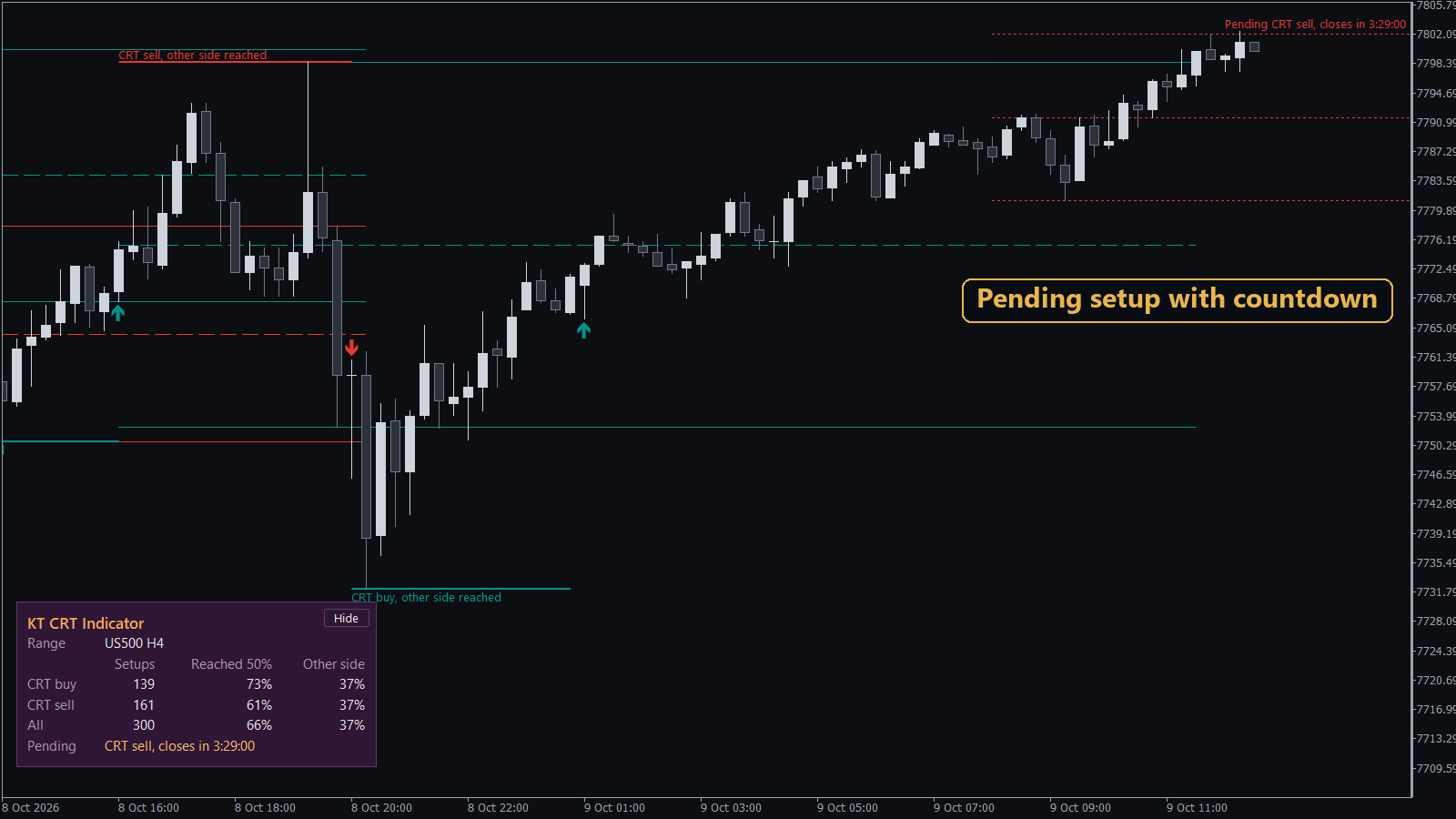
- See the setup forming: while a sweep is still happening, dotted lines and "Pending CRT sell, closes in 1:12:30" count down to the candle close.
- Every setup followed to its result: the label changes to "50% reached", "other side reached" or "failed", and a failed setup turns grey.
- The levels under your mouse: hover an arrow to read the 50% target, the other side, the price where the setup fails and the result so far.
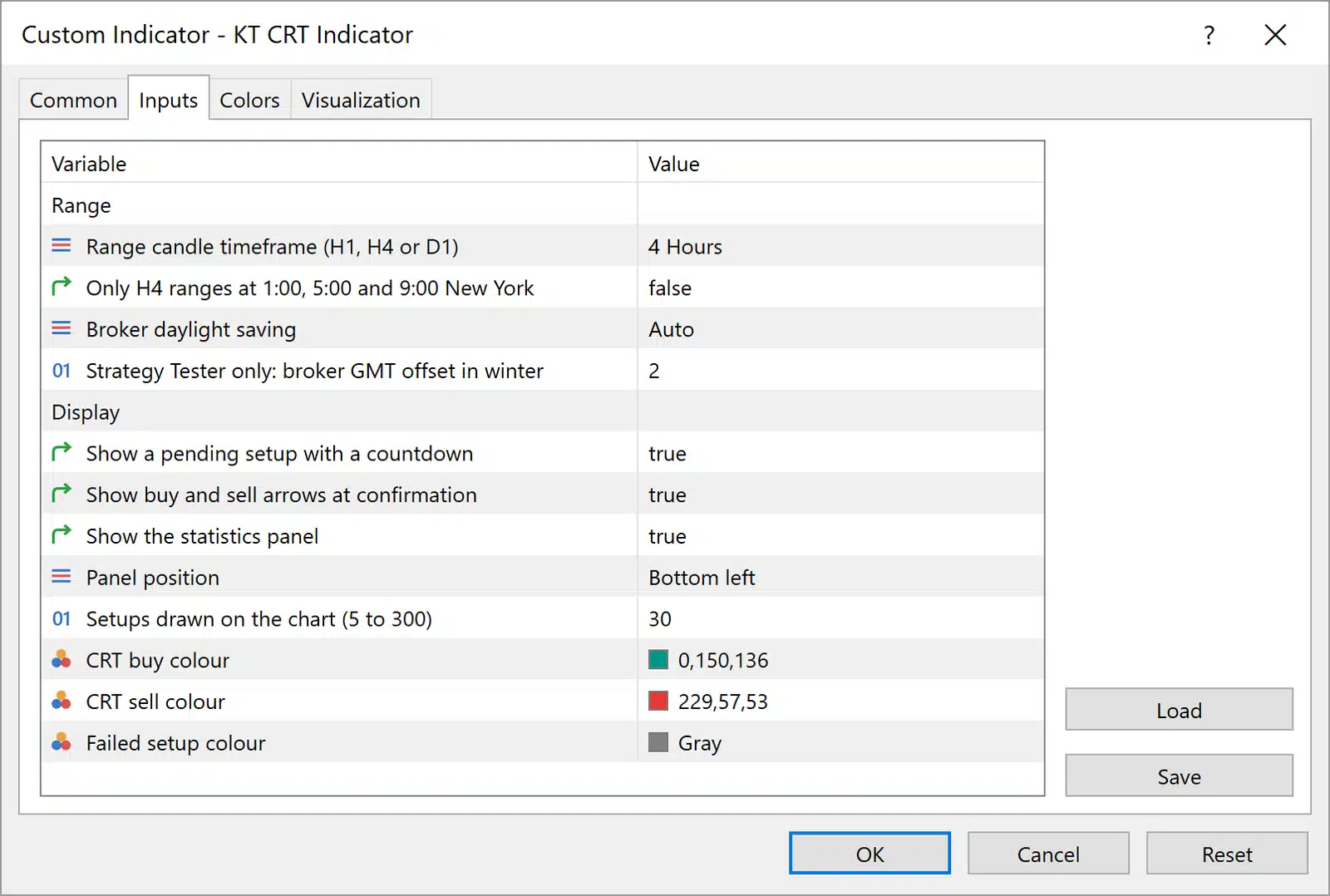
- H1, H4 or D1 ranges: add the indicator twice, for example H4 and D1, and the two panels stack in the same corner.
- New York key times: one switch keeps only the H4 ranges that open at 1:00, 5:00 and 9:00 New York time, on any broker, summer and winter.
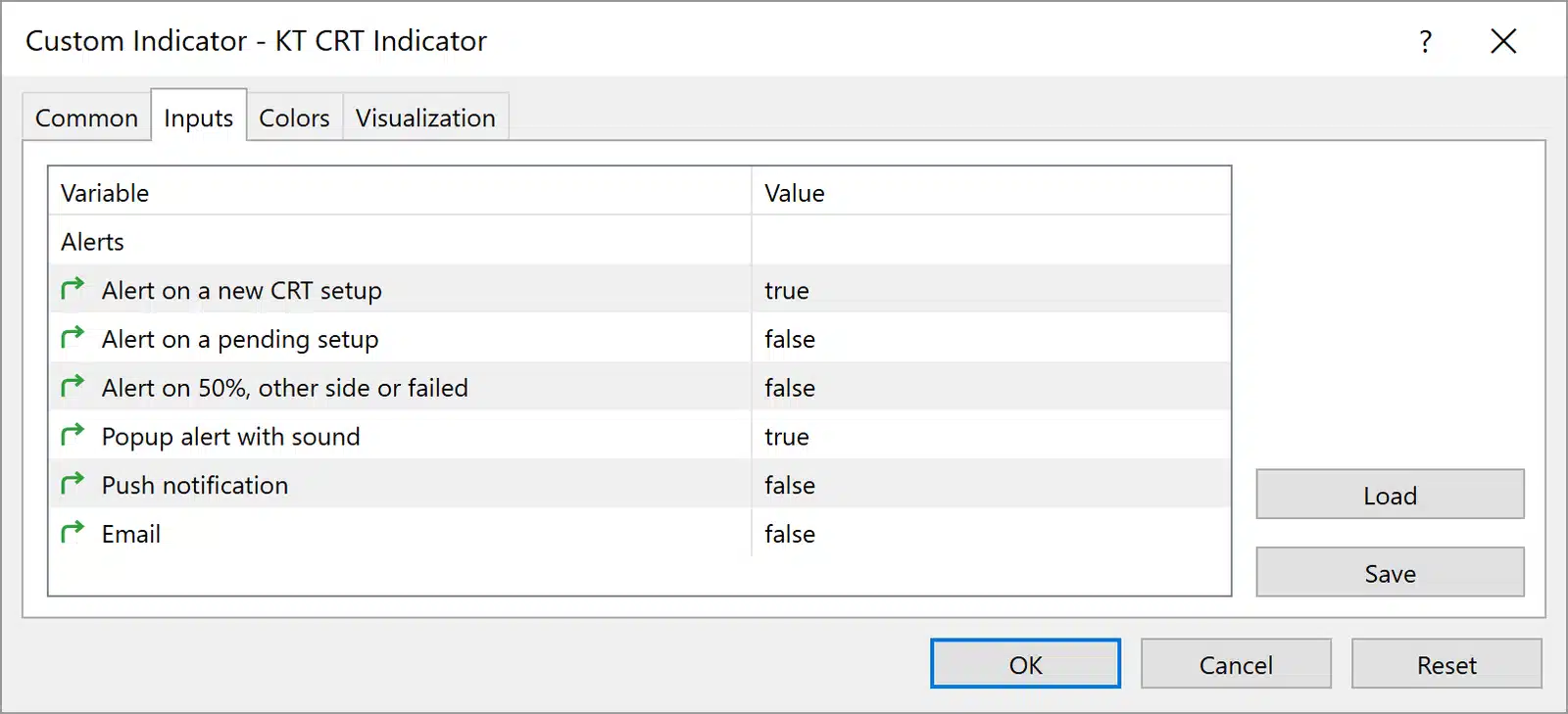
- Alerts wherever you are: popup with sound, push notification or email, for a new setup, a pending setup, the 50% level, the other side or a fail.
How the CRT Indicator Works on the Chart
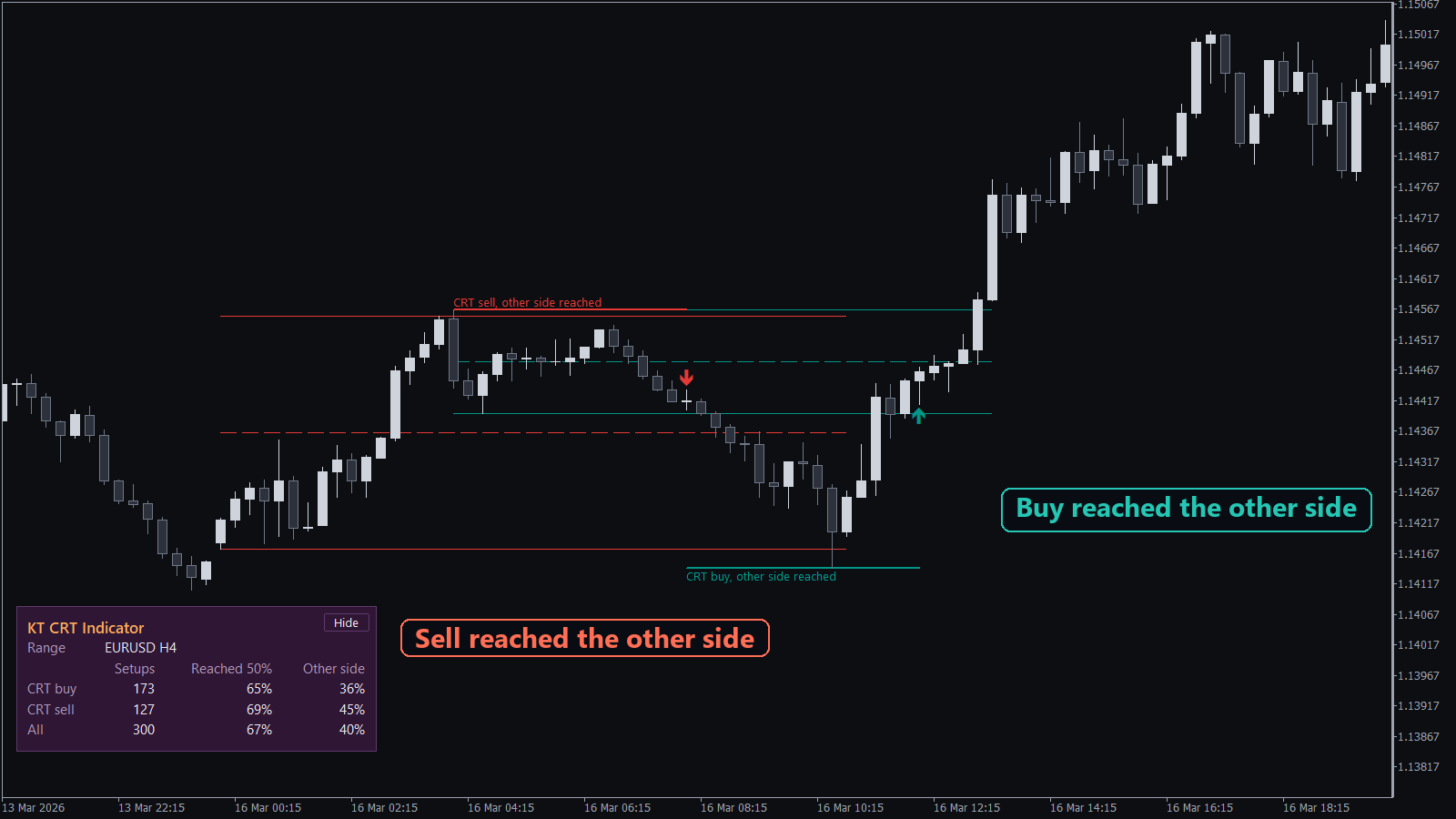
Take a GBPUSD M15 chart with H4 ranges. An H4 candle closes and sets the range: its high, its low and the dashed 50% line. When the next H4 candle trades below that low and closes back inside, a teal arrow marks a CRT buy, and a short thick line marks the sweep low.
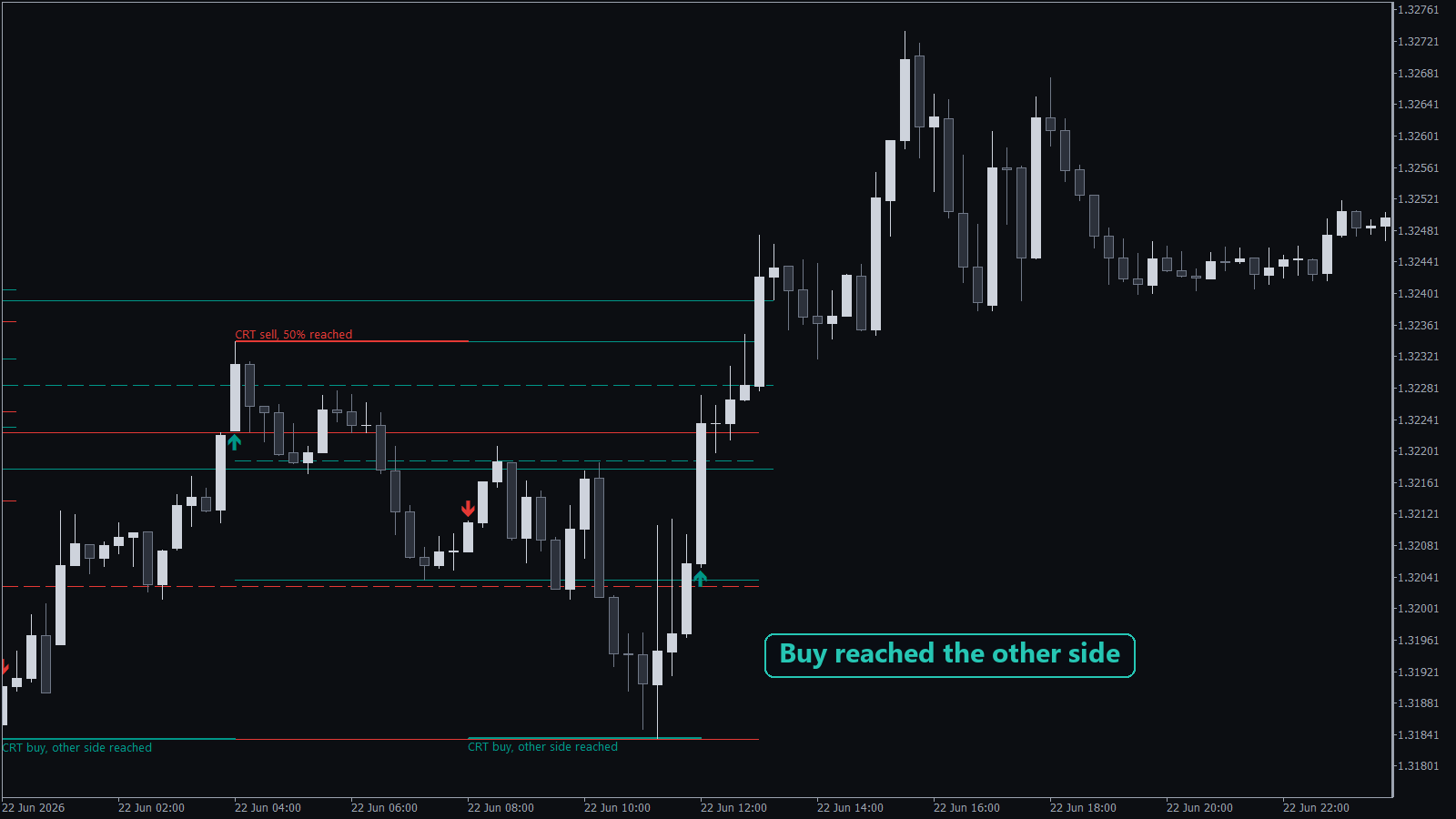
As price rises, the label follows the setup: "CRT buy, 50% reached", then "CRT buy, other side reached". A CRT sell is the mirror image above the range high, in red.
Recommendations
KT CRT Indicator works on forex pairs, gold and indices. Use a chart timeframe lower than the range: an M5 or M15 chart for H1 and H4 ranges, and an M15 or H1 chart for D1 ranges.
Pro Tip
Switch on Alert on a pending setup. It reaches you during the sweep with the time left to the candle close, so you are at the chart when the setup is confirmed.
Frequently Asked Questions
Does the CRT indicator repaint?
No. A setup is confirmed at the close of the sweep candle and never changes after that. A pending setup has dotted lines and a countdown, so it is never mistaken for a confirmed one.
What do the numbers in the panel mean?
Setups counts the finished CRT setups on your symbol and range timeframe. Reached 50% and Other side are the share of them where price got to the 50% level and to the other side of the range. The numbers differ by symbol and broker, so the screenshots are examples.
Is there an MT4 version?
Yes. Both versions mark the same setups, with the same panel, countdown, alerts and inputs.
See How CRT Plays Out Where You Trade
You get each Candle Range Theory setup marked at the candle close, a countdown while the next one forms, and your own symbol's CRT record. Choose MT4, MT5 or both, and read your numbers before your next CRT trade.