Range Breakout EA Features
- Never miss a breakout: the EA is ready at the end of the range every trading day, places both orders and lets the market choose the side.
- Your market, your range: trade any symbol your broker offers, with the range, stop loss, target and exit time you choose.
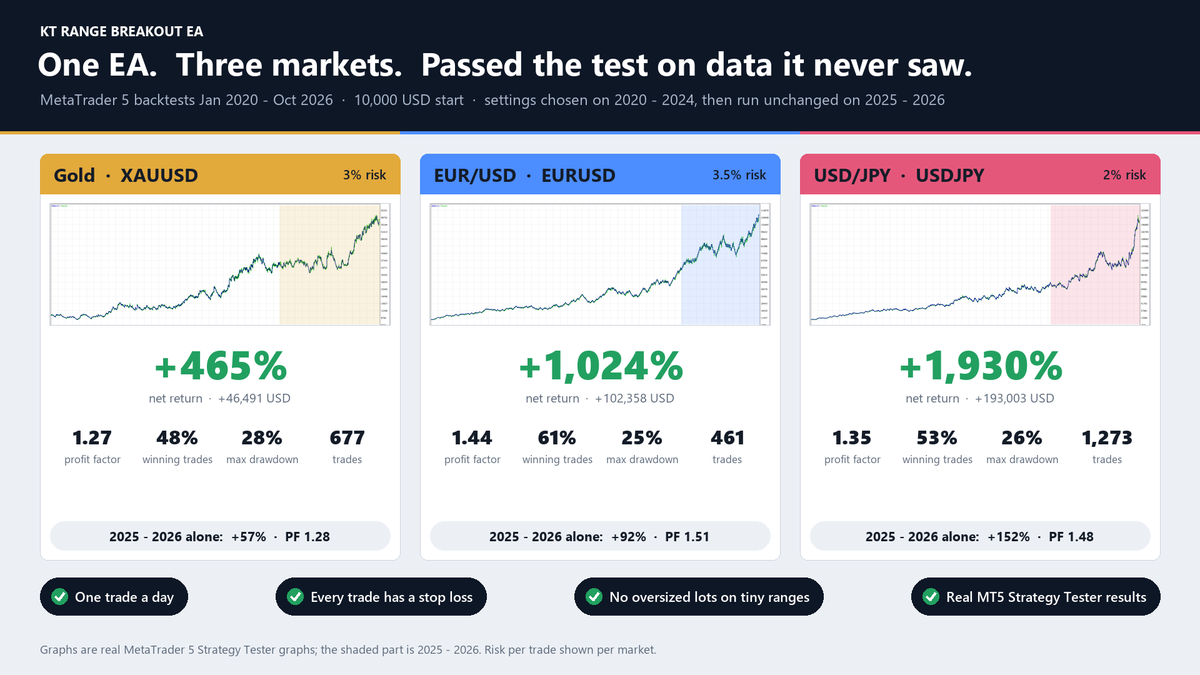
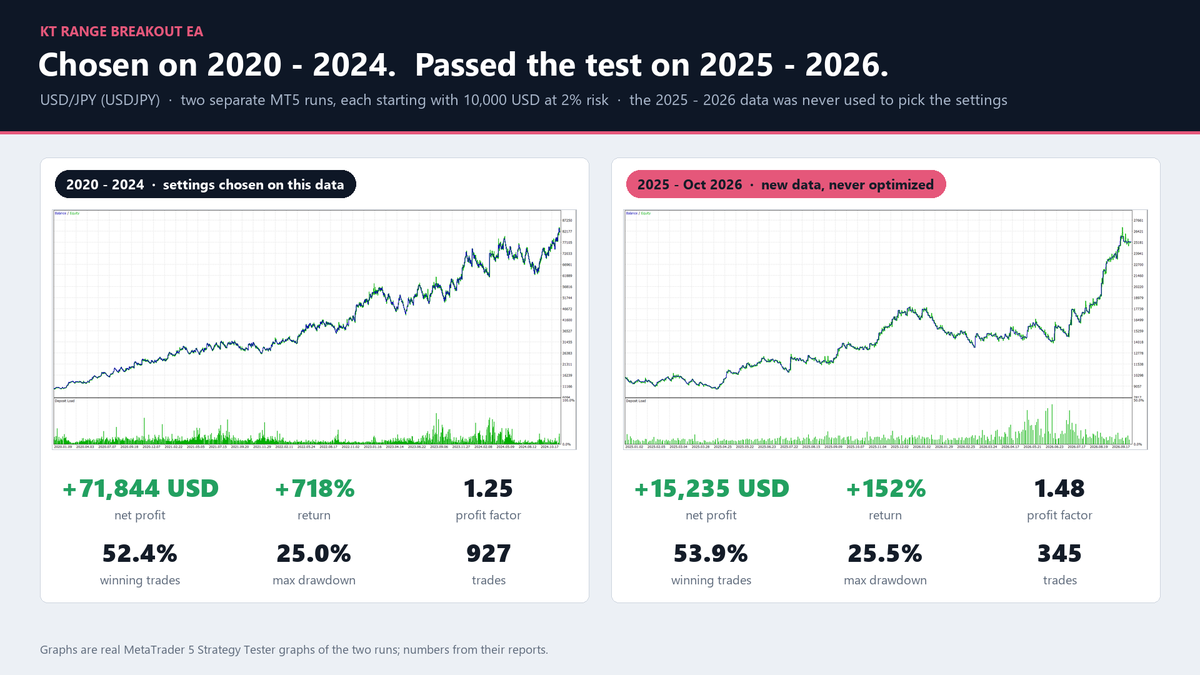
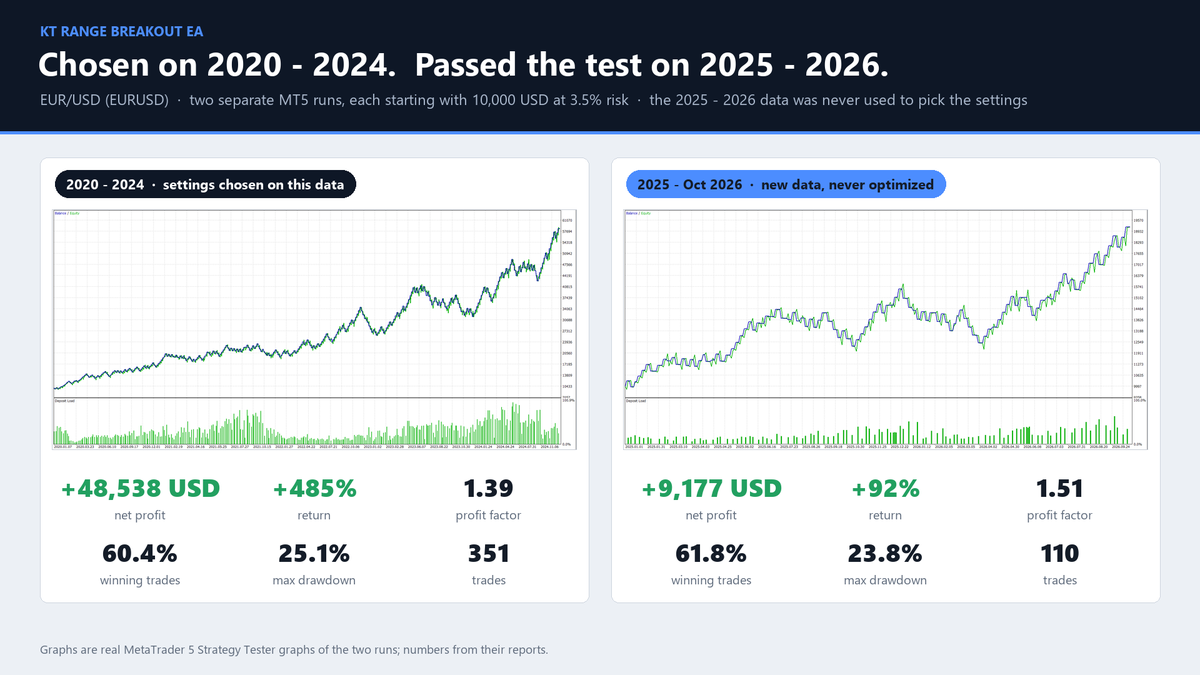
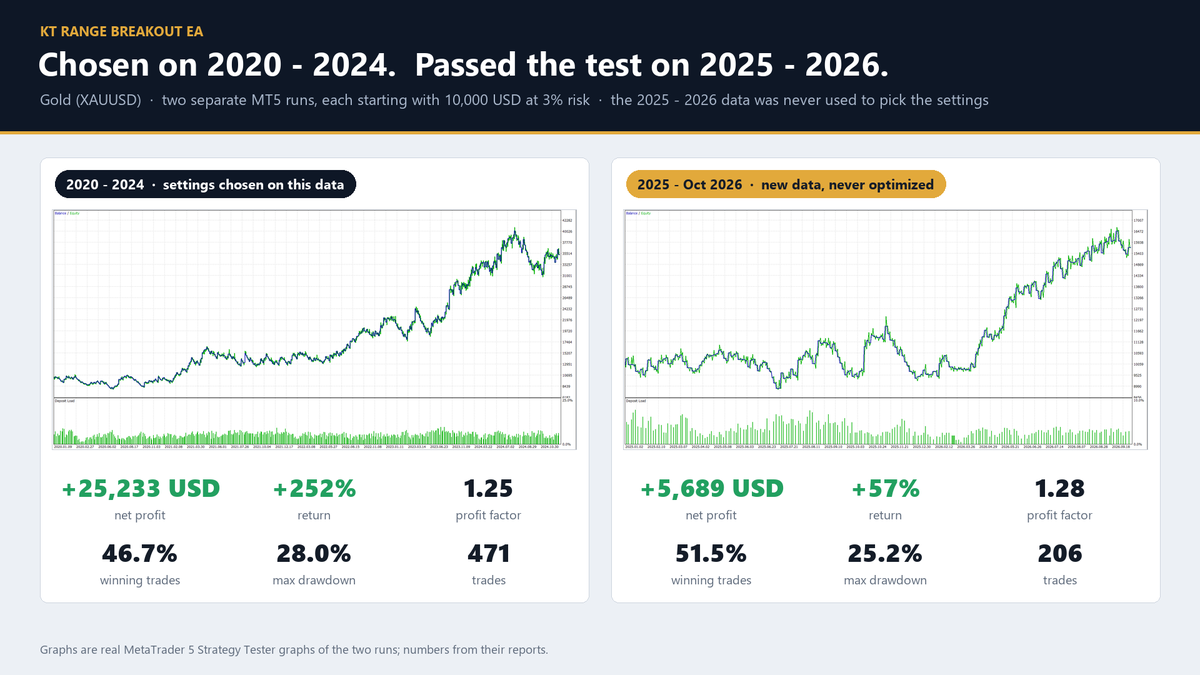
- A head start with tested settings: built-in settings for Gold, EURUSD and USDJPY, chosen on 2020 to 2024, passed the test on 2025 to 2026 on all three markets.
- The right hour on any broker: your range stays at the same London or New York time all year, whatever your broker's clock and daylight saving.
- A loss you set in advance: you choose the risk per trade, and ranges too small for the day are skipped, so the lot never grows out of control.
- One trade a day, nothing added to a losing trade: no grid, no martingale and no averaging, just one decision a day per market.
- You always know why: when a day is skipped, the chart tells you the reason in plain words.
- Pairs with KT Equity Protector EA: a trade closed by you or by another EA ends the day, so your daily loss limit stays in charge.
A Trading Day with KT Range Breakout EA
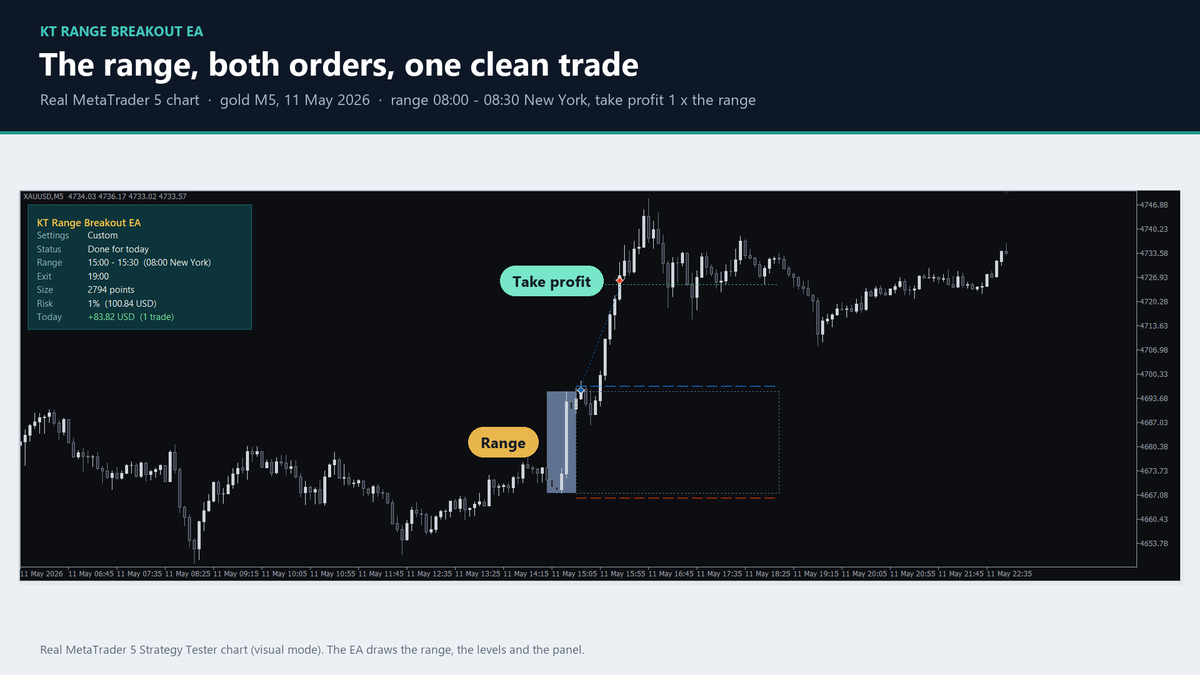
Before the range ends, the EA waits. Then it has the high and the low, checks that the day is worth trading, and places a buy stop above the range and a sell stop below it.
The first breakout fills, the other order disappears, and the stop loss is already in place. The trade runs to its take profit or is closed at the end of the trading window, and the EA gets ready for the next day. On the chart you see the range, the orders and the status of the day.
Backtest Results for Gold, EURUSD and USDJPY
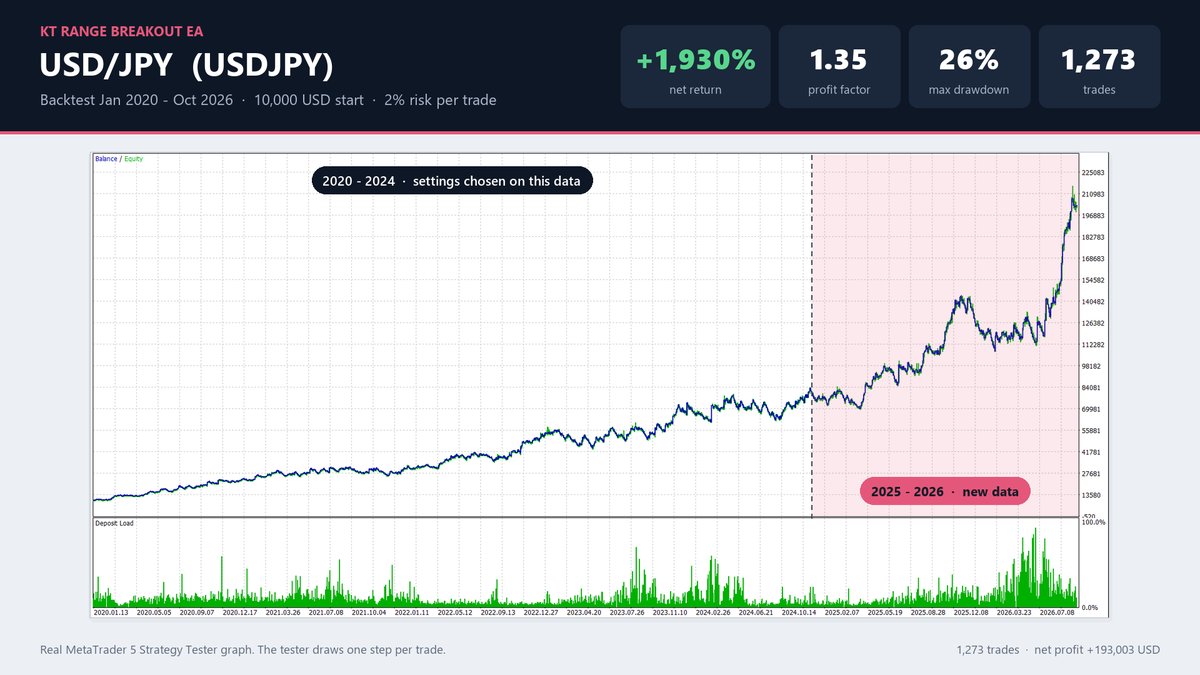
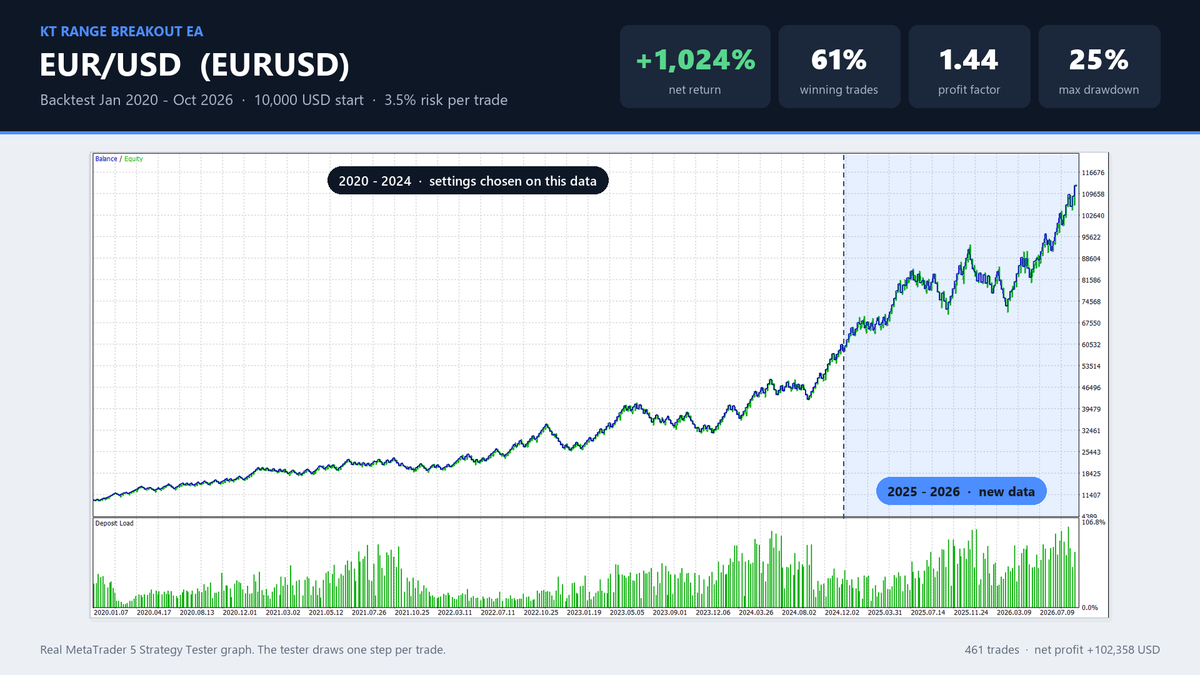
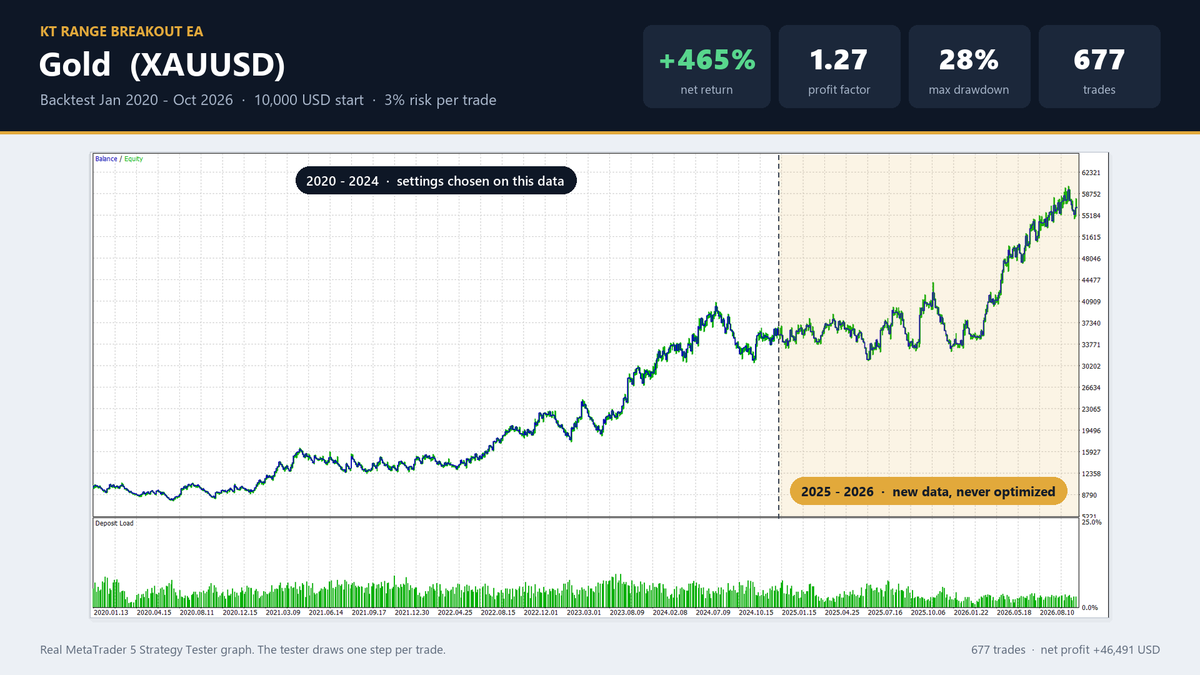
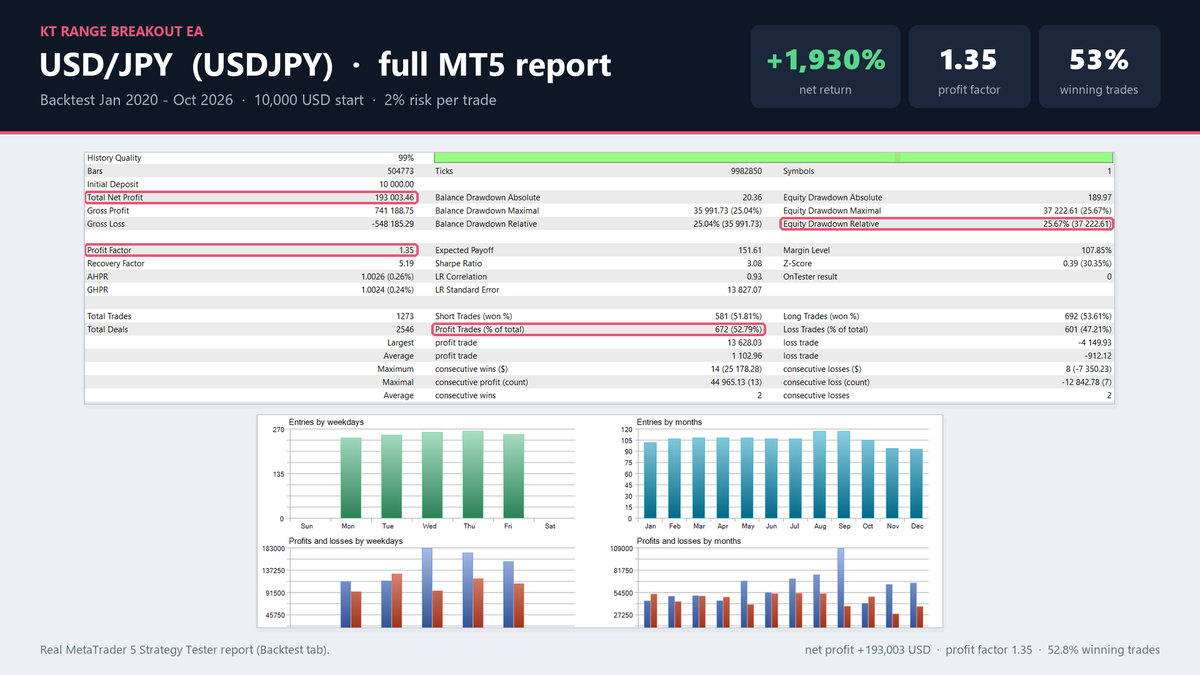
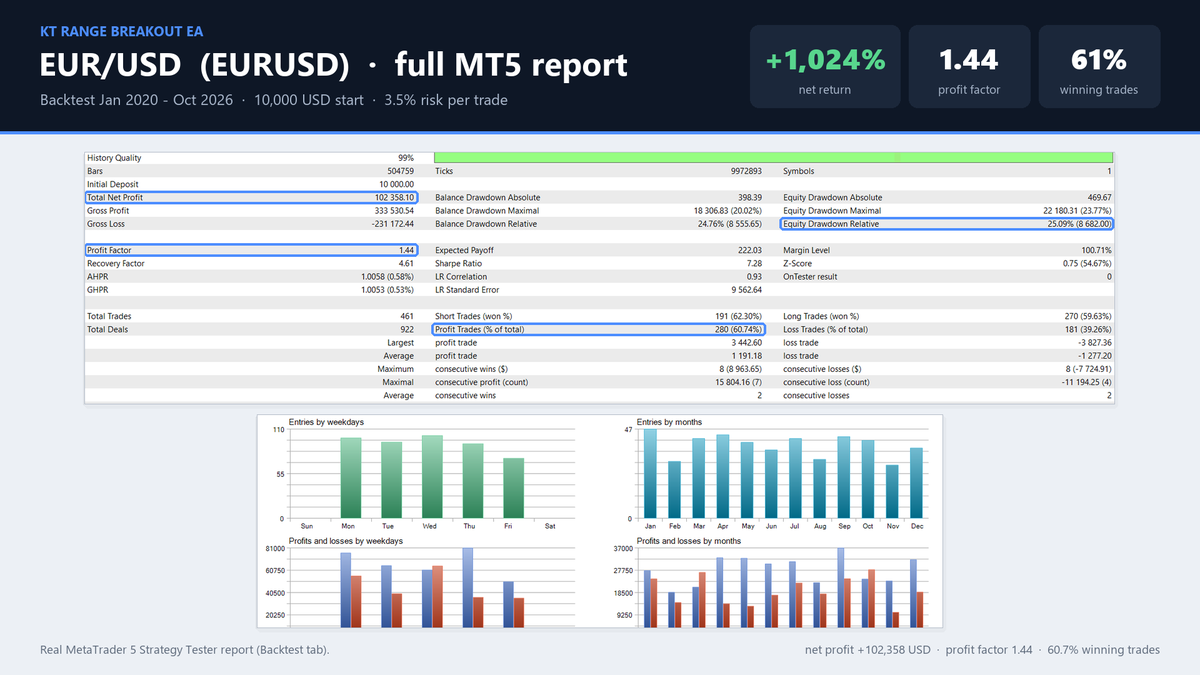
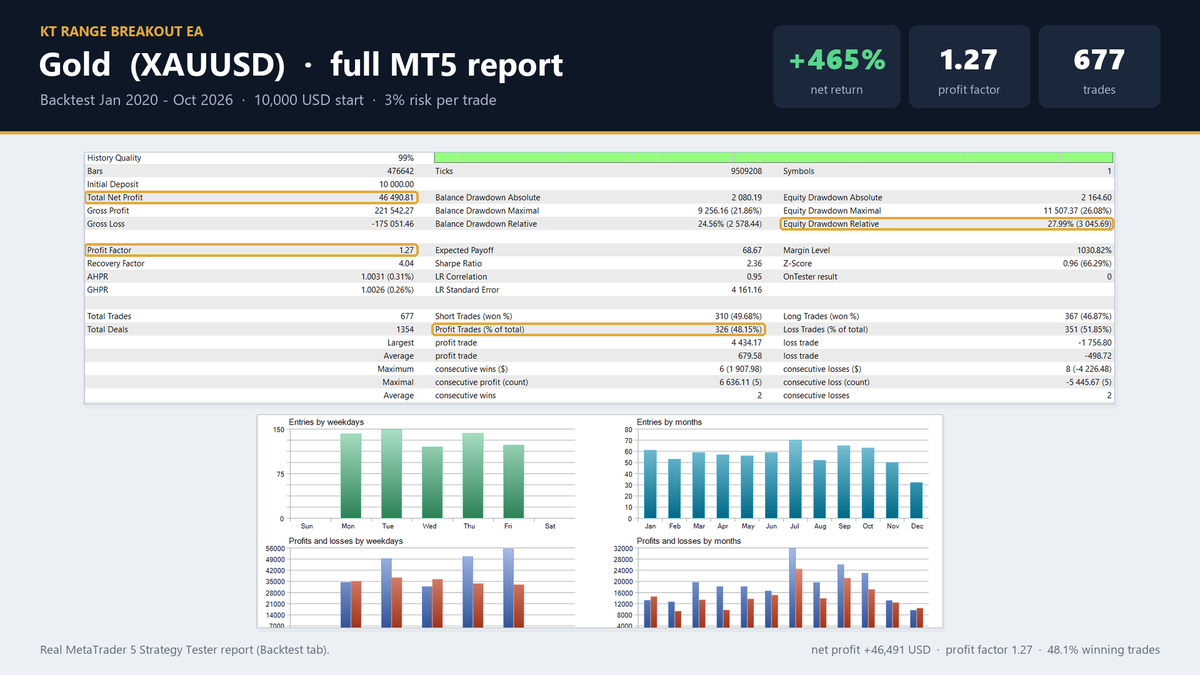
MetaTrader 5 Strategy Tester, January 2020 to October 2026, 5 minute chart, starting balance 10,000, spread from the price history, no commission. The screenshots show each market at the highest risk that kept the drawdown under 30%, printed at the top of every image.
The settings were chosen on 2020 to 2024. Run on their own from January 2025 to October 2026 at the same risk, they made +56.9% on gold (profit factor 1.28), +91.8% on EURUSD (1.51) and +152.4% on USDJPY (1.48).
The EA installs at 1% risk per trade, and the risk is your choice. At 1%, the same tests made:
Recommendations
- Markets: any symbol with Custom settings. Built-in tested settings for XAUUSD, EURUSD and USDJPY (your broker may call gold GOLD).
- Chart timeframe: any.
- Account: MT4, or MT5 hedging or netting, with 1% risk above the broker's minimum lot.
- VPS: recommended, so the EA is running at the end of the range and at the end of the trading window.
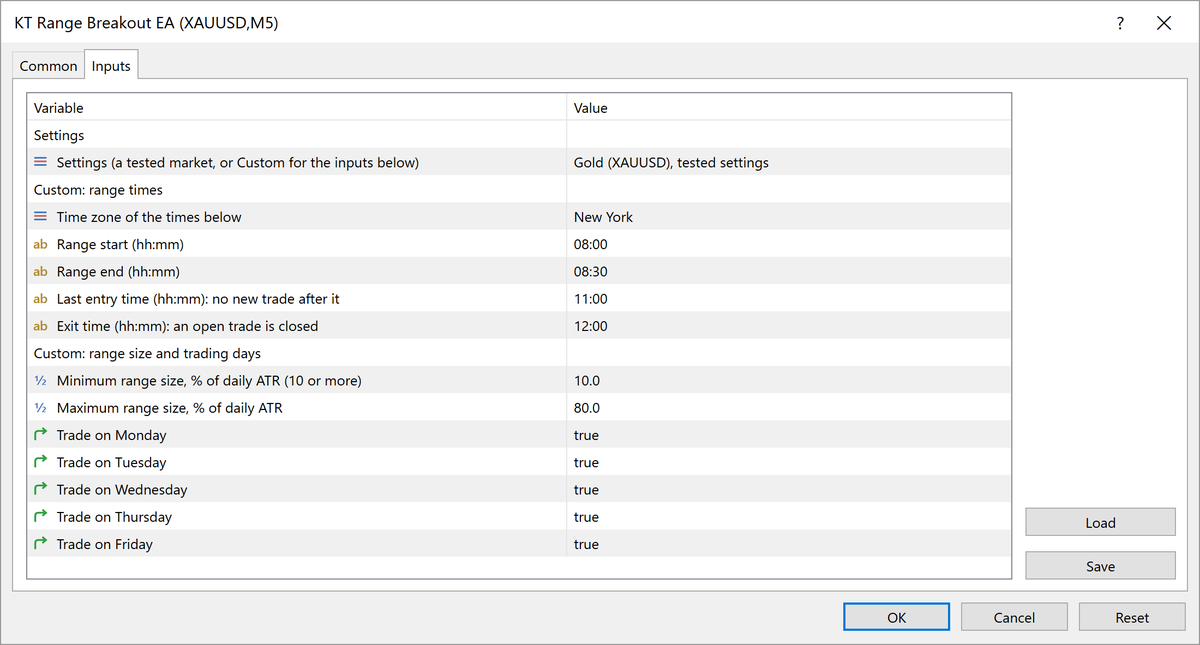
Input Settings
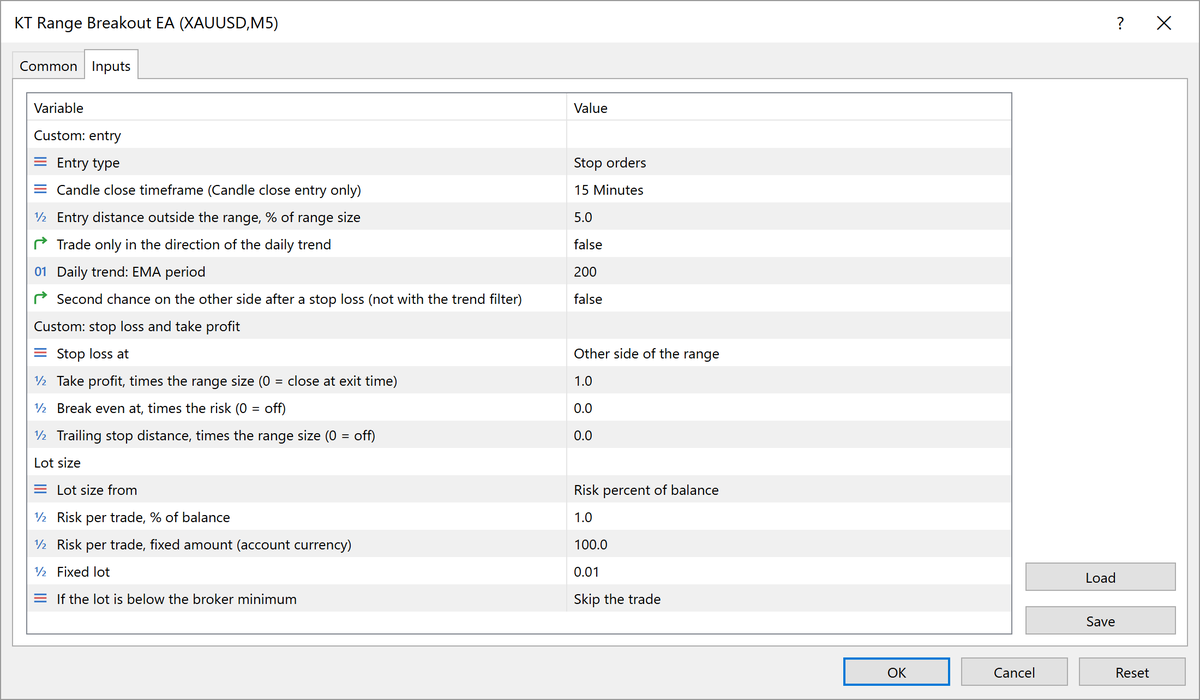
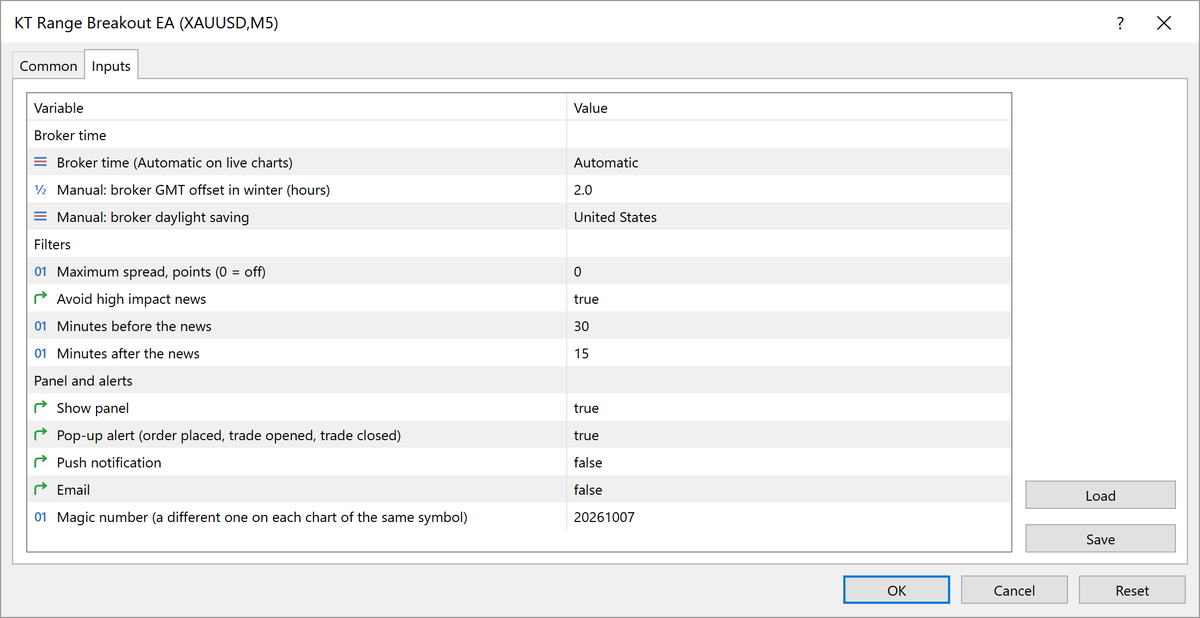
Pro Tip
Put Gold, EURUSD and USDJPY on three charts of the same account, each with its own Magic number. Each chart holds one trade at a time, so at 1% risk no more than 3% of the balance is ever at risk, and you collect the breakouts of all three markets.
Frequently Asked Questions
Will it trade the right range on my broker?
Yes. It finds your broker's time zone and daylight saving on its own, so the range stays at the same London or New York time all year, on any broker.
Can I trade my own range?
Yes. Choose Custom in Settings and type your own range, last entry and exit times in London, New York or broker time, with your own stop loss and take profit.
How do I match a screenshot?
Choose the market in Settings, set Risk per trade to the risk printed on the image, and run January 2020 to October 2026 on the 5 minute chart. In the Strategy Tester, set Broker time to Manual with your broker's GMT offset. Your broker's prices decide the exact figures, so expect close numbers.
How often does it trade?
With the built-in settings, about 100 trades a year on gold, 70 on EURUSD and 190 on USDJPY, never more than one a day per chart.
What account size do I need?
Any balance where 1% risk is above the broker's minimum lot at the day's stop loss. When it is not, the EA skips the trade, or uses the minimum lot if you choose that in the inputs.
MT4 or MT5?
Both trade the same rules with the same built-in settings. The news filter reads the economic calendar of MetaTrader 5, so it is part of the MT5 version.
Your Breakout, Every Day
Set your range and your risk, or start from the tested settings, and let KT Range Breakout EA be at the screen for every breakout, with the stop loss in place before price moves.