SMC Indicator Features
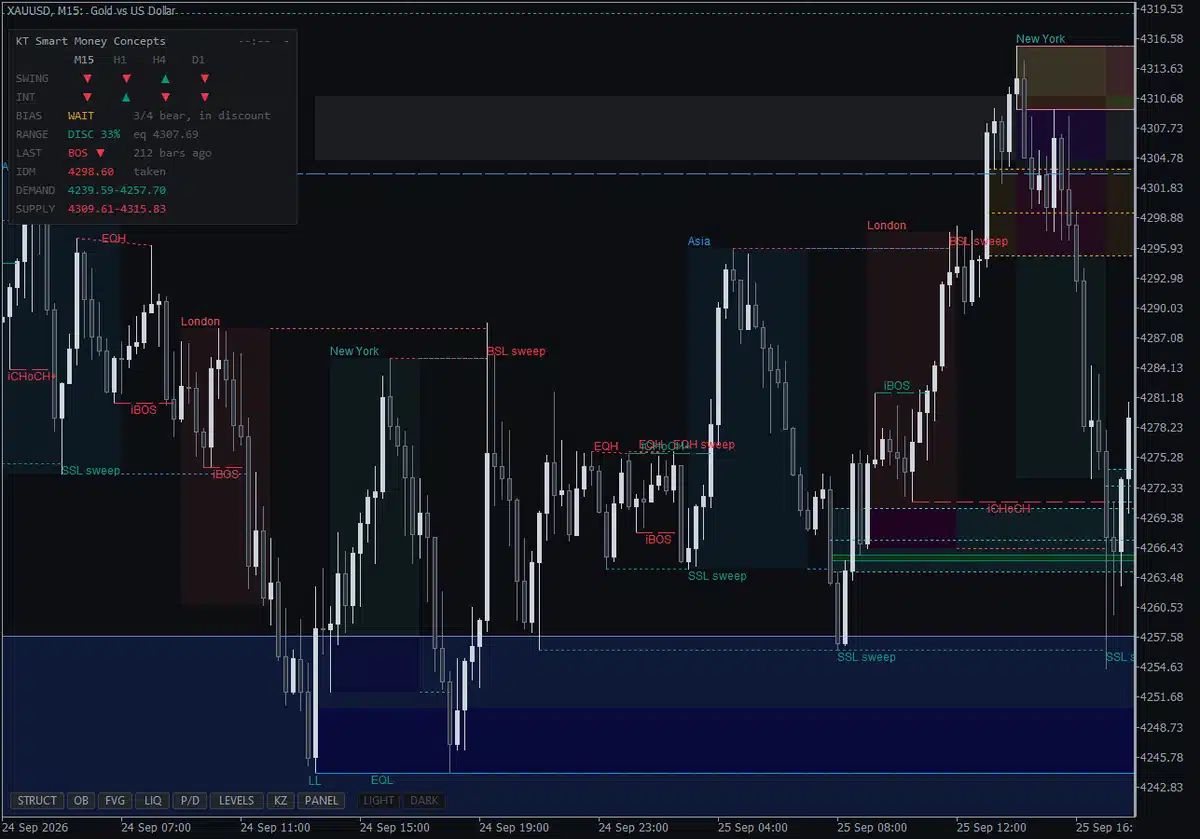
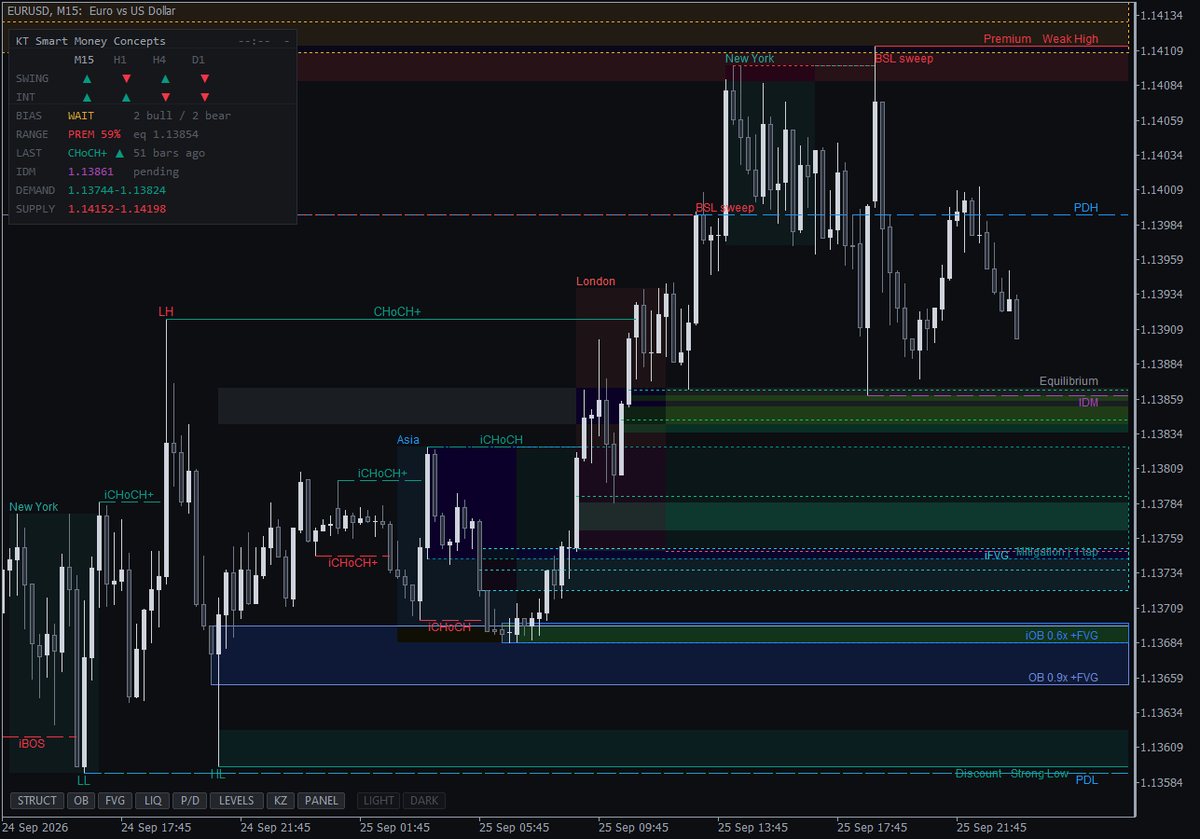
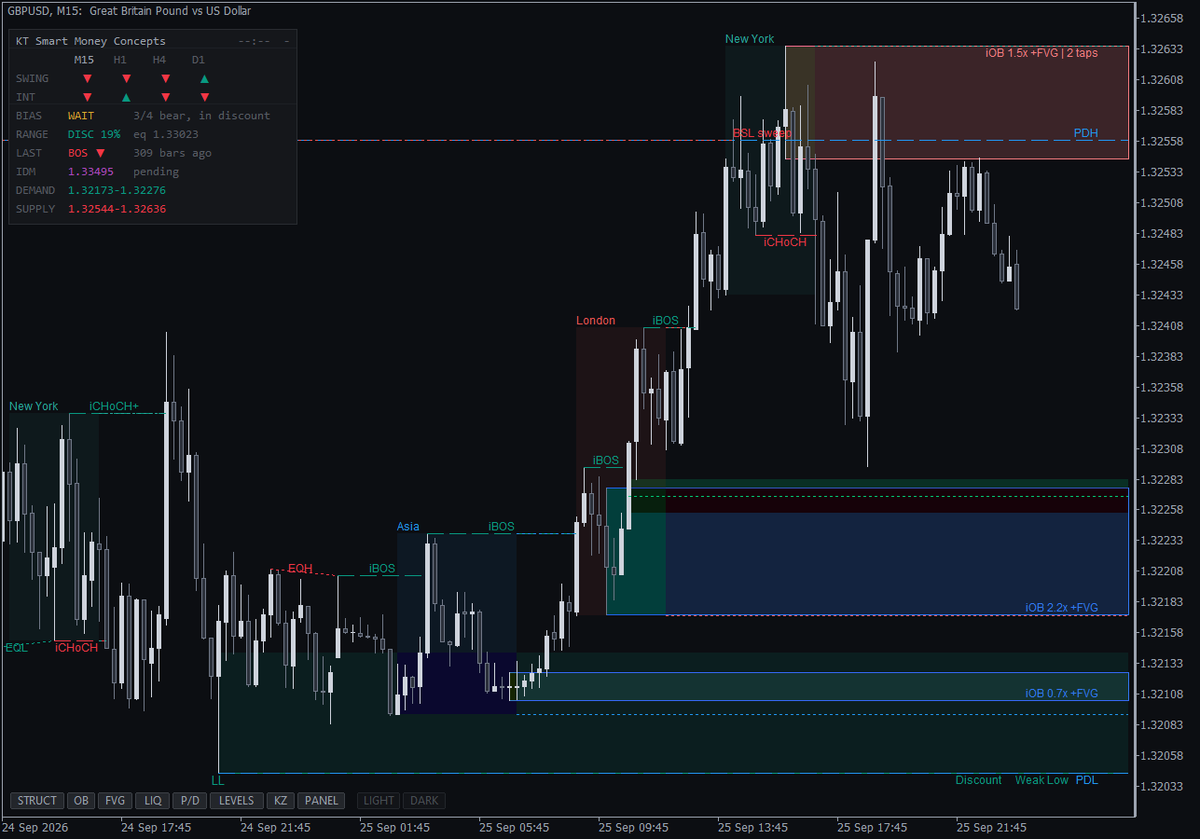
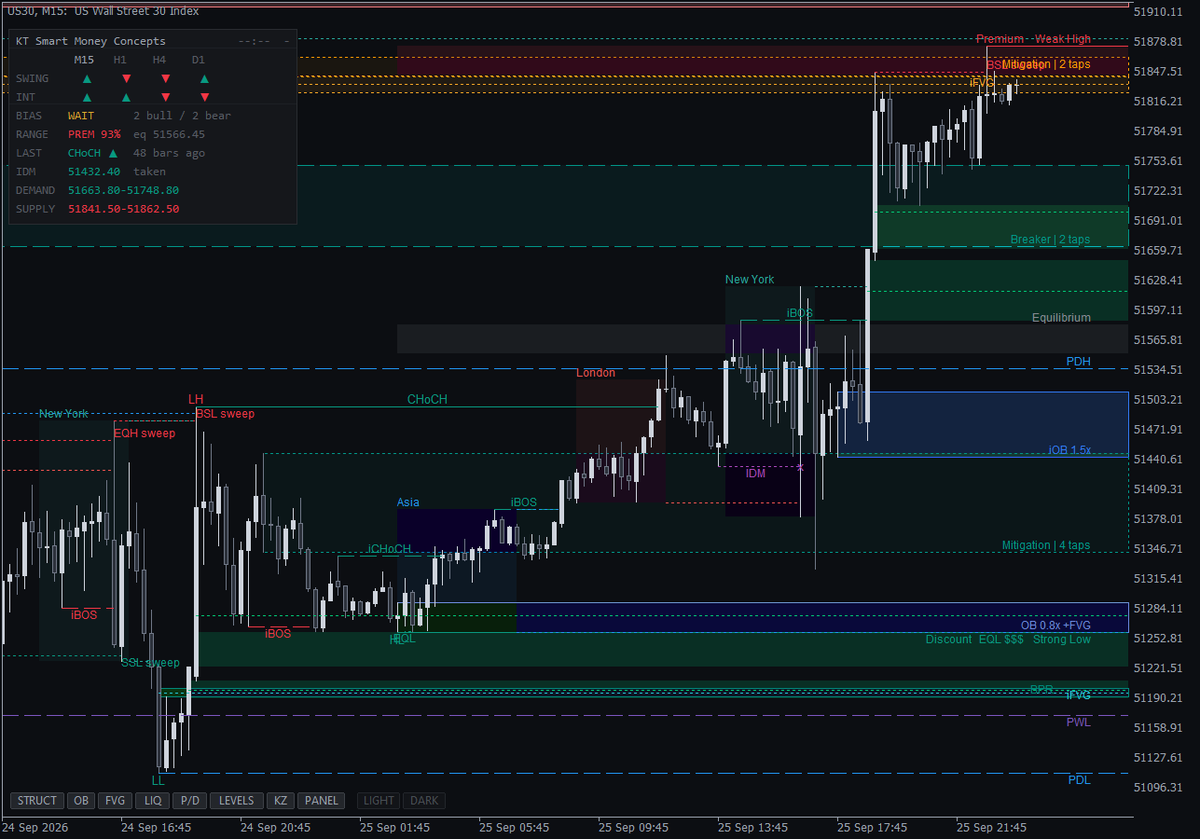
- Market structure: swing and internal break of structure (BOS), change of character (CHoCH) and CHoCH+, with HH, HL, LH and LL labels.
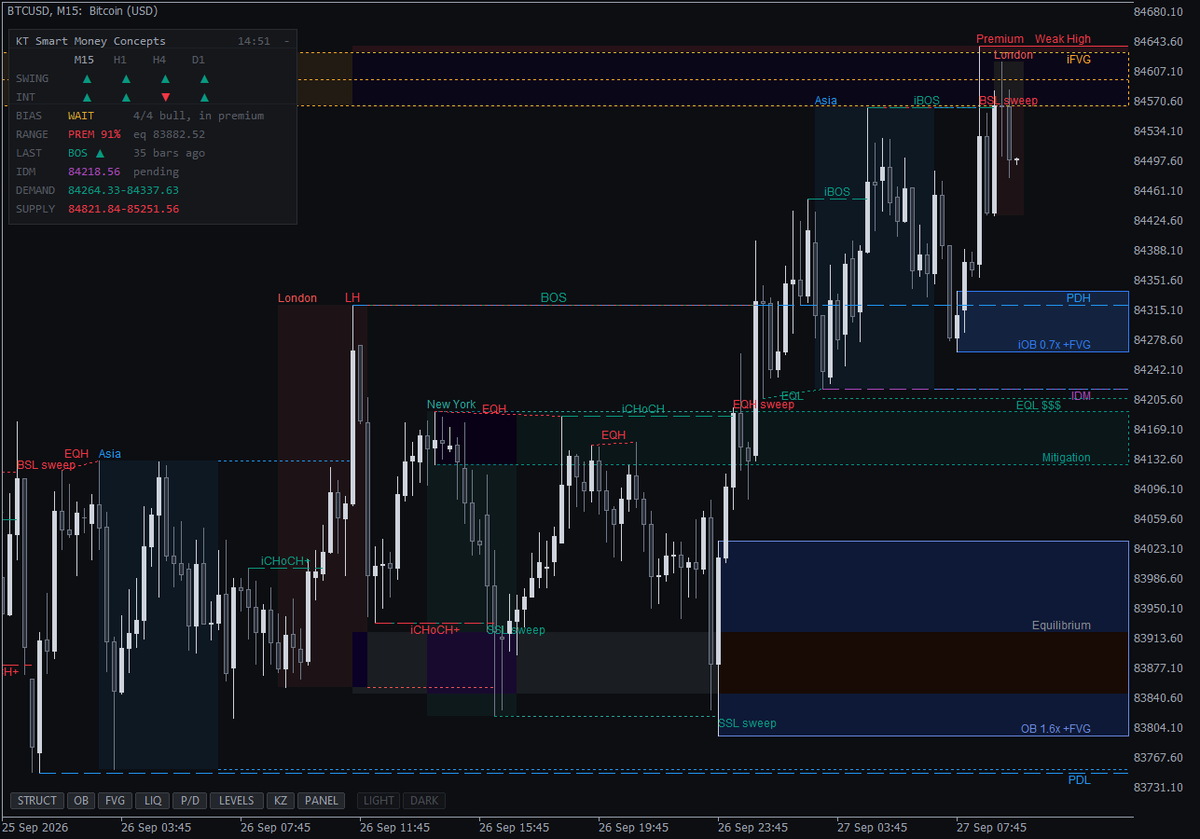
- Inducement (IDM): reads "IDM pending" until price takes the first pullback, then "IDM x", so you see when the trap in front of a zone is cleared.
- Order blocks with details: volume against the 20-candle average, a "+FVG" tag and a tap count on every block, such as "1.8x +FVG | 2 taps".
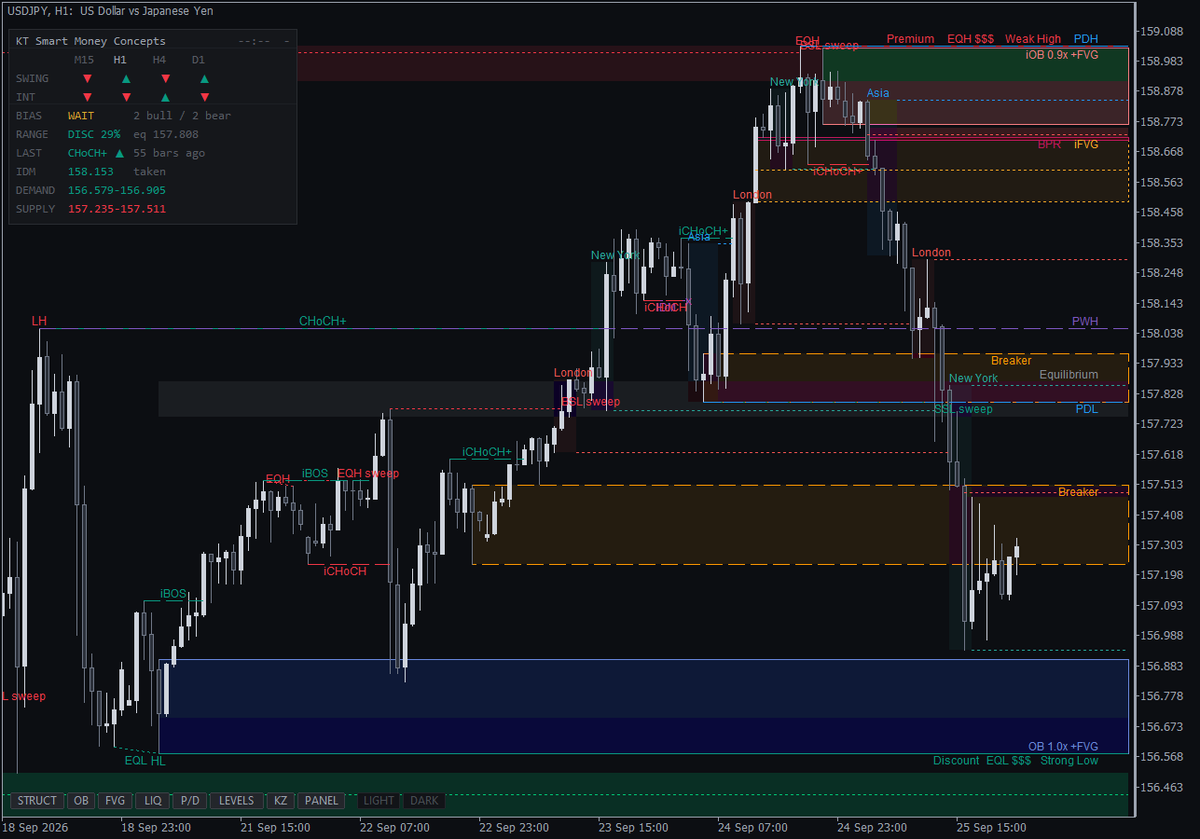
- Breakers and mitigation blocks: told apart automatically, dashed for a breaker and dotted for a mitigation block.
- Fair value gaps from any timeframe: gaps shrink as price fills them, show their 50% line, and flip into inverse FVGs and balanced price ranges (BPR).
- Liquidity sweeps: untaken equal highs and lows are marked "$$$", and "BSL sweep" or "SSL sweep" prints when a wick takes the stops and the candle closes back inside.
- Where and when to look: premium and discount, an optional optimal trade entry (OTE) zone, previous day, week and month highs and lows, and ICT killzones.
- Alerts on the candle close: popup, sound, push and email, one switch per event, with messages like "KT SMC | XAUUSD M15 | Bullish liquidity sweep".
The Bias Panel
The panel shows the trend on M15, H1, H4 and D1, where price sits in the range, the last break, the inducement status and the nearest demand and supply zones.
BIAS reads LONG or SHORT only when the timeframes agree and price is on the right side of equilibrium. Otherwise it reads WAIT, which keeps you out of trades that fight the higher timeframe.
A Clean Chart at Any Zoom
Eight buttons show or hide each layer (structure, order blocks, gaps, liquidity, premium and discount, levels, killzones, panel) with one click. Right-edge labels never pile up, small labels hide when you zoom out, and a news-spike filter stops one freak candle from drawing a giant zone.
LIGHT and DARK give you a monochrome chart in one click; click again for your own colours.
Input Settings
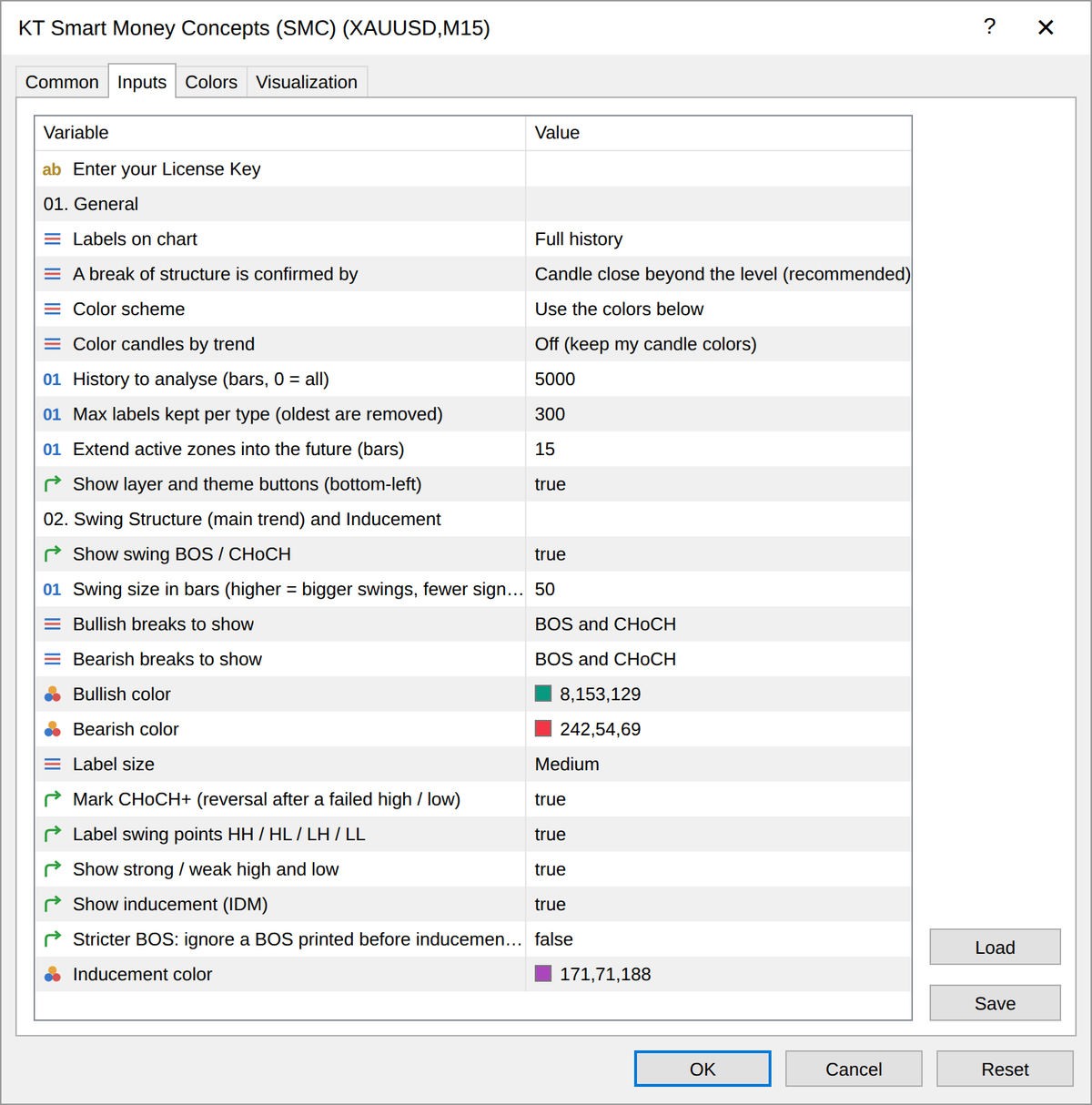
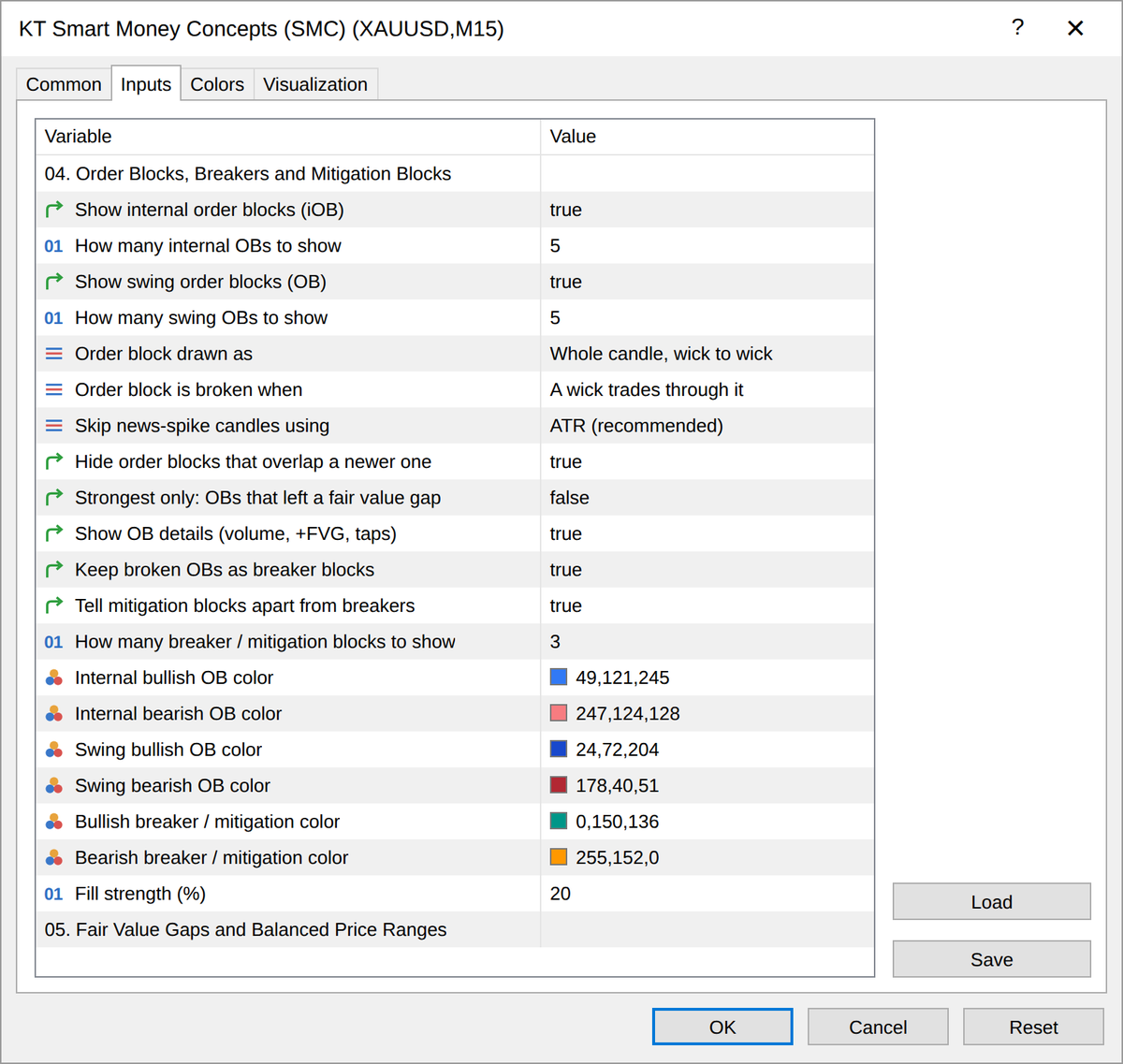
| Input | Default | What it does |
|---|
| Labels on chart | Full history | Latest only (clean chart) keeps just the current structure. |
| A break of structure is confirmed by | Candle close beyond the level | Any wick gives faster, less strict breaks. |
| Swing size in bars | 50 | Smaller values give faster, smaller swings. |
| Internal swing size in bars | 5 | Sets the short-term structure inside the trend. |
| Order block is broken when | A wick trades through it | Or when a candle closes through it, or past its 50% level. |
| FVG timeframe | Current | Pick a higher timeframe to see H4 or daily gaps. |
| Which gaps to show | Auto: strong moves only | Or every gap, or a minimum size in ATR. |
| Broker time zone | Auto-detect | Manual lets you enter the offset from New York time. |
| Timeframes to show | M15,H1,H4,D1 | Up to six timeframes in the bias panel. |
Pro Tip
Wait until the panel and the chart agree: BIAS reads LONG, price is in discount, "IDM x" or an "SSL sweep" has printed, and price reacts at a "+FVG" order block during a killzone. Then wait for an internal CHoCH (iCHoCH) on your entry timeframe.
SMC Indicator FAQ
Does the KT SMC indicator repaint?
No. In Strategy Tester runs on XAUUSD M15, EURUSD H1 and BTCUSD M5, no signal ever appeared on an open candle, and every signal seen live matched the finished history bar for bar.
Why does a swing label appear some candles after the swing?
A swing high counts only when it is the highest point of the 50 candles after it, so the label never moves afterwards. Lower the swing size for faster swings.
Order blocks and gaps change as price moves. Is that repainting?
No. A zone shrinks as it fills, turns into a breaker or is removed when used up. The break that created it never changes.
Does it work on gold, indices and crypto?
Yes, on every symbol and timeframe your broker offers. Killzones show on M1 to H1 charts.
Is the MT4 version the same as MT5?
Yes. Same features, same labels and same behaviour.
Can my EA read its signals?
Yes. An EA can read 12 values, including the trend, structure breaks, sweeps, new gaps and the nearest zones, all final on closed candles.
The killzones are in the wrong place. What do I change?
Set Broker time zone to Manual and enter your broker's offset from New York time.
Get the Full SMC Picture
If you trade Smart Money Concepts and want structure, zones and liquidity marked the moment they are confirmed, and never redrawn afterwards, KT Smart Money Concepts does exactly that on MT4 and MT5.