Auto Fibonacci Indicator Features
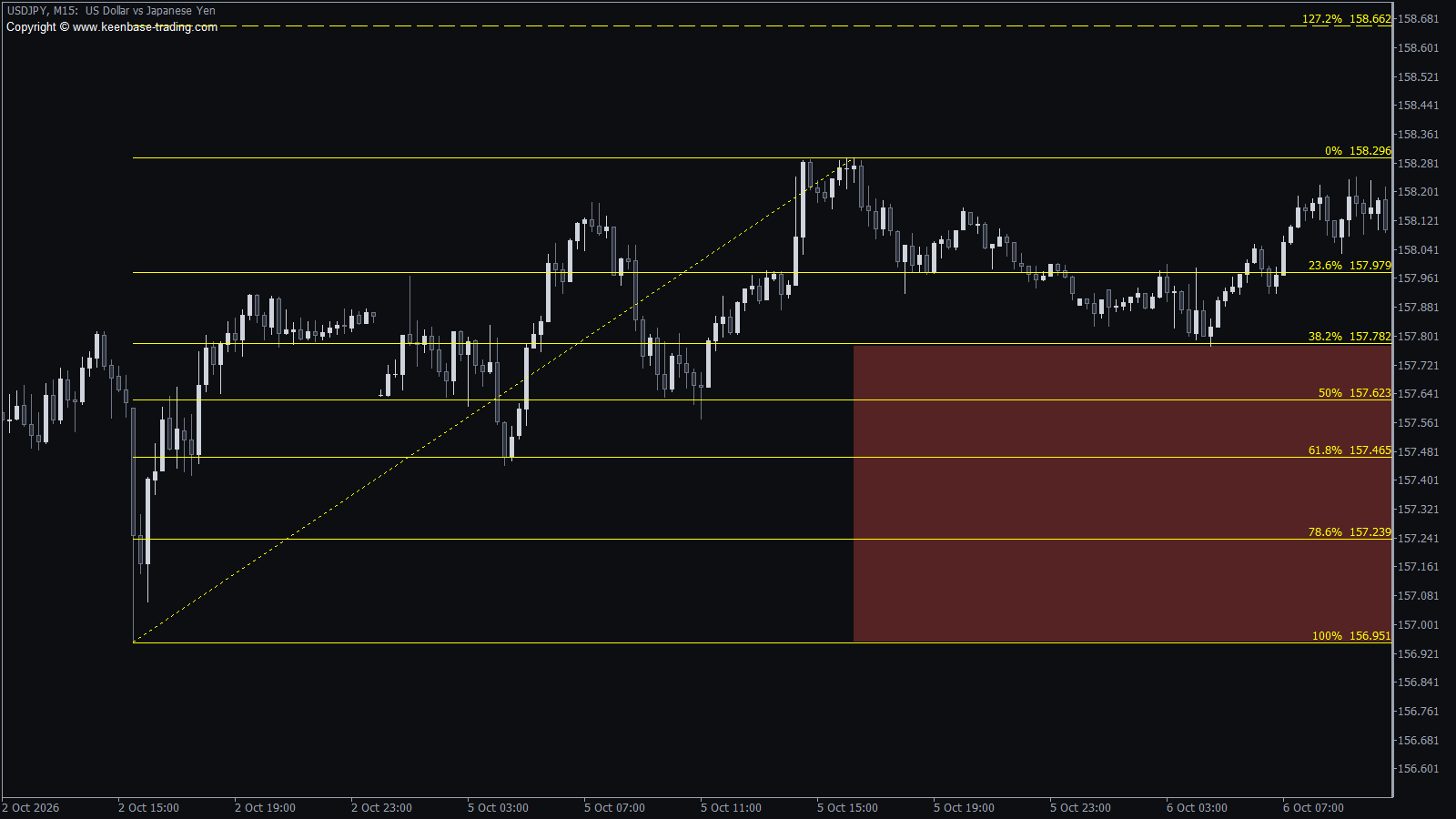
- The swing on your screen. The levels run from the highest high to the lowest low you can see, the current candle included.
- Redraws as you zoom or scroll. Change the view and the levels follow at once, even on a weekend when no new price comes in.
- The direction is read for you. If the low came first, the levels measure a rising move; if the high came first, a falling move.
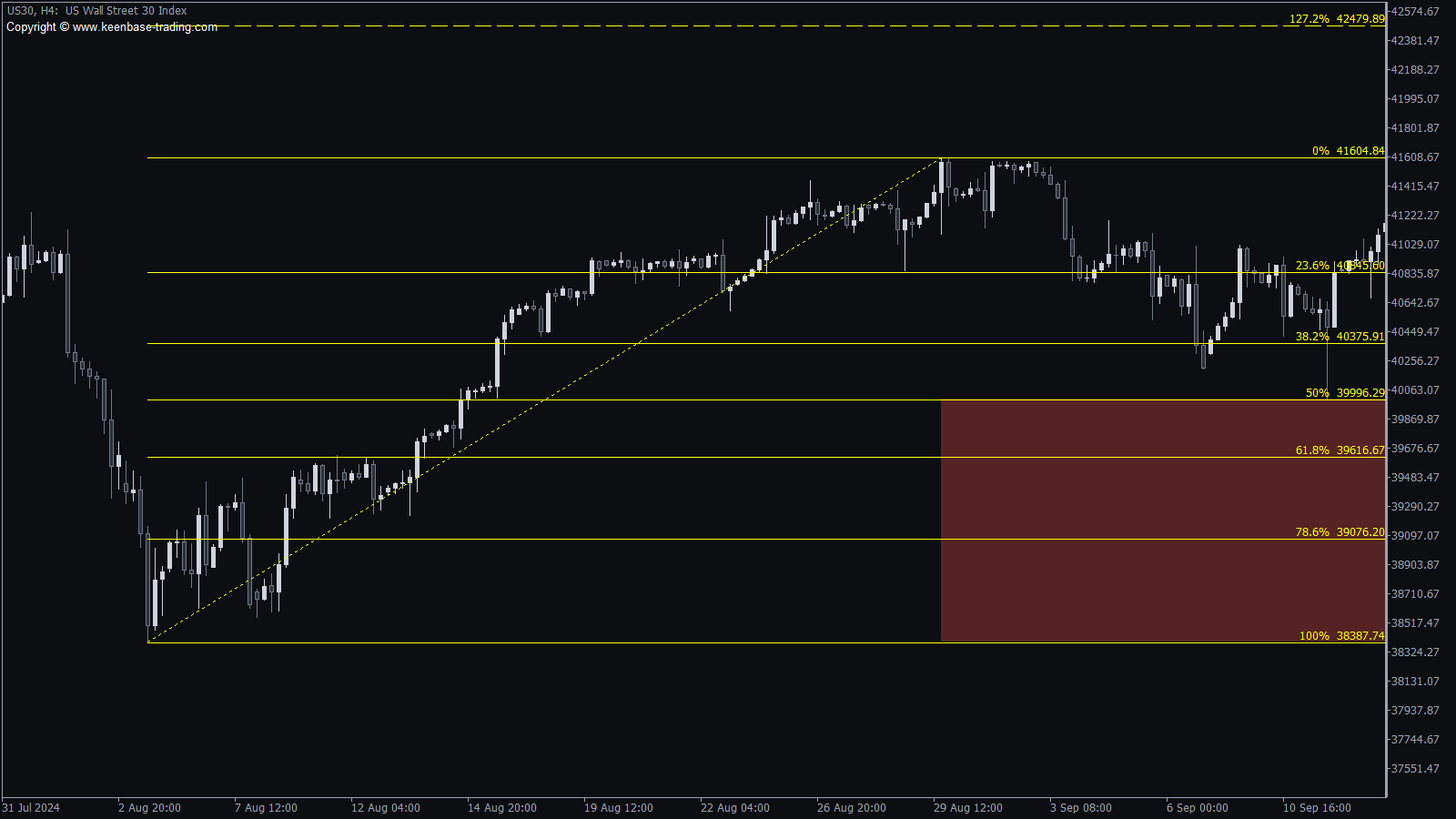
- Extension targets. The 127.2% and 161.8% levels are drawn as dashed lines beyond the newest swing point, the two levels traders use as targets when the trend continues.
- Unretraced area. A shaded zone covers the part of the move that the pullback has not reached yet, so you see at a glance how deep the pullback went.
- Level alerts. Switch on one setting and MetaTrader alerts you when price reaches a Fibonacci level, once per level on each candle.
- Manual mode. The indicator draws the first Fibonacci, then you drag its points to the swing you prefer. Your Fibonacci stays in place when you change the timeframe.
How to Use the Auto Fibonacci Indicator
Zoom the chart so you see the last clear move and the pullback after it. In a rising market, watch the 38.2%, 50% and 61.8% levels: a pullback that slows down at one of them and turns back up is the entry many Fibonacci traders wait for. The 0% level is the first target, and the extension levels above it are the next ones.
Many traders place the stop loss beyond the next deeper level, for example below the 61.8% level for an entry at the 50% level. In a falling market, read the same levels the other way round.
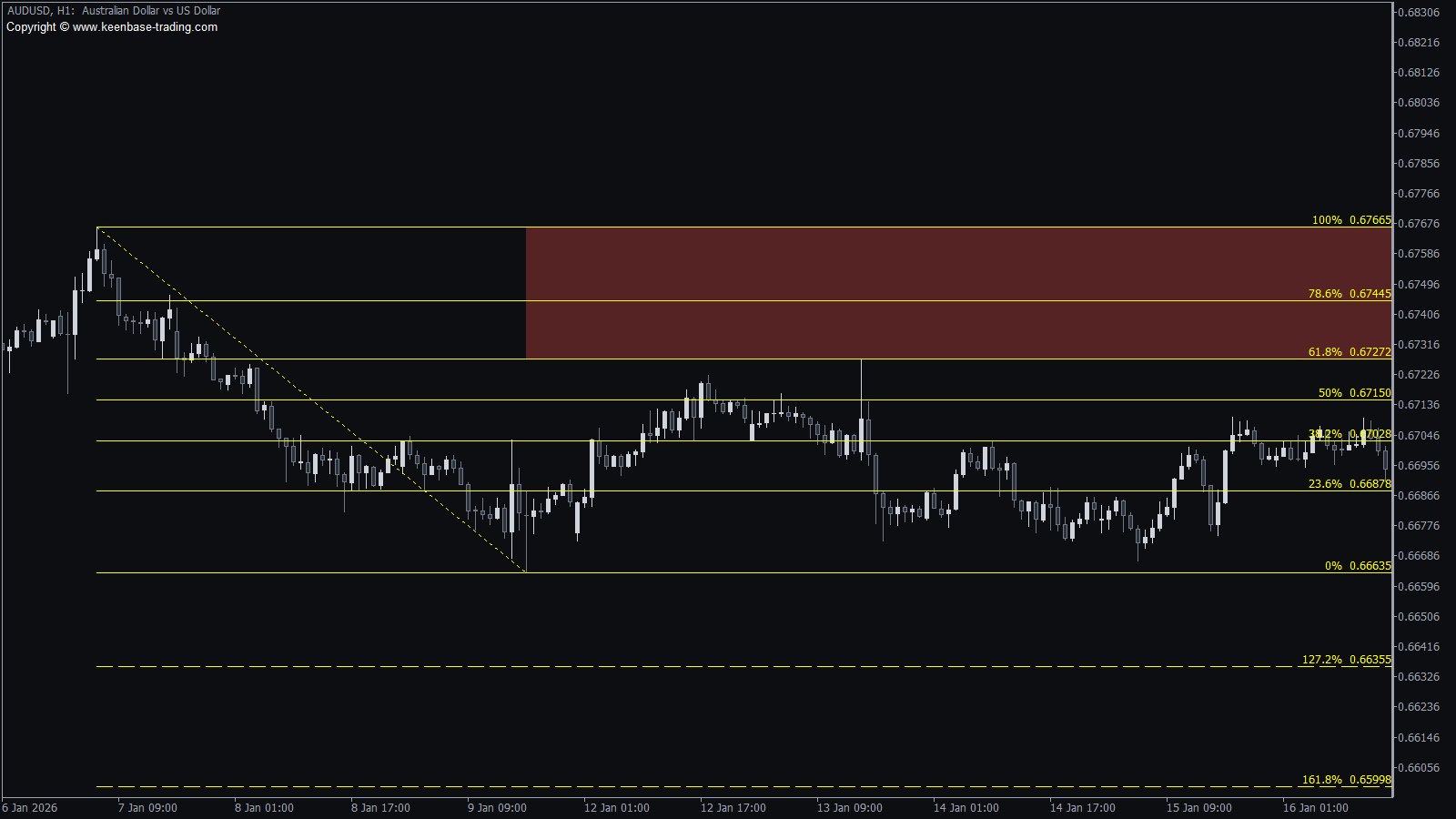
AUDUSD H1: a falling move, the pullback held at the 61.8% level, with the 127.2% and 161.8% targets below.
Pro Tip
A Fibonacci level carries more weight when a support or resistance level sits at the same price. Add the KT Support and Resistance Indicator to the same chart and look for a 50% or 61.8% level that lines up with one of its levels.
Auto Fibonacci Indicator Settings
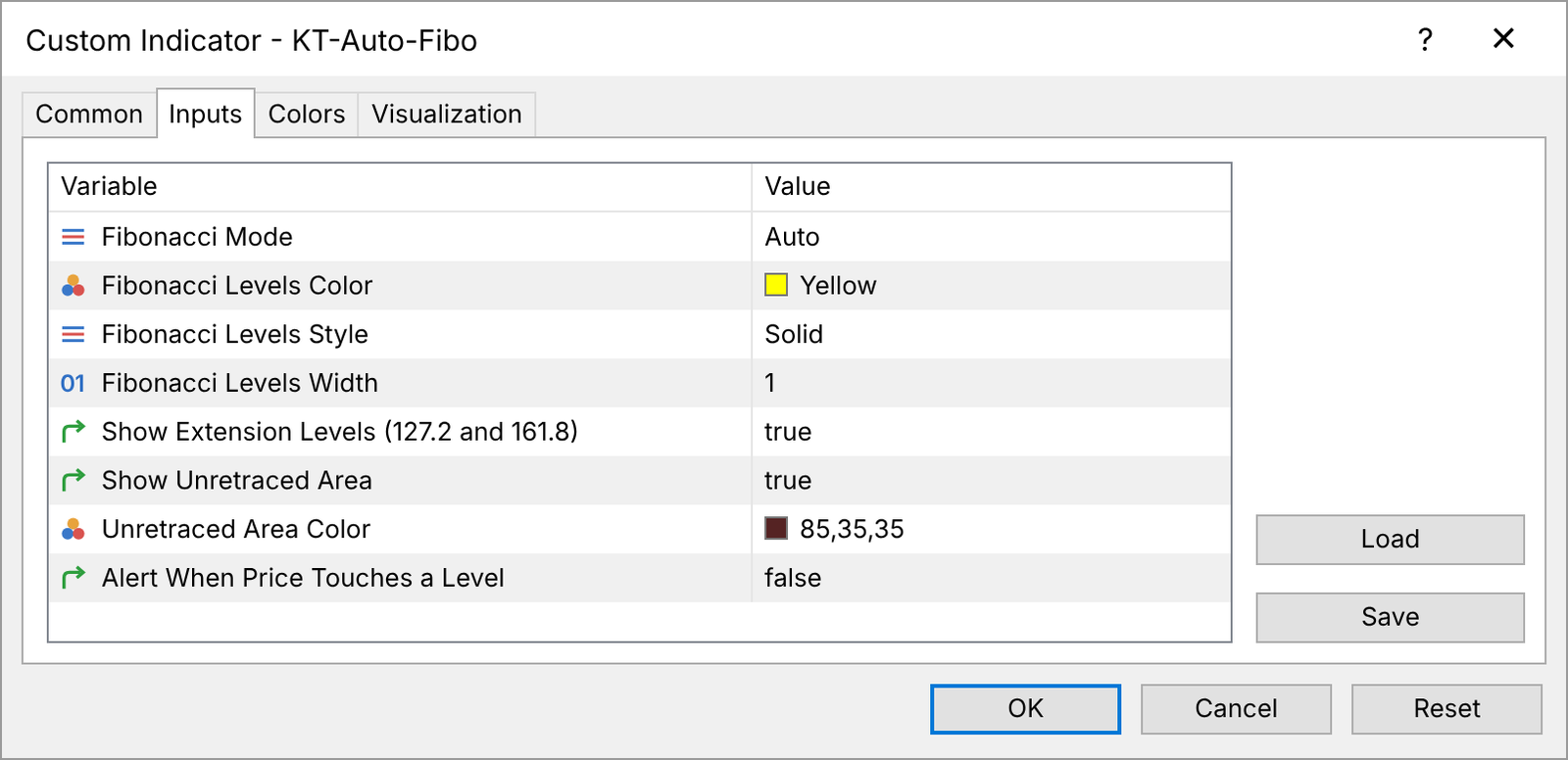
- Fibonacci Mode: Auto (default) follows the chart you see. Manual draws the Fibonacci once, then you move its points.
- Fibonacci Levels Color, Style, Width: how the levels look. Default yellow, solid, 1.
- Show Extension Levels (127.2 and 161.8): draws the two extension levels. Default true.
- Show Unretraced Area: draws the shaded zone in Auto mode. Default true.
- Unretraced Area Color: the colour of the shaded zone.
- Alert When Price Touches a Level: an alert when price reaches a level, once per level on each candle. Default false.
Frequently Asked Questions
Is the KT Auto Fibonacci indicator free for MT4 and MT5?
Yes. The free download includes the MetaTrader 4 and the MetaTrader 5 version.
How do I install it?
In MetaTrader, open File, then Open Data Folder, then MQL5 (MQL4 on MetaTrader 4), then Indicators, and paste the file there. Restart MetaTrader and drag the indicator from the Navigator onto your chart, like any custom indicator.
Does the Fibonacci repaint?
In Auto mode the Fibonacci follows the highest high and the lowest low on your screen, so it moves when a new high or low forms or when you change the view. That keeps it on the current swing. Choose Manual mode for a Fibonacci that stays where you put it.
Which Fibonacci levels does it draw?
0%, 23.6%, 38.2%, 50%, 61.8%, 78.6% and 100%, plus the 127.2% and 161.8% extension levels, each with its price.
Which markets and timeframes does it work on?
It reads the candles on your chart, so it works on forex pairs, gold, indices and crypto, from the 1 minute chart to the monthly chart.












 Amazinf Tolols
 Very accurate
 I love this Auto Fibo