How the Liquidity Sweep Filter Works
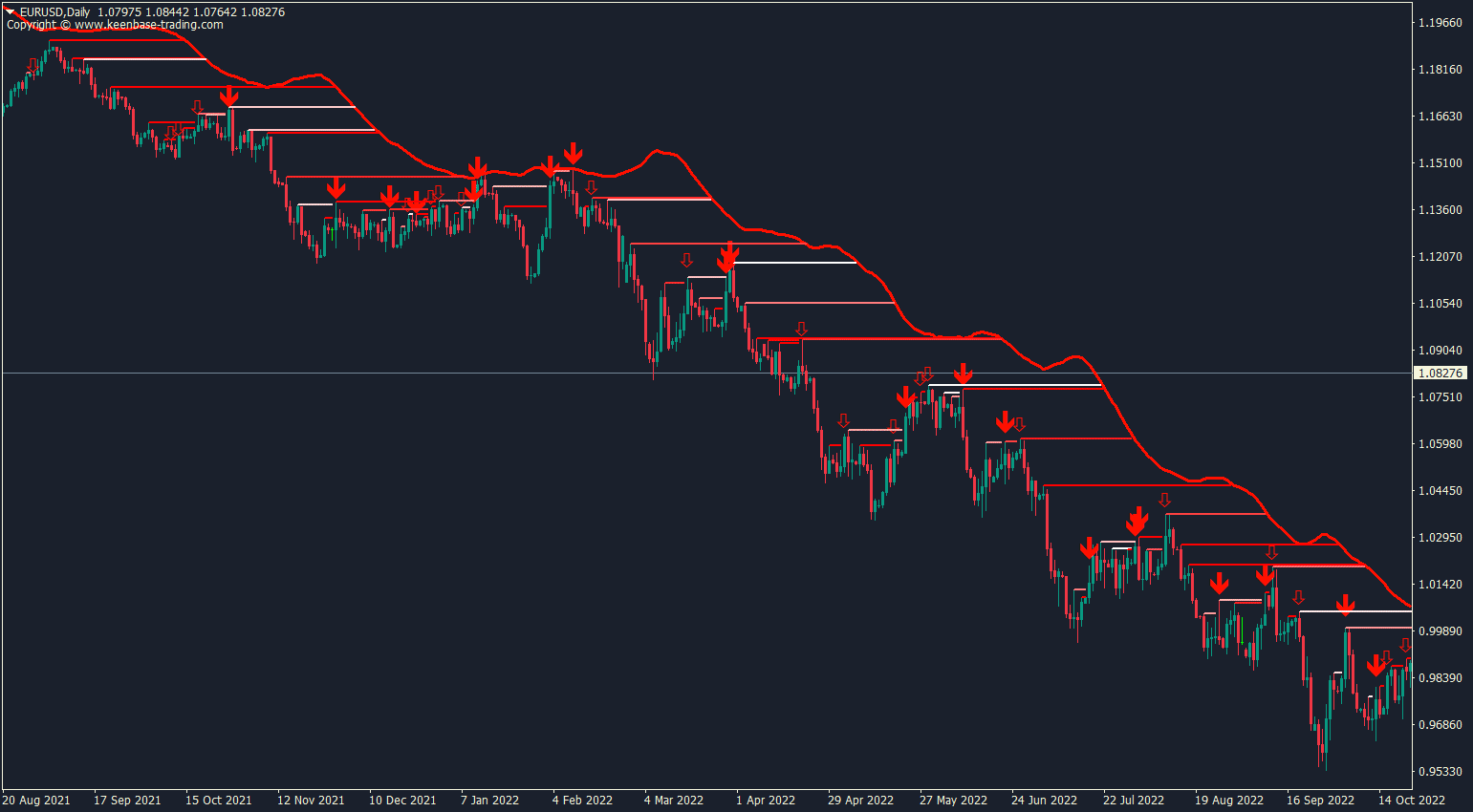
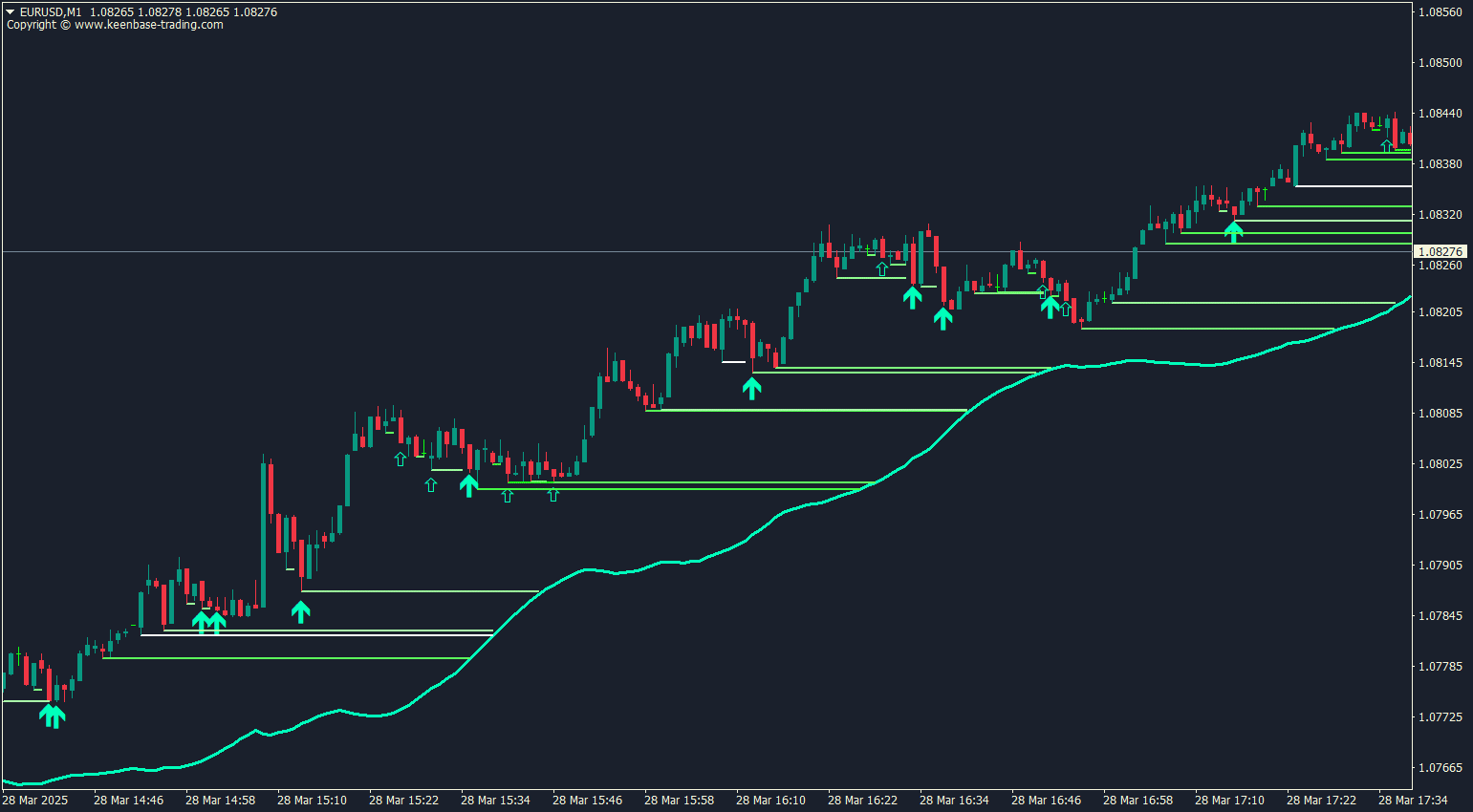
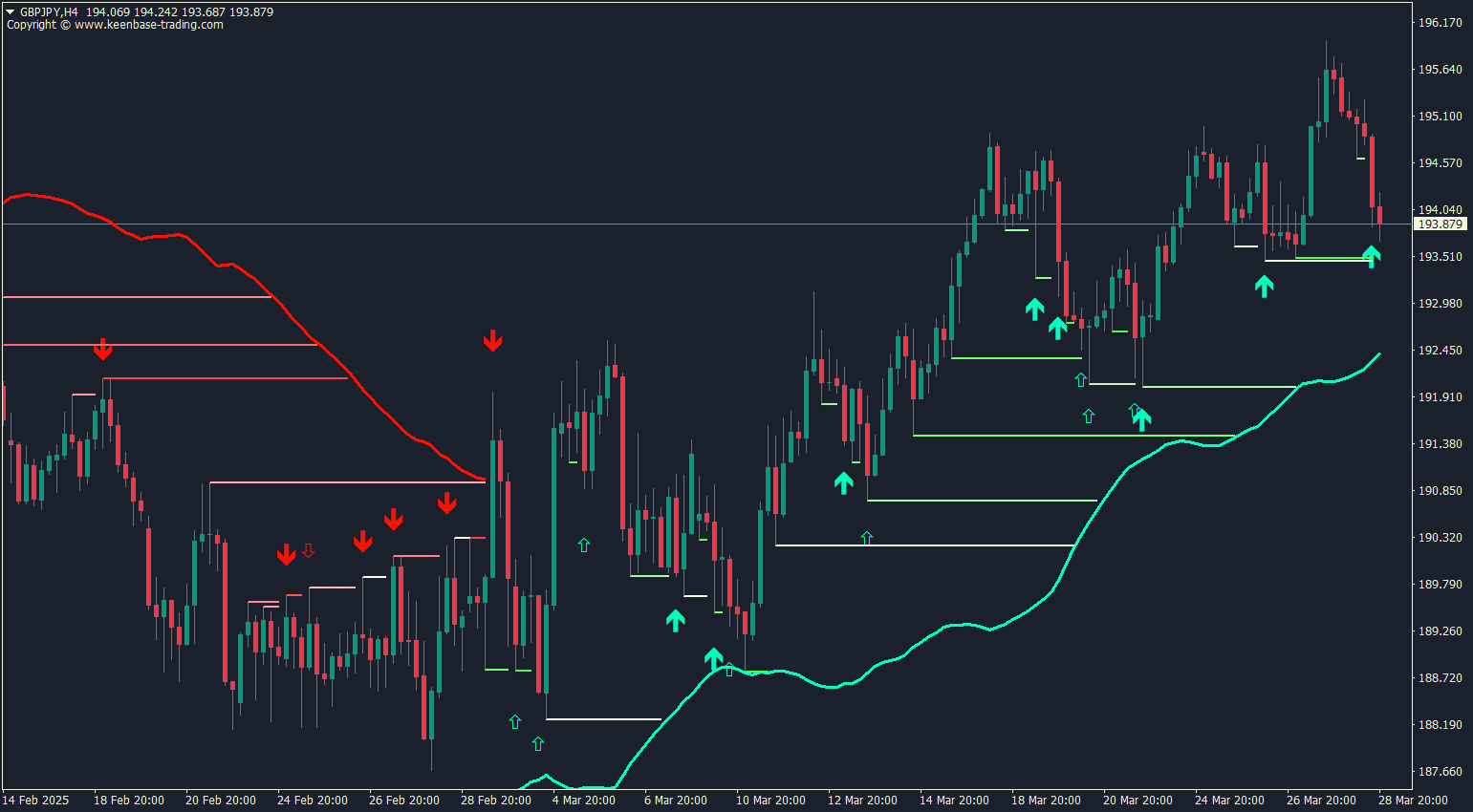
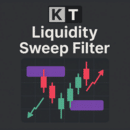
The indicator first identifies recent swing highs and swing lows. It stores qualifying levels on the chart, then checks whether price trades through a stored level. At the same time, its adaptive trend band provides trend context from the selected price source, Length, and Multiplier settings.
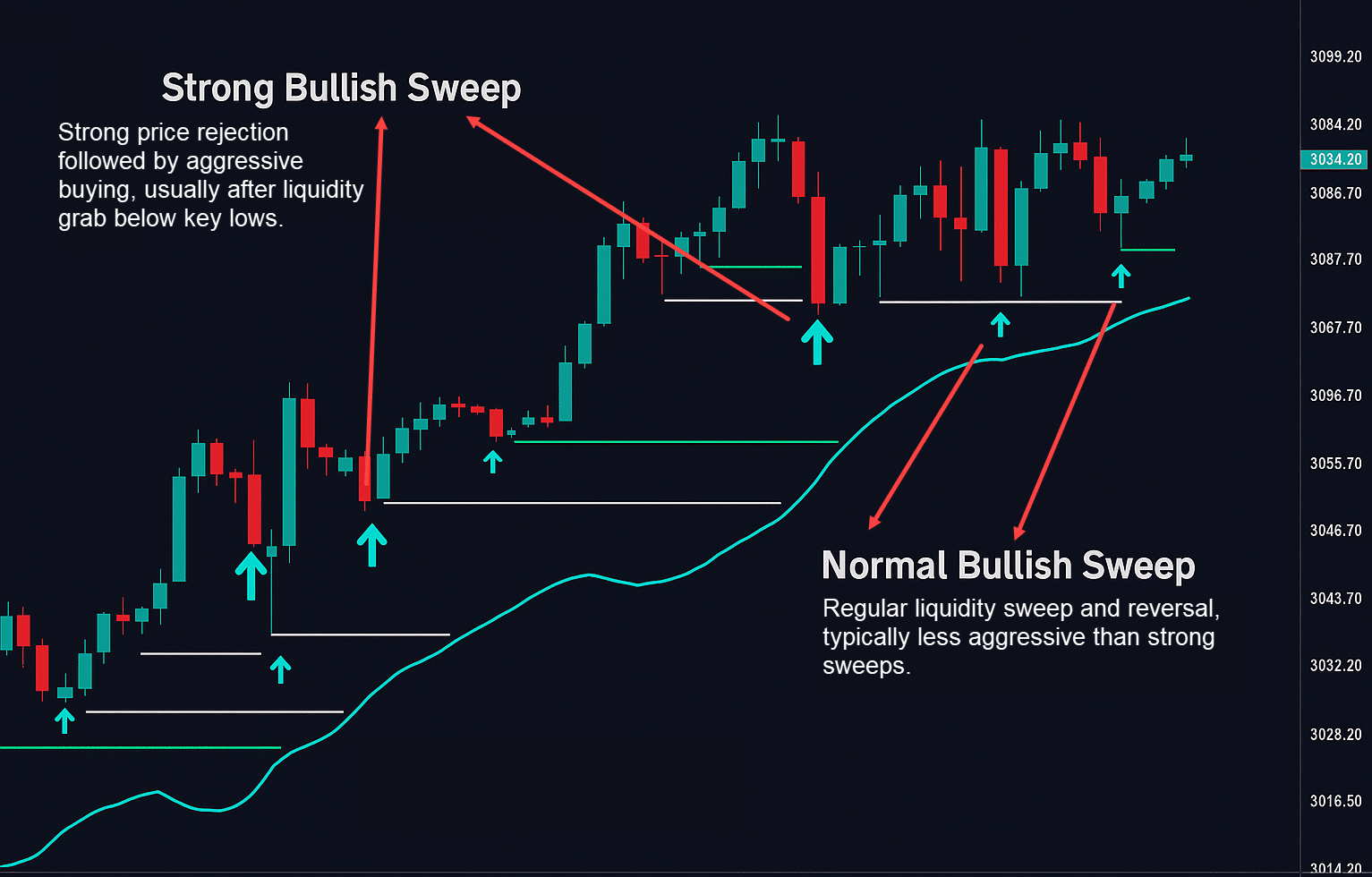
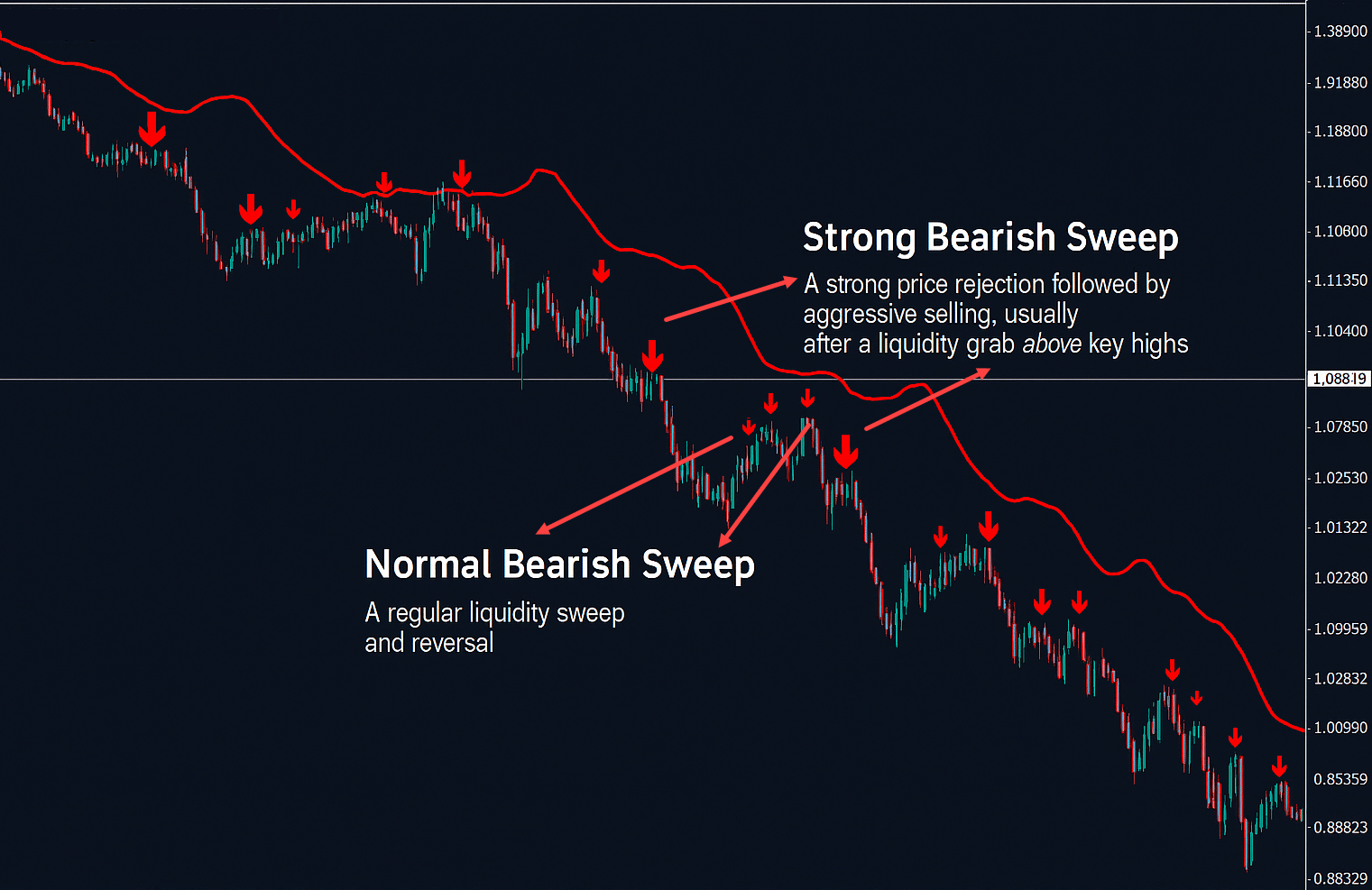
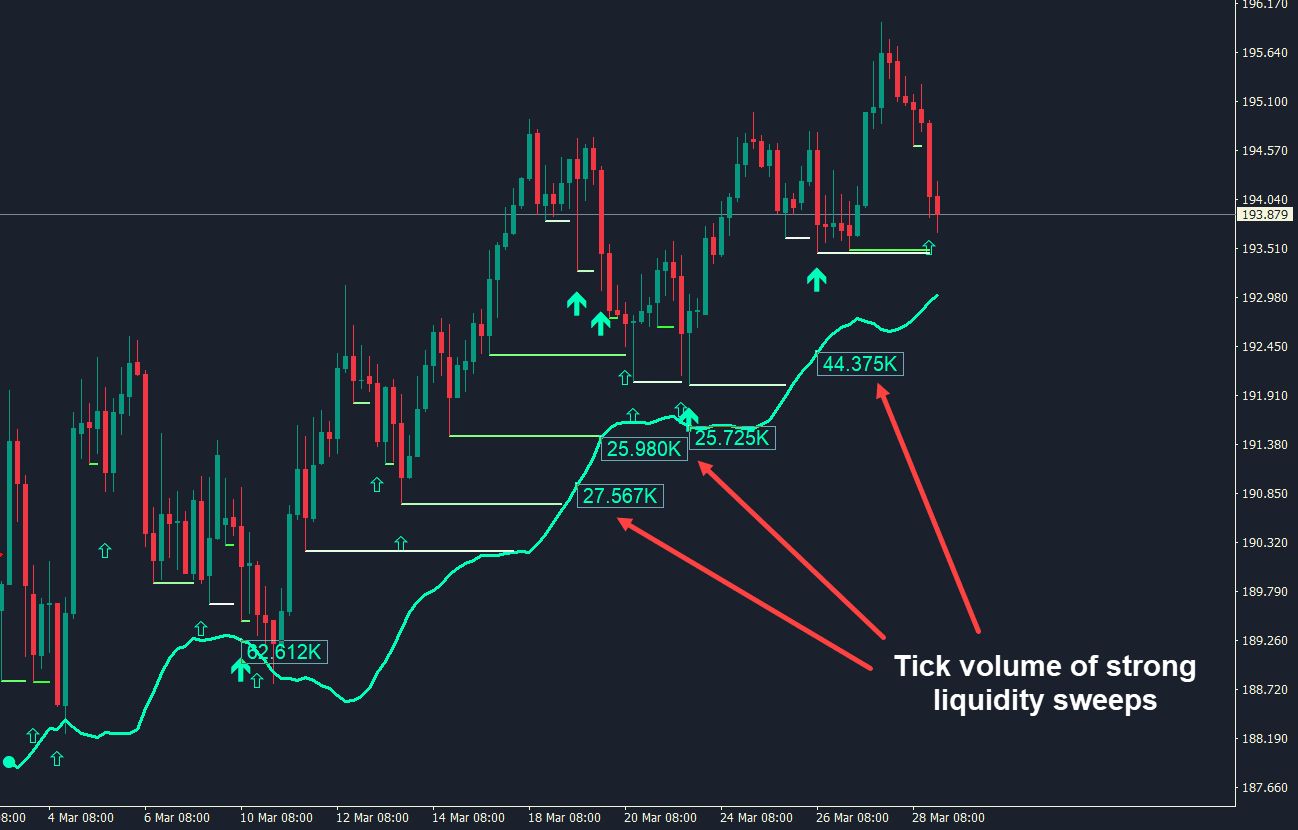
When price crosses a stored swing level, the indicator compares the current broker tick-volume reading with its normalized recent range. The Major Sweep Threshold determines whether that sweep is displayed as major or minor. This separates the two signal classes without claiming that either class guarantees a reversal.
Signals Shown on the Chart
- Trend-change arrows: Appear when the adaptive band changes state. They are separate from sweep arrows and show the indicator's current trend context.
- Major sweep arrows: Appear when price crosses a stored swing level and normalized tick volume is at or above the Major Sweep Threshold. These are the larger sweep markers.
- Minor sweep arrows: Appear when the same price-level condition is met but normalized tick volume is below the threshold. These are the smaller sweep markers.
A sweep arrow confirms that the indicator's coded conditions were met. It is not proof of institutional activity, a guaranteed reversal, or a complete trade entry by itself.
Input Settings
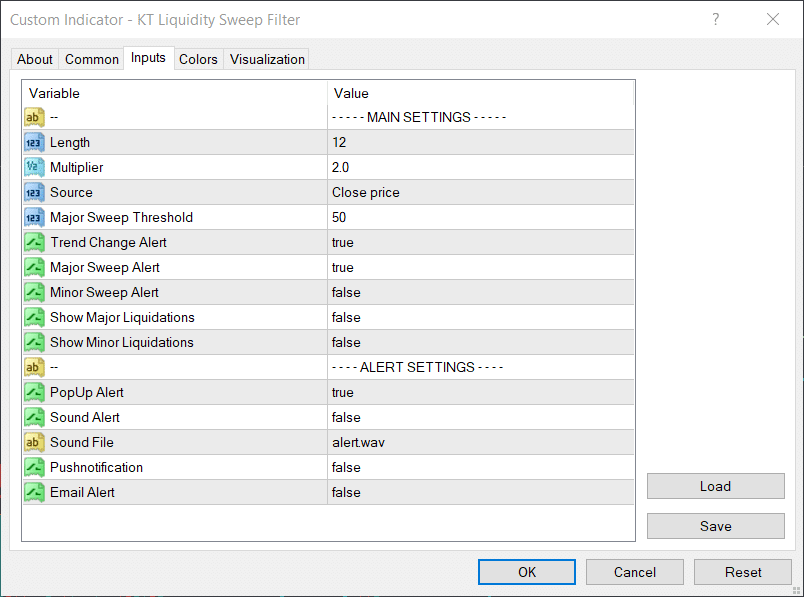
The screenshot below shows the available MT4 and MT5 settings. The explanation after it describes what each setting controls.
Main Input Settings
- Length: Controls the lookback used by the adaptive trend calculation. The default is 12.
- Multiplier: Adjusts the width of the adaptive band. The default is 2.0.
- Source: Selects the price series used by the trend calculation. The default is Close.
- Trend Change Alert, Major Sweep Alert, and Minor Sweep Alert: Choose which closed-bar events can trigger alerts. Trend-change and major-sweep alerts are enabled by default, while minor-sweep alerts are disabled by default.
- Major Sweep Threshold: Separates major and minor sweep classifications. The default is 50. A higher threshold generally requires a higher normalized tick-volume reading for a signal to be labeled major.
- Show Major Liquidations and Show Minor Liquidations: Control whether the related level displays are visible. Both are disabled by default to keep the chart cleaner.
Practical Setup for MT4 and MT5
Install the correct MT4 or MT5 file, restart the platform if the indicator is not visible, and attach it to the required symbol and timeframe. Make sure the chart has enough historical data for the lookback calculations.
Start with the default inputs. Review trend-change arrows separately from sweep arrows, and use the adaptive band only as the indicator's trend context. When a major or minor sweep appears, compare it with the surrounding swing structure and your own risk rules rather than treating the arrow as an automatic order.
Alerts are evaluated on a closed bar. This helps keep alert validation consistent, but it does not remove market risk or guarantee that a historical setup will repeat in live conditions.
How to Validate the Settings
Test one symbol and timeframe at a time. Record the signal type, the stored level that price crossed, the trend-band state, and what happened after the bar closed. Change only one input at a time so you can see what caused any difference.
If you adjust the Major Sweep Threshold, compare how often signals are classified as major rather than minor. If you adjust Length or Multiplier, review how the trend band and trend-change arrows respond. Use demo testing and a meaningful sample of signals before deciding whether a setting suits your market and timeframe.
Important Note About Tick Volume
MetaTrader tick volume counts price updates reported by your broker. It is not centralized traded volume and does not reveal institutional orders. Readings can differ between brokers and data feeds, so the major/minor classification should be treated as a broker-specific relative measure.
What the Indicator Does Not Guarantee
The KT Liquidity Sweep Filter does not guarantee precise entries, identify genuine institutional execution, prevent false breakouts, predict every reversal, improve accuracy in every market, or produce consistent trading outcomes. It is a technical analysis tool for organizing swing-level, adaptive-trend, and tick-volume conditions on an MT4 or MT5 chart.
Summary
Use the indicator to monitor stored swing levels, adaptive trend changes, and broker tick-volume classifications in one chart view. Validate closed-bar signals, keep major and minor sweeps in context, and combine the information with your own analysis and risk management.