

We hope you enjoy reading this blog post.
Become a Pro Trader by using our fine-tuned Indicators and Expert Advisors.
How to Change MT5 Background Color on PC
To change the MT5 background color on a PC, right-click the chart, select Properties, open the Colors tab, choose a color scheme or set the Background color, and click OK. You can also press F8 to open Chart Properties.
On iPhone, open Settings, tap Charts, and use the Colors section. Choose Black on White for a white background or Green on Black for a dark background.
The steps below cover MT5 on Windows, iPhone, and WebTrader without changing your indicators, templates, or trading settings.
How to Change MT5 Background Color on iPhone
In the MT5 app, open Settings and tap Charts.
Scroll to the Colors section and tap Scheme.
Choose Black on White to make the chart background white, or Green on Black for a dark chart.
If needed, adjust the foreground, grid, bullish and bearish candle, volume, bid, ask, trade-level, and stop-level colors individually.
How to Choose Clear MT5 Chart Colors
Use strong contrast between the chart background, price text, and candles so important information remains easy to read.
Keep bullish and bearish candle colors distinct from each other.
Use a subtle grid color so it supports chart reading without hiding price action.
Check that bid, ask, trade-level, and stop-level lines remain visible against the background.
On desktop, save the finished design as a chart template if you want to reuse the same colors on other charts.
How to Change MT5 Background Color on PC
On MT5 for Windows, chart appearance is controlled from Chart Properties.
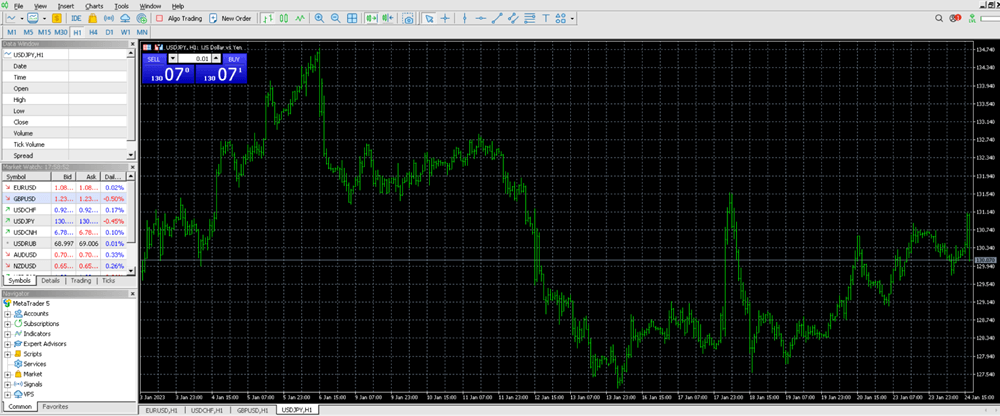
Follow these steps to change the background and candle colors:
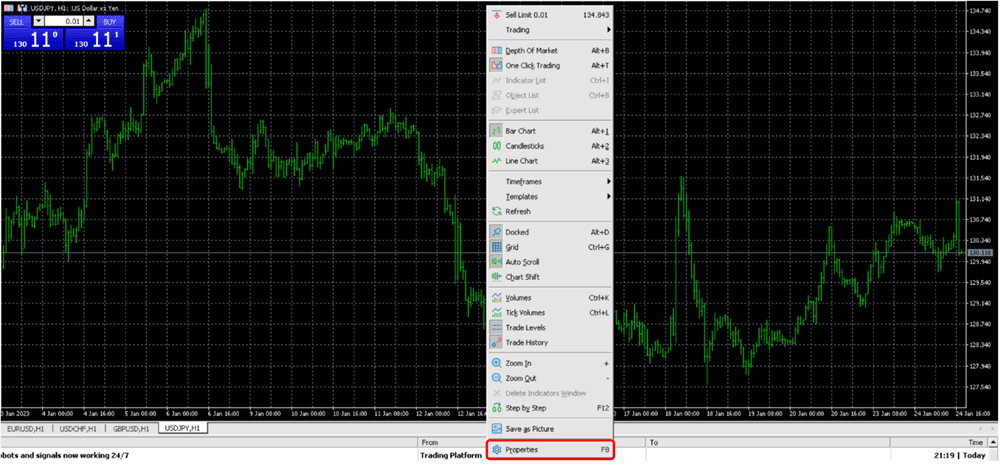
Step 1: Right-click the chart and select Properties. You can also press F8.
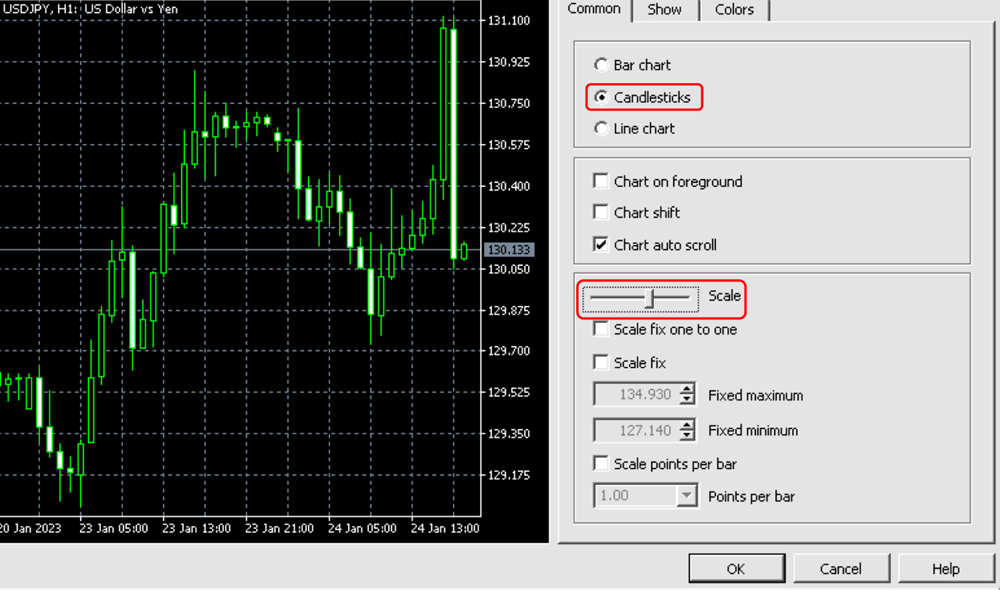
Step 2: On the Common tab, select Candlestick if you prefer candle charts and adjust the Scale setting if needed.
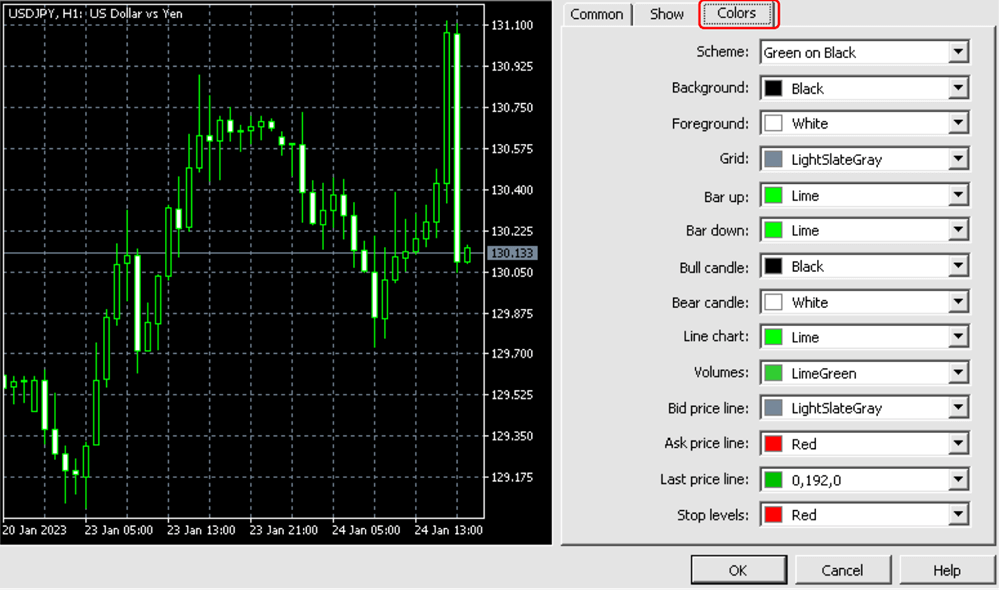
Step 3: Open the Colors tab.
Step 4: Choose a preset under Scheme, or select Background and choose any color you prefer.
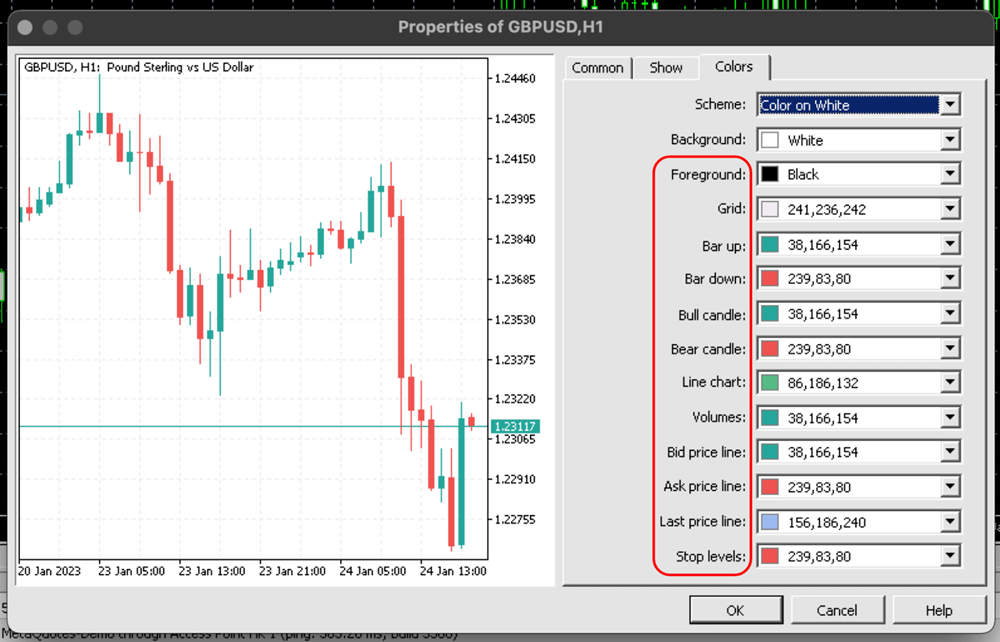
Step 5: For a white chart, select Color on White. You can then adjust Text, Grid, Bar up, Bar down, Bull candle, and Bear candle colors individually.
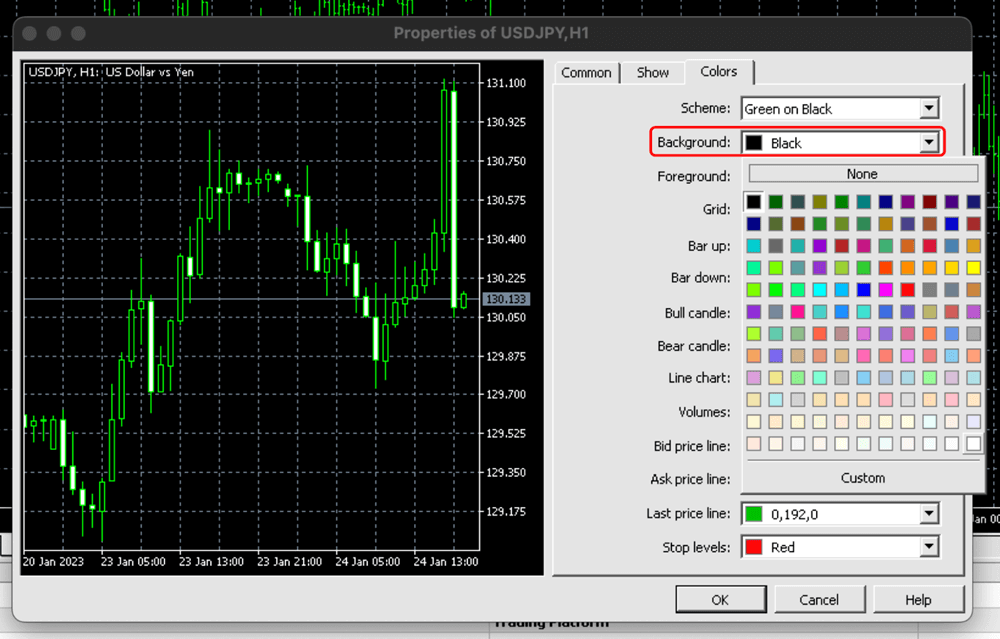
Step 6: Adjust the Line chart, Volumes, and other chart-element colors if needed.
Step 7: Check that the Bid, Ask, Last price, and Stop-level colors remain visible against your background.
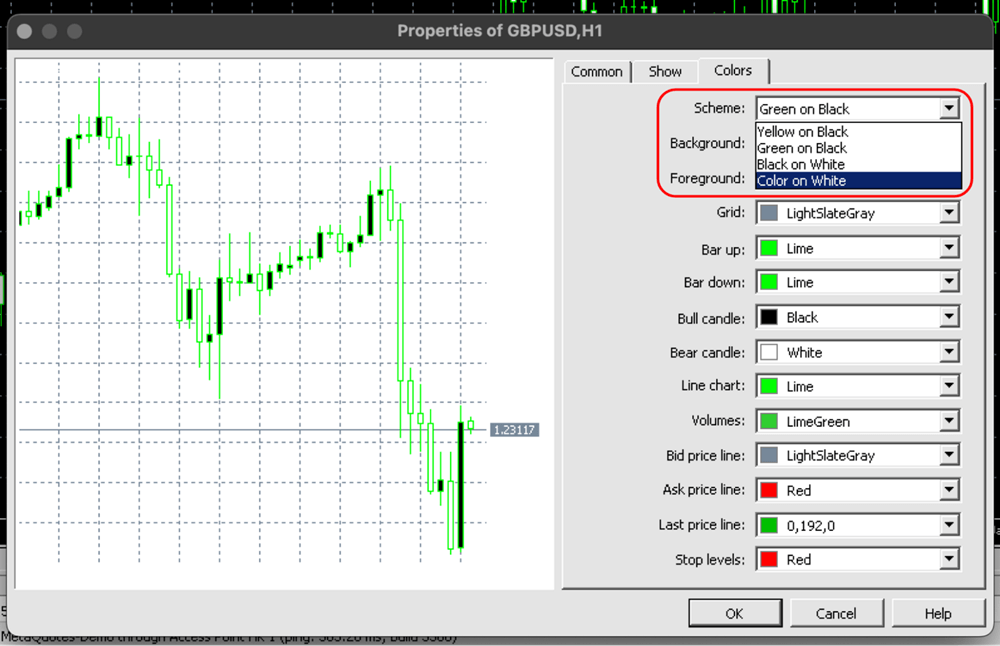
Click OK to apply the changes.
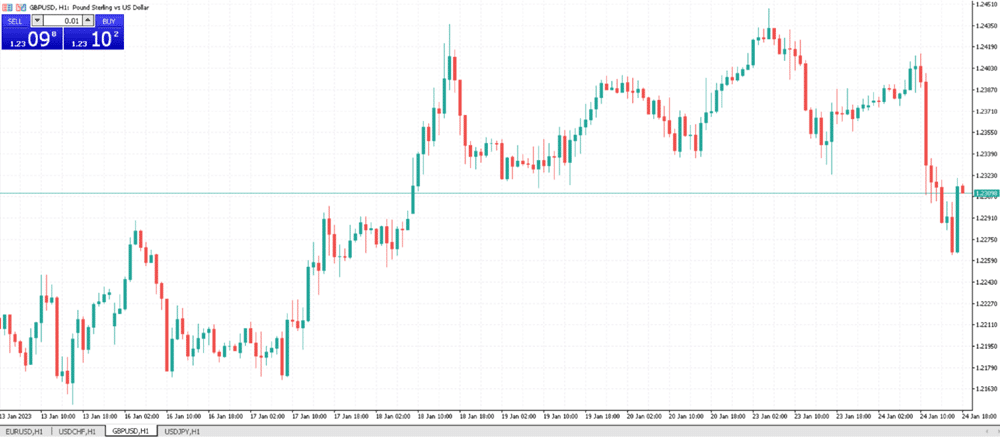
Your chart will update immediately.
To reuse the same design on other desktop charts, save it as a chart template.
Download the latest MT5 version here!
How to Change Background Color on MT5 WebTrader
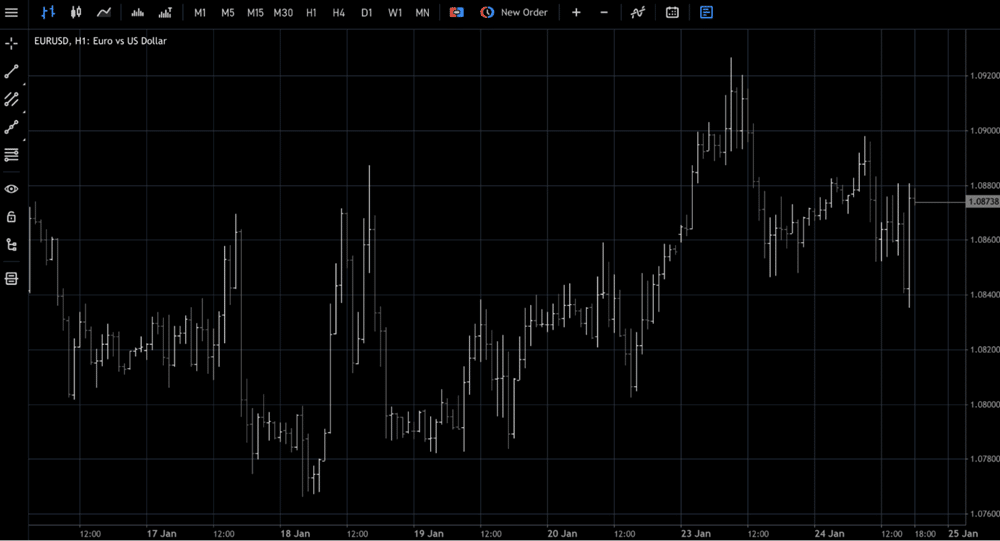
Login to MT5 WebTrader and your price charts will look like this. Unfortunately, the black-on-white color scheme looks bland, and it is super hard to trade on these charts. So let’s make this chart more professional looking.
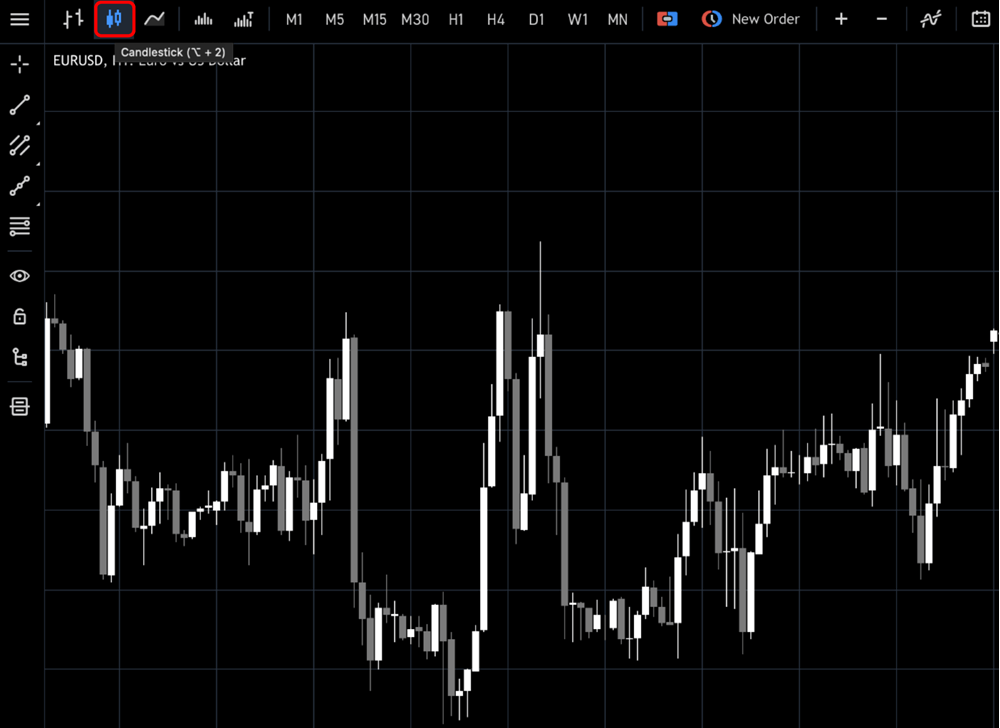
Click the “Candlesticks” icon on the banner to change your chart type.
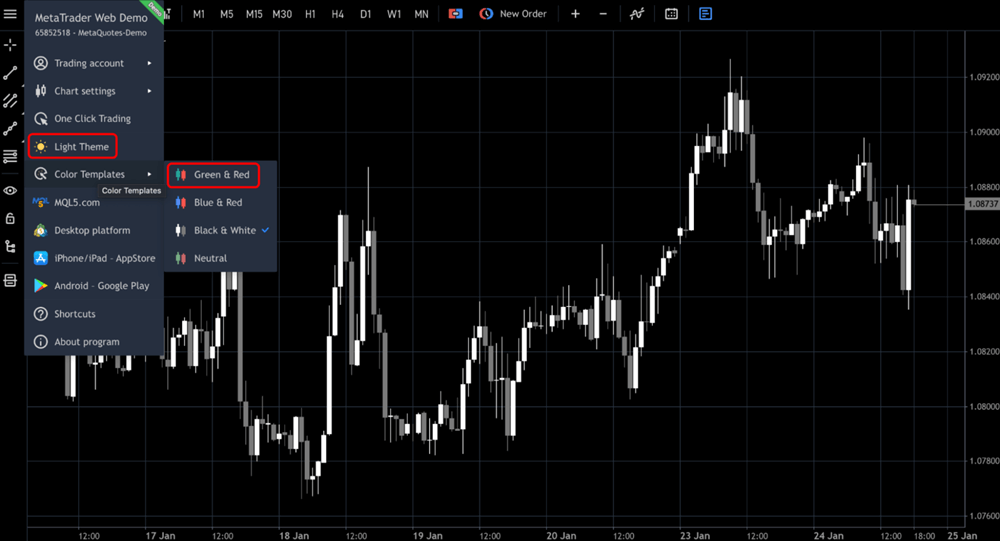
Now click the three horizontal lines in the top left corner. Next, tap “Light Theme” and change the Color Templates to “Green & Red.”
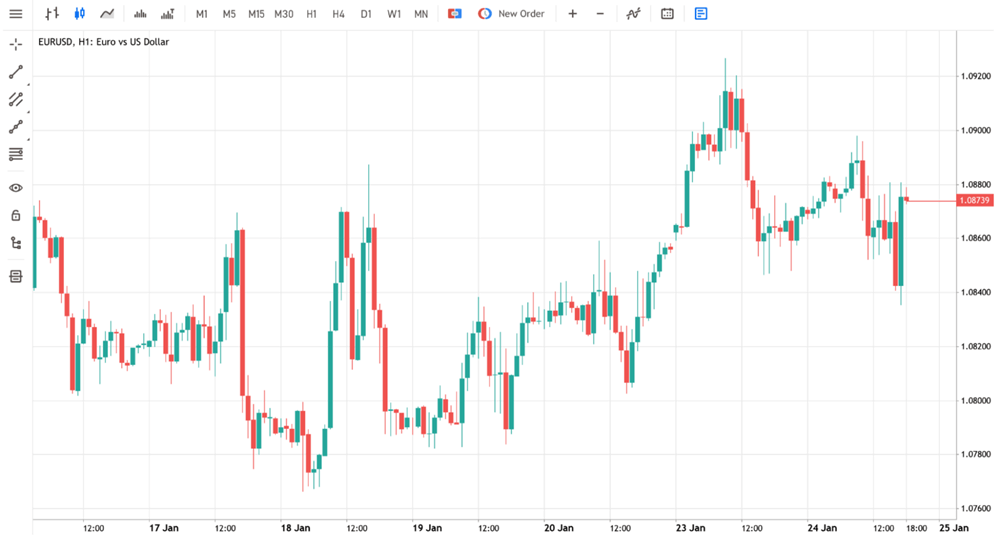
There you have it. This chart looks much better and is soothing to the eyes.
Pros of Using the MT5 Trading Platform
- MT5 is designed to be user-friendly and packed with features and indicators that help you make better trading decisions.
- MT5 makes it easier to view market trends and allows traders to access multiple markets from one place.
- The platform offers automatic execution, so manual order placement is not needed.
- It also comes with various charting time frames and more than 80 technical indicators to spot profitable opportunities quickly.
- If you're looking for a secure trading environment, MT5 has robust authentication protocols to ensure your trades are safe.
- With its impressive features and intuitive user interface, MT5 is an excellent choice for anyone who wants to get serious about trading.
Bottom Line
You can change MT5 chart colors from Chart Properties on Windows, the Charts settings on iPhone, or the theme controls in WebTrader. Choose a high-contrast scheme that keeps candles, labels, and trading levels easy to read.
Take Your Trading to Next Level
Get Access to all our Products

Take Your Trading to Next Level
You Might Also Like: